Start by considering the room dimensions, the screen size you want and how much light will remain on during the screening. Then compare the brightness and throw distance of suitable models. Check separately how you’ll make sure the sound reaches the whole group: a built-in speaker alone doesn’t tell you whether it will be powerful enough for your room. For screenings outside a strictly domestic setting, also check what permission you need for the specific recording.
Who is this guide for?
Organisers of screenings in a hall
You want the picture to be visible even at the back of the room, possibly with some ambient light. So measure the screen, assess the lighting conditions and check where you can place the projector before comparing models.
Viewing groups in a room that can be darkened
If you can control the lighting, you can focus on stage details and arranging the picture to suit the seating. Also check the quality of the playback source and the actual throw distance.
Organisers who prioritise clear sound
Dialogue and music need to reach the whole group. Don’t choose based only on a built-in speaker: check whether the projector has connections for the sound system you plan to use.
What should you look for when buying?
More brightness for a larger or less dark room
Choose this option: if you need a large picture or can’t darken the room completely, compare the stated brightness for the screen size you have in mind.
Bear in mind: the room, screen and placement all affect the result. A stated lumen figure isn’t a measurement taken in your space.
Flexible placement in a room that can be darkened
Choose this option: if you can control the lighting but can’t position the projector exactly where you’d like, check the throw distance, optical zoom and lens shift on the specific model. Epson lists these features for the EH-TW7100.
Bear in mind: the EH-TW7100 uses a lamp. Epson describes ‘4K PRO-UHD’ as picture enhancement using pixel shifting, so it isn’t necessarily equivalent to every other 4K label.
Laser projector with an external audio connection
Choose this option: if you’re looking for a laser light source and a connection for a separate audio system, BenQ lists features for the TK710 including 3.200 lm, an audio output and HDMI eARC.
Bear in mind: the 5 W built-in speaker doesn’t prove that the sound will reach the whole group. Also check that the throw distance suits the room.
| What to consider |
What should you look for? |
Who should prioritise this? |
| A visible picture at your desired size |
Measure the screen and assess the stated brightness in relation to the room lighting. |
If I want a large picture to remain visible at the back of the room, even with some lights on, screen size and brightness are both important. Around 26% of consumers put visibility first. |
| Throw distance and set-up |
Measure the distance and screen width; check the throw-distance table or calculator for the specific model. |
If the projector needs to stay in a fixed position, I want to know in advance whether that distance will work for the picture size I want. Around 21% of consumers prioritise placement. |
| Clear dialogue and music |
Check the audio outputs and test the planned speakers from different seats. |
If everyone in the group needs to follow the dialogue and music, I want to know whether my sound set-up will be up to the task. Around 21% of consumers put clear sound first. |
| Detail in the recording |
Check the playback source’s resolution and what the specific model’s specification means. |
If set and stage details matter, I want the source and projector to work together to show the level of detail I’m looking for. Around 16% of consumers give picture detail top priority. |
| Total costs and maintenance |
Factor in any screen and audio equipment, and check the model’s manual and warranty terms. |
When planning a complete set-up, I want to consider any extra equipment and model-specific maintenance as well as the projector. Around 16% of consumers prioritise total costs. |
Common pitfalls
-
Assuming the maximum screen size guarantees a bright picture
A stated maximum screen size doesn’t, on its own, tell you how the picture will look in a room with ambient light.
First, establish the screen size and lighting conditions. Then assess whether the specifications suit that set-up.
-
Comparing lumen figures without checking how they’re measured
ANSI lumens and ISO lumens aren’t necessarily measured on the same basis, so figures on their own don’t make for a reliable direct comparison.
Note the unit for each model, and don’t draw conclusions about performance from the figures alone.
-
Planning for just the projector and recording
Depending on the room, you may need a suitable screen or external audio equipment. Maintenance information also varies by model and light source.
Make a list of everything you’ll need in advance, and check the manual for the specific model.
-
Assuming a private group evening automatically counts as a domestic setting
A private gathering doesn’t automatically count as a strictly domestic setting. The Dutch government’s Ondernemersplein website states that organisations need a screening licence for films that employees or guests may watch.
Check the rights for the specific theatre recording and obtain permission before the screening if required.
There may be a charge for permission or an applicable screening licence. Costs depend on the rights and the screening.
Brands to consider
Epson
The EH-TW7100 is worth considering for a group viewing space that can be darkened, where flexible placement is important.
- Epson lists 3.000 lumens, optical zoom, lens shift and two HDMI ports for the EH-TW7100.
- It uses a lamp. Epson describes 4K PRO-UHD as picture enhancement using pixel shifting; don’t compare this label with other 4K specifications without taking that into account.
BenQ
The TK710 is a laser projector worth considering if you also want to connect an external sound system.
- BenQ lists 3.200 lm, an audio output and HDMI eARC for this model.
- The stated 5 W output of the built-in speaker doesn’t tell you whether everyone in a particular room will be able to hear the dialogue clearly.
ViewSonic
The PX749-4K is worth comparing if a large screen and ambient light are key considerations.
- ViewSonic lists 4.000 ANSI lumens, a maximum screen size of 300 inches and 1,3× optical zoom for the PX749-4K.
- The stated maximum screen size and brightness don’t prove that every combination of screen size and room lighting will work well.
XGIMI
The HORIZON S Max is worth considering if you’re planning a changeable set-up and want integrated adjustment features.
- XGIMI lists 3.100 ISO lumens and automatic adjustment features for this model.
- Don’t compare the ISO lumen figure directly with ANSI lumens without taking the measurement basis into account.
Projectors at Joybuy
This selection includes projectors with different stated resolutions, brightness levels and placement options. Compare each model’s features with the room lighting, available throw distance and picture size you want.
 No image available
BenQ TK700 Standard Throw, 4K UHD
The stated brightness and zoom may be useful if you want to match the picture size to the projector’s position.
The product name lists 3.200 ANSI lumens, 1,3× zoom and 4K UHD (3840×2160).
View at Joybuy
 No image available
Optoma H117ST Short Throw, WXGA
The short-throw specification may be useful if the available distance between the projector and screen is limited.
The product name lists WXGA and 3D. WXGA resolution is worth bearing in mind if picture detail is important.
View at Joybuy
 No image available
BenQ MW809STH Short Throw, XGA
The short-throw specification may help when comparing models for a position close to the screen.
The product name lists 3.600 ANSI lumens and XGA (1024×768). Bear the resolution in mind if you want to see plenty of picture detail.
View at Joybuy
 No image available
Epson EB-W53, 3LCD WXGA
The stated brightness may be useful when comparing projectors for a room with ambient light. Assess it alongside the screen size.
The product name lists 4.000 ANSI lumens and WXGA (1200×800).
View at Joybuy
 No image available
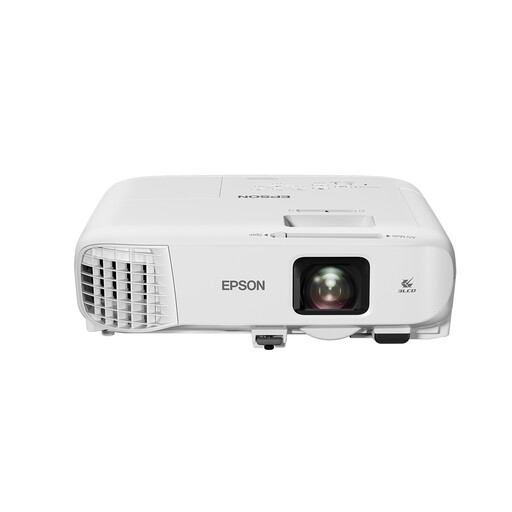
Epson EB-X49 Standard Throw, 3LCD XGA
Standard throw and the stated brightness are features to compare with the available throw distance and room lighting.
The product name lists 3.600 ANSI lumens and XGA (1024×768). Bear the resolution in mind if details in the recording are important.
View at Joybuy
Frequently asked questions
How can you check whether the projector will fit in the planned position?
Measure the screen width and the distance between the screen and projector. Then check the throw-distance table or calculator for the specific model; a stated maximum screen size isn’t enough on its own.
Can you rely on the built-in speaker for the whole group?
You can’t tell just from the fact that it has a speaker. Check the model’s audio connections and, before the screening, test whether your planned sound system can be heard clearly from the back row.
Where can you find maintenance and warranty information?
Look up the information with the manufacturer using the exact model or serial number. Epson says its support section provides model manuals and can show warranty or contract information registered against a serial number; terms may vary by model.
Can you simply screen a purchased or streamed theatre recording to a large group?
Not without checking the nature of the gathering and the rights to the specific recording. According to Auteursrecht.nl, a screening in a strictly domestic setting may fall under an exception. The Dutch government’s Ondernemersplein website states that organisations need a screening licence for films that employees or guests may watch. Buying a copy or having a personal subscription doesn’t automatically give you permission to screen it outside that setting. Check with the rights holder what permission you need for your recording.


