What should you look for?
First, work out the image width you want from the back seat, then calculate where the lens needs to be. After that, assess the light on the screen and how you’ll connect your match source.
| What to consider |
What to look for |
Who it matters to |
| Image size at a distance |
Measure the viewing distance and usable screen height; also check whether you can read the score from the back seat. Epson Netherlands gives up to eight times the screen height as a general guideline for passive video content. |
If you want to keep track of the ball, court lines and score from the back seat, image size and readability are key. Around 36% of consumers put this need first. |
| Light on the screen |
Consider the lighting while you’re watching, the stated brightness and how it’s measured; check whether you can darken the room. |
If you usually watch with daylight or lamplight falling on the screen, you’ll want to know whether the picture will remain clear in your room. Around 29% of consumers make visibility in ambient light their main priority. |
| Lens distance and alignment |
Measure the distance from the lens to the screen and calculate the image width using the throw ratio of the exact model. If positioning is tricky, check the optical adjustment options too; BenQ warns that digital keystone correction can affect sharpness and the edges of the image. |
If the projector has to stay in a fixed position or can’t face the screen directly, you’ll want to know in advance whether the lens can produce the image you want from there. Around 21% of consumers put the available projector position first. |
| Match source and fast action |
Check which provider is showing the specific match, whether you can connect your source device and which image-processing features the model lists. Manufacturer claims about motion processing aren’t an independent test of tennis footage. |
If you watch the match via a separate receiver and want to follow fast rallies, check the source and connections first. Around 14% of consumers say match reception and fast action are their main considerations. |
Projectors at Joybuy
This selection includes a projector with stated zoom and a range of smart and portable projectors. For each model, check that the image width, lens position, lighting conditions and match source suit your set-up.
 No image available
Optoma UZ38X 4K UHD Dual-Laser Projector
Worth considering for a fixed set-up where you want to match the lens position to your preferred image width.
The product name lists dual laser, DLP, 3,800 lumens, 1.3× zoom and a 15W speaker. Check the throw ratio and whether you can connect your source device.
View at Joybuy
 No image available
XGODY N7 Cine Smart Projector
Worth a look if autofocus and keystone correction are important for positioning the projector.
The product name lists 1,000 ANSI lumens, native 1080P and 4K support. Check that your preferred image width suits the available lens distance.
View at Joybuy
 No image available
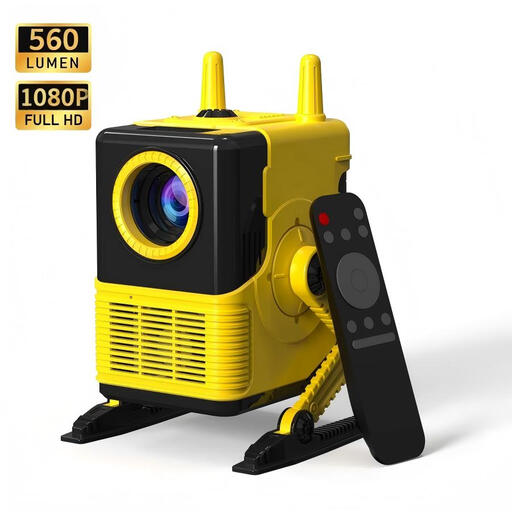
XBJ H8 Portable LCD Home Projector
The portable design may suit you if you want to move your projector set-up. Check the image size against the distance at your viewing position.
The product name lists 560 lumens, 1080P support, Wi-Fi and Bluetooth 5.0.
View at Joybuy
 No image available
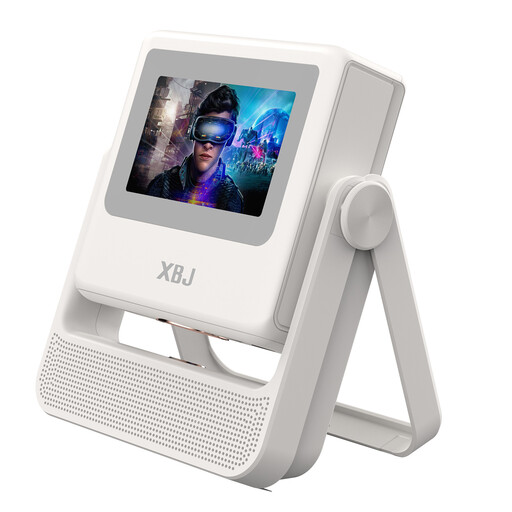
XBJ A5Pro Outdoor Smart Projector, white
A smart projector to consider if automatic focus and image correction suit your set-up.
The product name lists native 1080P, 900 ANSI lumens, 4K decoding and the white version. Check your preferred image width and the lens distance for your room.
View at Joybuy
 No image available
HP CC360 FHD Smart Projector
Worth considering if you’re looking for a smart projector and can check in advance that it connects to your match source.
The product name lists FHD, Wi-Fi, Bluetooth, wireless projection, autofocus and 4K support.
View at Joybuy
Frequently asked questions
Is the distance from your seat also the distance at which the projector needs to be positioned?
No. Viewing distance is measured from your seat to the screen; throw distance is measured from the lens to the screen. Measure both, then use the throw ratio of the exact model to calculate the lens distance for your preferred image width.
Can you position a projector at an angle and digitally straighten the image?
Keystone correction can straighten a tilted image, but BenQ warns that digital correction can affect the image edges and sharpness, among other things. Try a more suitable position or available optical adjustment first, then check whether the score is readable from your seat.
What should you consider with a lamp projector and match source?
Check in advance that you can receive and connect the source showing the specific match. With a lamp projector such as the Epson EH-TW7000, lamp life is also a maintenance consideration. Epson quotes 5,000 hours in economy mode, not for every setting.
What warranty applies if a projector develops a fault in the Netherlands?
According to ACM ConsuWijzer, you have a statutory guarantee in addition to any manufacturer’s warranty: with normal use, the product must meet what you could reasonably expect. The seller is your point of contact for an appropriate remedy if the product is faulty; this doesn’t mean there is a standard statutory warranty period of two years.
Can you show a tennis broadcast in a clubhouse or at a public event?
Don’t assume that a personal subscription allows public screenings. The Dutch government distinguishes between private use and making content available to the public; Videma describes licences for applicable group and event screenings, and Ziggo Sport says you need its own permission to show its broadcasts publicly. The permissions and subscription you need depend on the broadcast, venue and type of screening, so arrange this in advance.


