What should you look for?
First measure the distance to the projection surface and work out how much ambient light you can block. Then consider which picture, audio and connection options suit your recording.
| What to consider |
What should you check? |
Who should pay most attention? |
| Visibility in ambient light |
Compare the stated light output and measurement unit with the light in the room and your desired image size. Do not treat ANSI, ISO and other lumen ratings as equivalent. |
If I’m watching with housemates and the room cannot be made completely dark, I want to know whether the set-up will work with that amount of light. Around 36% of consumers prioritise visibility in ambient light. |
| Suitable image size and position |
Measure the distance from the lens to the wall and the available wall width, then compare these with the throw ratio of the exact model. |
If the projector needs to be close to the wall or put away afterwards, I want to know in advance whether the image will fit the available space. Around 29% of consumers prioritise image size and positioning. |
| Dialogue and projector noise |
Check the audio outputs and any stated fan noise for each mode; speaker power alone does not guarantee clear dialogue. |
If I want to follow spoken dialogue without unnecessarily disturbing my housemates, I consider both the audio connection and the noise from the projector itself. Around 21% of consumers prioritise clear dialogue and quiet operation. |
| Playback, power and use |
Check the projector and playback source connections, power requirements, and any conditions attached to the stated battery life or light-source replacement. |
If I’m playing the recording from my own device or need to move the projector, I want to know which connections and power supply will support the whole performance. Around 14% of consumers prioritise easy playback and manageable running costs. |
Projectors on Joybuy
This selection includes projectors for shared viewing spaces and set-ups with limited projection distance. Measure your room and check each model’s picture resolution, connections and positioning options.
 No image available
Optoma H117ST short-throw DLP projector, WXGA, 3800 ANSI lumens, 3D, white
The stated short throw ratio is useful if the projector needs to be close to the projection surface.
The product information lists a throw ratio of 0,52:1, 3800 ANSI lumens, HDMI, a built-in 10 W speaker and vertical keystone correction. The resolution is WXGA.
Joybuy
 No image available
Yoton Y6 5.2 Bluetooth 4K LCD projector, native 1080P
The product information describes a compact, portable design for anyone who wants to move the projector around.
The title specifies native 1080P. The product information lists Bluetooth 5.2, HDMI, USB and AV inputs, plus a built-in speaker. Check that the connections are compatible with your playback source.
Joybuy
 No image available
BenQ MW809STH short-throw projector, 3600 ANSI lumens, DLP, XGA (1024 × 768)
The short throw ratio is useful if the available distance to the projection surface is limited.
The product information lists a throw ratio of 0,49, 3600 ANSI lumens and a stated lamp life of up to 15.000 hours. The resolution is XGA (1024 × 768); check that it suits your recording.
Joybuy
 No image available
BenQ MX825STH short-throw projector, 3500 ANSI lumens, DLP, XGA (1024 × 768)
The short projection distance may be useful when there is limited space between the projector and the screen.
The product information lists 3500 ANSI lumens, XGA resolution (1024 × 768), HDMI inputs and a built-in 10 W speaker. Check that the picture resolution and connections suit your source.
Joybuy
 No image available
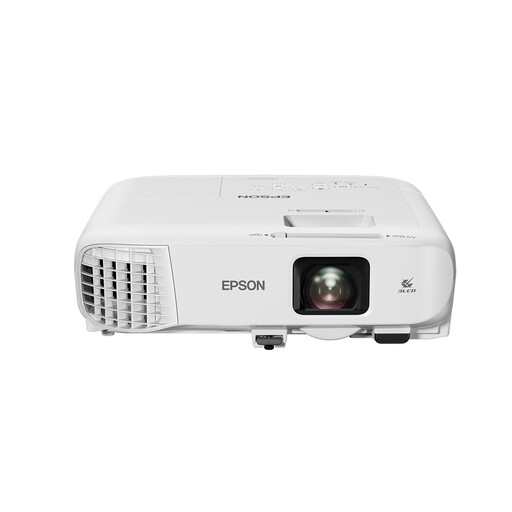
Epson EB-982W standard-throw projector, 4200 ANSI lumens, 3LCD, WXGA (1280 × 800)
The stated light output and positioning options are worth considering if you are planning a fixed position in a shared room.
The product information lists 4200 ANSI lumens, WXGA resolution (1280 × 800), HDMI, a built-in 16 W speaker, 1,6× optical zoom and keystone correction. Check the distance and image width for your set-up.
Joybuy
Frequently asked questions
How can I check whether the projector will fit our room before buying?
Measure the available wall width and the spot where the lens can be positioned. Compare these measurements with the throw ratio of the exact model, which indicates the relationship between distance and image width. Also check that the projector can be positioned securely without blocking a walkway.
Can I play the performance from my laptop?
That depends on your laptop’s output, the projector’s input and how the recording is played. According to Epson, the Epson CO-FH02 has an HDMI input. Check whether your laptop has a compatible output or whether an adapter is available, and test how the audio will play too.
What should I look for when it comes to sound and maintenance?
Check the audio output and any stated fan noise for each mode. For maintenance, look at the light source type and the stated lifespan for the exact model. BenQ publishes this information for the TH575i, but it does not guarantee that quiet dialogue will be undisturbed where you sit.
What are my rights when buying a projector online?
According to ACM ConsuWijzer, online consumer purchases generally come with a cooling-off period of up to 14 days after delivery, subject to legal exceptions. You are also entitled to a statutory guarantee if, under normal use, the product does not do what you could reasonably expect. In the Netherlands, there is no set period that applies to every projector.
Can I watch any recording of a theatre performance with my housemates?
Not every recording or viewing situation is automatically permitted. The Dutch Government states that copyrighted material cannot be distributed or made available to the public without permission, and that downloading from an illegal source is prohibited. Check the source and terms of use for the specific recording; this general information does not provide a definitive answer for every viewing in a student house.


