What should you look for?
Start by considering where the projector will sit in relation to the wall, then assess the picture in your room and finally check how to connect your film and audio.
Short-throw projector
A good fit if: you can position the projector some distance from the wall, but a standard lens cannot produce your desired image size from that spot. BenQ UK states that the TH671ST can project a 100-inch image from around 1.5 metres.
Bear in mind: check the distance needed for your chosen image size, and allow for furniture, viewers and cables.
Ultra-short-throw projector
A good fit if: the projector needs to sit close to the wall and there is room for a stand or cabinet. Epson UK lists a throw ratio of 0.16–0.40:1 for the EH-LS800W, with a 90-inch image from 0.3 metres.
Bear in mind: follow the positioning guide for the exact model. Epson describes this model as having 4K PRO-UHD image enhancement; this is not the same as a stated native 4K panel.
Compact or portable projector
A good fit if: you move the projector often and can screen the film in a room that suits the model and the desired image size. Philips UK lists Full HD and 250 ANSI lumens for the NeoPix 330; XGIMI states that the MoGo 4 can play video on battery power for up to 2.5 hours in Eco mode.
Bear in mind: a compact design or battery does not tell you whether you can achieve your desired image width from the available distance.
Standard projector with a longer throw distance
A good fit if: the measured distance and available wall width are suitable for your desired image, according to the information for your chosen model.
Bear in mind: the lens partly determines the image size; the maximum screen diagonal in a product listing is not, by itself, a guide to placement.
| What to consider |
What should you check? |
Who is this important for? |
| Image at a short distance |
Measure the distance from the lens to the wall and the usable wall width; compare them with the distance chart for the exact model. |
If the projector needs to sit close to the wall, I want to know in advance whether the desired image will fit at that distance. This is a priority for around 42% of consumers. |
| How clearly you can see the film |
Compare the stated native resolution and brightness rating; consider the lighting and desired image size. |
When we watch a film together, I want the picture to suit the wall and the lighting in the room. Around 33% of consumers prioritise how clearly they can see the film. |
| Connections and sound |
Check that your playback device and projector have compatible connections, and that you have a suitable audio solution. |
I want to connect my playback device and hear the dialogue clearly without having to improvise during the screening. Around 25% of consumers prioritise playback and sound. |
Brands as a guide
The models mentioned are examples of different positioning and usage options. The features below apply to those models and do not automatically apply to every product from the same brand.
BenQ
The TH671ST is an example of a short-throw model for a room where the projector cannot sit right up against the wall.
- BenQ lists 1080p, a 100-inch image from around 1.5 metres, two HDMI inputs and a 3.5mm audio output for the TH671ST.
- These model specifications are not an independent assessment of picture quality and do not apply to all BenQ projectors.
Epson
The EH-LS800W illustrates the ultra-short-throw option when the projector needs to sit close to the wall.
- Epson lists a throw ratio of 0.16–0.40:1 and a 90-inch image from 0.3 metres for this model.
- Epson describes it as having 4K PRO-UHD image enhancement; this is not the same as a stated native 4K panel.
Philips
The NeoPix 330 is a compact Full HD option to consider if portability matters.
- Philips lists 250 ANSI lumens, HDMI, a 3.5mm connection and built-in 2.1 audio for this model.
- Check the distance information for your desired image size before deciding whether the model will suit your room.
XGIMI
The MoGo 4 is an example of a portable projector for a flexible film setup.
- XGIMI lists built-in speakers and up to 2.5 hours of battery-powered video playback in Eco mode.
- This battery life applies under the stated usage conditions; portability does not tell you whether the projector can produce your desired image from your chosen distance.
Projectors for film screenings
This Joybuy selection features projectors for film screenings, each with different stated features. For your living room, focus particularly on the positioning distance and check in advance that your playback device and audio solution are compatible.
 No image available
Yaber L2 Projector
For a short-throw setup, check whether this model’s projection information suits the distance to your wall and your desired image size.
The product name lists native 1080P, 520 ISO lumens, built-in Google TV, dual 5W speakers and a flexible stand compatible with a 360° ceiling mount.
View at Joybuy
 No image available
Blackview Smart Projector PV1000 Max Grey
If you’re watching with others, compare the stated image size with the wall space available, and check in advance how you’ll play the film and its audio.
The product name lists native 1080P, 1000 ANSI lumens, 4K decoding, 40–150 inches, a 360° rotating design, Dolby Audio, Wi-Fi 5, Bluetooth and AirPlay 2.
View at Joybuy
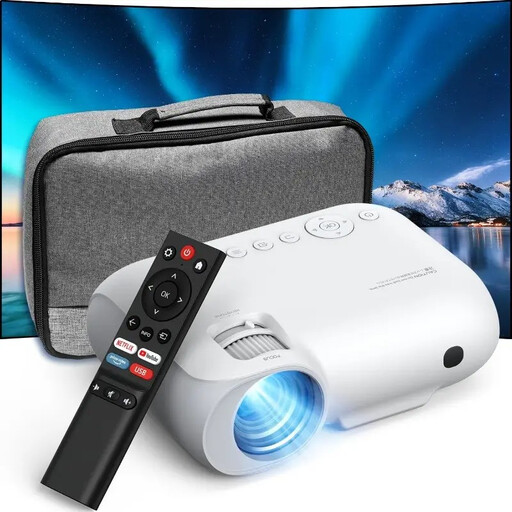 No image available
YOTON Y7 native 1080p Full HD projector
Check the projection distance needed for your image size and make sure the connections are compatible with your playback device.
The product name lists native 1080p Full HD, 4K compatibility, 9000 lumens, Wi-Fi and Bluetooth.
View at Joybuy
 No image available
Yoton Y6 5.2 Bluetooth 4K LCD Native 1080P Projector
Before choosing, compare your intended image size with the distance available in your living room.
The product name lists native 1080P, 4K LCD and Bluetooth.
View at Joybuy
 No image available
Dangbei N2 Mini 1080P projector
Built-in audio may be worth considering when watching a film with several people; also check the positioning needed for your image size.
The product name lists 1080P, a portable design, Dolby Audio, auto focus, automatic keystone correction, obstacle detection, Wi-Fi and Bluetooth.
View at Joybuy
Frequently asked questions
How can I tell before buying whether the image will fit on my wall?
Measure the distance from the lens to the projection wall and the usable wall width. Compare these measurements with the distance chart or positioning calculator for the exact model; the maximum screen diagonal alone is not enough.
Does the film have to be played from a laptop?
No, but choose your playback device in advance and check that its connections are compatible with the projector. Test the sound with the actual film file before watching it with others.
What can I do if the built-in speaker isn’t powerful enough?
Check whether your chosen model has an audio output that works with your speaker. BenQ lists a 3.5mm audio output for the TH671ST; Philips lists a 3.5mm connection for external speakers on the NeoPix 330.
Can I screen a student film for other people?
According to Auteursrecht.nl, a film may be screened within a strictly domestic circle. Outside that circle, permission from the rights holders may be needed. Separate rights may also apply to protected images or music in the film. The fact that the screening takes place in a ‘living room’ does not, by itself, make it strictly domestic.
What warranty and cooling-off period apply to an online purchase in the Netherlands?
For a consumer purchase covered by the relevant rules, you have a legal guarantee; according to the Rijksoverheid, the seller must provide a solution if something goes wrong. For online purchases from a business, a 14-day cooling-off period applies in many cases. Check the terms and any exceptions that apply to your purchase.


