For a small sitting area, the right projector depends largely on the distance between the lens and the projection wall. Choose a standard-throw model if the distance suits it, a short-throw model if space is limited, or an ultra-short-throw model if the projector needs to sit close to the wall. Measure the available distance and the image width you want before comparing models. For dark scenes, blackout conditions and image adjustment matter; in ambient light, brightness, streaming and sound each need separate consideration.
Who is this guide for?
Viewer with limited space for positioning
You want a suitably sized image from a small sitting area without placing the projector far behind your seat. BenQ Netherlands highlights room size and the distance between the projector and screen as important considerations.
Fan of dark scenes
You mainly watch in the evening and want to make out costumes, sets and subtitles clearly. Blackout conditions and image adjustment play a part, too; BenQ Europe also explains how ambient light can affect projection.
Flexible series watcher
You want to move the projector around and start an episode easily. XGIMI and Samsung product specifications show which streaming, battery and picture features you can check for each model.
What should you look for?
First, work out the throw distance based on where you plan to position the projector; portability is a separate feature.
Standard throw
Suitable when: the measured distance from the lens to the projection surface falls within the range of your chosen model, for example when placing it on a shelf behind the sitting area.
Bear in mind: an advertised screen size alone does not tell you whether it will work from your chosen position.
Short throw
Suitable when: there is not enough room for a standard projector, but you have a suitable position in front of or near the sitting area.
Bear in mind: check the distance, image width and potential shadows. This positioning will not, by itself, solve problems with ambient light or a missing streaming service.
Ultra-short throw
Suitable when: you want to place the projector on a suitable piece of furniture close to the projection wall.
Bear in mind: measure the space available on the furniture and check whether the wall can accommodate your desired image size.
The table is for consumers looking for a projector to watch historical drama series in a small sitting area.
| Buying concern |
What to look for |
Who is this important to? |
| Image size and positioning |
Measure the distance from lens to wall and the available wall width; compare these with the throw ratio and distance range of the exact model. |
I want to achieve the image width I want without placing the projector behind my seat, so the distance between the lens and wall needs to suit my room. Around 36% of consumers name positioning space as their main buying concern. |
| Subtitles and dark details |
Check the resolution, focus and image size; see whether you can darken the room and, if possible, limit digital keystone correction. |
In dark settings, I want to follow subtitles and see details from my seat, so blackout conditions and image adjustment matter. Around 29% of consumers prioritise dark scenes and readability. |
| Ambient light |
Work out whether you can darken the room; compare brightness figures only when they use the same measurement standard and apply to the exact model version. |
If I cannot always darken the room, I want to know whether the picture will still be comfortable to watch in the available light. Around 21% of consumers name ambient light as their main buying concern. |
| Easy, flexible use |
Check for your preferred streaming service or HDMI source, audio connection and power supply; if using a battery, check the stated battery life. |
I want to be able to move the projector and start an episode without a complicated setup. Around 14% of consumers give flexible use and easy streaming top priority. |
Common pitfalls
-
Assuming the maximum screen diagonal will fit every room
The available distance from lens to wall and the throw ratio both help determine how wide the image can be from your chosen position.
Measure the distance to the projection surface and compare it with the range for the exact model version before choosing an image size.
-
Comparing ANSI, ISO and LED lumens directly
Manufacturers use different measurements; a figure on its own does not tell you how the picture will look in your room and lighting conditions.
Note the measurement standard for each model and assess its stated brightness alongside your desired image size and lighting conditions.
-
Assuming a portable projector has everything you need for a full evening of watching
Apps, connections, sound and battery life vary by model version. For an evening of several episodes, your setup may also need mains power, an external playback device or separate audio.
Before buying, check that the exact model supports your preferred streaming service and has the audio connection and power supply you need.
If you plan to move it around, remember to connect and carry any additional equipment, too.
Brands to consider
Epson
The Epson Lifestudio Grand EH-LS670B is an ultra-short-throw model designed to sit close to the wall in a fixed setup.
- Epson Netherlands lists 3.600 lumens, Google TV and integrated sound for this model. These are manufacturer specifications; check the image size and setup for your room.
- Epson Netherlands lists the older EH-LS650B as discontinued. Be sure to check the full model name when comparing.
BenQ
The European TK705STi is a short-throw model for home use when a standard setup will not fit, but ultra-short throw is not needed.
- BenQ Europe lists a throw ratio of 0,8, 3.000 ANSI lumens and built-in Google TV for the TK705STi.
- These specifications apply to the model version listed. Check whether it can achieve your desired image size at your chosen distance.
ViewSonic
The European X2-4K Pro is a short-throw option for a fixed or semi-fixed setup.
- ViewSonic Europe lists a throw ratio of 0,69–0,83, optical zoom and built-in Google TV for this model.
- Its stated 3.300 LED lumens use a different measurement standard from ANSI or ISO lumens; do not compare these figures directly.
XGIMI
The European MoGo 4 is a portable projector for a flexible setup and viewing in a well-darkened room.
- XGIMI lists 1080p, 450 ISO lumens, licensed Netflix and up to 2,5 hours of video on the built-in battery for the MoGo 4.
- The stated maximum battery life depends on usage conditions. If there is ambient light, pay particular attention to your desired image size.
Samsung
The Freestyle+ available in the Netherlands is a portable smart projector for anyone who values a flexible setup.
- Samsung Netherlands lists 430 ISO lumens and automatic picture adjustment for the Freestyle+.
- Automatic picture adjustment does not replace checking the image size and ambient light; performance descriptions are manufacturer claims.
Projectors at Joybuy
These Joybuy products are suited to small sitting areas, with portable projectors and models described in the product selection as short- or ultra-short-throw. Check the image width you want, streaming options and connections for each model.
 No image available
XGODY Gimbal N6 Pro portable projector (White + Gold)
Suited to anyone looking for a portable projector who wants to start streaming directly through apps; check that your preferred service works on this model version.
The Joybuy product title lists native 1080p, 700 ANSI lumens, WhaleOS 3.0 and Netflix apps.
View at Joybuy
 No image available
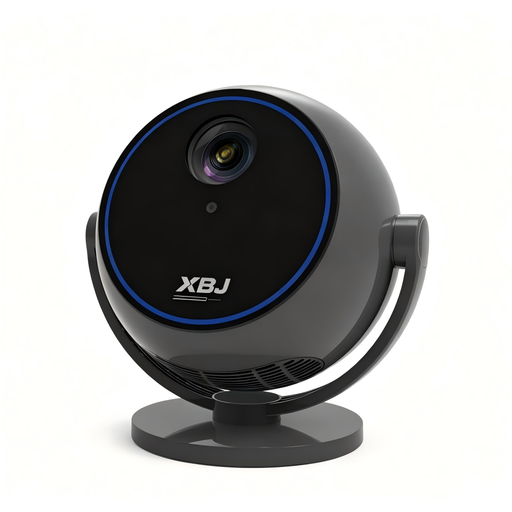
Portable 1080p projector with 360° rotatable stand (BLACK)
An option for anyone who wants to position the projector flexibly; check the image size you want and whether the streaming apps suit your needs before buying.
The Joybuy product title lists 1080p, built-in streaming apps, Wi-Fi 6, Bluetooth 5.0 and a 360° rotatable stand.
View at Joybuy
 No image available
Smart projector with built-in apps and 180° rotation (Black)
Suited to anyone who wants to position the projector flexibly and use built-in apps; check that your specific streaming service is available.
The Joybuy product title lists Play Store, a stated screen size range of 50–200 inches and digital zoom of 50%–100%.
View at Joybuy
 No image available
Optoma Photon Go
Described in the product selection as an ultra-short-throw model, for anyone who wants to position the projector close to the wall. Check the required distance and image width for this model version.
View at Joybuy
 No image available
Magcubic HY350Max projector
Described in the product selection as suited to short-throw projection; check the distance and image size you want before choosing your setup.
The Joybuy product title lists native 1080p, 900 ANSI lumens, Android 14, Wi-Fi 6, Bluetooth 5.4 and 180° rotation.
View at Joybuy
Frequently asked questions
How can I tell whether the projector will produce the image size I want from my furniture?
Measure the distance from the lens to the projection surface and work out the available image width. BenQ Europe defines the throw ratio as the projection distance divided by the image width; compare this with the stated range for the exact model. Viewing distance is a separate comfort consideration.
Can automatic keystone correction fix an angled setup without any drawbacks?
Not always: BenQ notes that greater digital keystone correction can affect sharpness, among other things. First, try positioning the projector and screen more directly opposite each other.
What should I check if I want to watch several episodes in a row?
Check whether your preferred streaming service works on the exact model version or whether you need an HDMI source, how to connect the sound and whether mains power is available. Battery life depends on usage conditions; XGIMI states that the MoGo 4 can play video for up to 2,5 hours.
What are my rights if a projector I bought online is not suitable?
For a standard online consumer purchase, ACM ConsuWijzer says you generally have a statutory cooling-off period of up to 14 days after delivery, subject to legal exceptions. The seller is also responsible for the statutory guarantee if the product does not meet what you could reasonably expect; this is separate from the manufacturer's warranty.
Is CE marking required for a projector sold in the Netherlands?
Yes. The Dutch government states that electrical appliances sold on the EU market must carry a CE marking. Check the marking and product information for the actual model version; a general product page does not prove that the item being sold carries the marking.


