
Renter with limited projection distance
Wants to know in advance whether the desired image size will fit between the seating area, projector and wall. That’s why they compare standard, short-throw and ultra-short-throw distances.


First, measure the distance between the possible projector position and the projection wall, and decide whether you want to put the equipment away after the film. A portable model may be suitable if you have enough projection distance and can darken the room. A short-throw model is designed for a shorter distance, while an ultra-short-throw model sits right next to the wall. For each specific model, also check the image size, ambient light and connections for your film source.
Wants to know in advance whether the desired image size will fit between the seating area, projector and wall. That’s why they compare standard, short-throw and ultra-short-throw distances.
Wants to be able to put the equipment away after a film night and make as few permanent changes to the home as possible.
Can’t always darken the room completely and wants to weigh the stated brightness against the light and image size in their own room.
For a film night in a small rented home, the key considerations are the available projection distance, a set-up you can put away afterwards and the lighting conditions.
| What to consider | What should you check? | Who is this important for? |
|---|---|---|
| Distance and image size | Measure the distance from the lens to the wall and check the image size for the specific model. | I want to know in advance whether the desired image size will fit between the projector and the wall. Around 33% of consumers rank distance and image size as their top purchase priority. |
| Set-up you can put away | Check the intended position, power cable and line of sight; decide whether you want to avoid permanent installation. | As a renter, I want to be able to put the projector away after the film without making permanent changes. Around 27% of consumers prioritise a set-up that can be easily reversed. |
| Light in the room | Work out whether you can darken the room, and compare brightness figures only when they use the same unit and refer to the specific model. | I can’t always darken the room and want to know what that means for my viewing set-up. Around 20% of consumers rank ambient light as their top purchase priority. |
| Film source and sound | Check the app or HDMI source you want to use, any account requirements and the audio connection. | For my film night, I want to know in advance how I’ll play the film and make the sound audible from the seating area. Around 20% of consumers rank source and sound above other considerations. |
The distance available from the wall is one factor that determines what image size you can achieve in your room. So an advertised maximum diagonal doesn’t, by itself, tell you whether the projector will work in your space.
Measure the distance to the wall and the available wall width. Then check the image size for the set-up distance of the specific model.
The stated light output is a model specification; the picture in your room also depends on the ambient light and the image size you choose.
Work out whether you can darken the room, and compare the stated figures using the same unit and the usage conditions for the specific model.
Apps may require an account, and a projector won’t necessarily have all the connections or accessories you need for your film source and sound.
Before buying, check the apps, account requirements, power supply, connections and audio set-up for the specific model.
For Samsung’s The Freestyle 2nd Gen., the Battery Base is sold separately. Also check whether you need extra equipment for your chosen source or audio.
BenQ offers both a portable option and a short-throw model among the models mentioned, giving you different placement options.
The Epson EH-LS800B is designed to sit right next to the projection wall.
The Capsule 3 Laser is a compact, portable option if you have space to project from the required distance.
The Freestyle 2nd Gen. is a model to consider if you’re looking for an adjustable projector with smart features.
These projectors are options to compare for a temporary film-night set-up. Check the projection distance and the connections you need for each model.
 No image available
An option to compare if you want to use a 1080p source and match the projection distance to your room.
The product name lists HDR10, 1080p and 700 ANSI lumens.
 No image available
An option to compare if streaming features and a short projection distance are important to you.
The product name lists 1.000 ANSI lumens, native 1080p, Whale TV OS and an official Netflix licence. It also states that it can project a 60-inch image from 1,33 metres away.
 No image available
An option to compare if you want to use pre-installed streaming apps for your film night.
The product name lists FHD and built-in streaming apps. Check that your chosen film source and audio connection will work with your set-up.
 No image available
An option to compare if you’re considering flexible positioning and an external HDMI source.
The product name lists 50–200 inches, 50%–100% digital zoom, 180° rotation, Wi-Fi 6 and HDMI compatibility.
 No image available
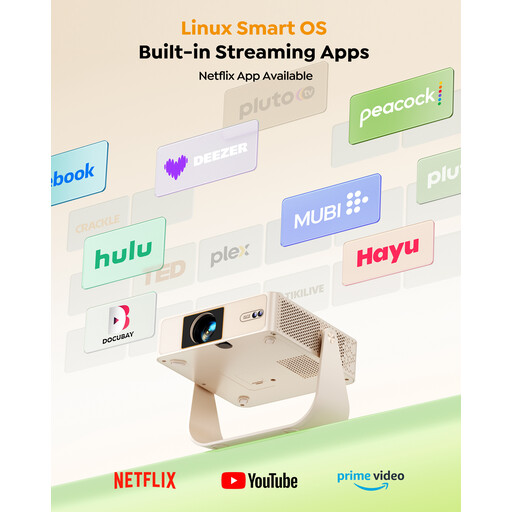
An option to compare if you’re looking for a portable projector with an adjustable stand.
The product name lists native 1080p, 180 ANSI lumens and 330° rotation. It also mentions licensed Netflix and Prime Video apps.
Measure the distance between the possible projector position and the projection wall, then check the corresponding image size for the specific model. The term ‘short throw’ doesn’t replace this check.
According to the Dutch government, you don’t need permission for a change that can be reversed without much expense, such as filling small holes. Before installation, consider the specific mounting method and whether it can be reversed; a freestanding model avoids the need for mounting.
For a consumer purchase made at a distance, you generally have up to 14 days after delivery to change your mind, according to ACM ConsuWijzer. The seller is also responsible for the statutory guarantee if the product doesn’t meet what you can reasonably expect under normal use. This isn’t the same as a fixed, general guarantee period, according to the Netherlands Authority for Consumers and Markets.
Auteursrecht.nl states that you don’t need separate permission from the rights holder to show a film within a strictly private domestic circle. This doesn’t automatically apply to, for example, a club evening or work party; permission is needed to show a film outside that circle. The Dutch government also warns that copyright-protected work can’t simply be made available to the public.