First, measure the distance from the lens to the wall and the image width you want. BenQ Netherlands highlights room size and projection distance as important factors when choosing a projector. Then choose a projection type that suits your measurements, and if you’ll be watching in daylight, weigh the stated brightness against your ability to darken the room. Also check the output resolution, image adjustment features and sound for the specific model.
Who is this set-up suitable for?
Viewers with limited space for setting up
You want to know in advance whether the projector, its spot on the furniture and your desired image width will fit in your living room. BenQ Netherlands recommends considering room size and projection distance when choosing.
Viewers with daylight in the living room
You may want to watch before the room gets dark, so you’ll need to weigh the stated brightness against how much you can darken the room and the projection surface. BenQ Netherlands highlights ambient light as something to consider when choosing a projector for the living room.
Viewers who put their projector away
You want to start an episode and then move or put away the projector, so the set-up, streaming and sound all matter. Epson Netherlands and XGIMI EU describe models with an adjustable stand.
What should you look for when choosing?
For consumers choosing a projector for a nature documentary in a small living room, each row shows the main buying consideration.
| What to consider |
What should you check? |
Which consumers is this for? |
| Projection distance |
Measure the distance from the lens to the wall and the available image width; check the throw ratio or calculator for the exact model. |
If I have little space between my seat and the wall, I want to know in advance whether I can achieve my desired image width. For around 36% of consumers, getting the right projection distance is the top priority. |
| Ambient light |
Decide when you’ll be watching, how much light falls on the wall, and what brightness and measurement unit the manufacturer specifies. |
If I also watch during the day, I want to know whether I’ll need to darken the room and whether the set-up will work with the light in my room. For around 29% of consumers, watching in ambient light is the main priority. |
| Image detail |
Check the output resolution of the exact model, and bear in mind the source material, focus and projection surface. |
If I want to make out details in animals and landscapes, I look at the actual output resolution and image positioning. Around 21% of consumers put image detail first. |
| Ease of use and sound |
Check whether your streaming service is available and what built-in audio or connections the model has. |
I want to be able to start an episode easily and hear the dialogue clearly from my seat. For around 14% of consumers, easy playback and clear sound are the main considerations. |
Common mistakes when using a projector in a small living room
-
Assuming the maximum image size will be usable in your room
The distance from the wall, the available wall width and the ambient light all affect whether your planned set-up will work.
Measure your room and calculate the image size for the exact model before you buy.
You may also need a suitable screen, a different position or a way to darken the room.
-
Expecting automatic keystone correction to fix an unsuitable position
Digital image correction does not change the physical projection distance. BenQ Netherlands notes that keystone correction can reduce image brightness.
First choose a position that physically suits your desired image size, then consider what adjustments are needed.
-
Failing to check whether the specifications in a product listing agree
A Joybuy listing for the Philips NPX230/INT says Full HD in the description, but gives a native resolution of 320x240. This means the resolution details contradict each other.
Check the full model code and the manufacturer’s documentation for the version on offer. Don’t assume native 4K output based solely on a claim of 4K support.
Brands and models to consider
These models illustrate different ways of positioning a projector. Manufacturer specifications are not independent measurements of how the image will look in your living room, and they do not, by themselves, tell you everything about a brand.
BenQ TK705STi
An example to consider if you’re looking for a shorter projection distance but still have some space between the projector and the wall.
- BenQ specifies a 0.8:1 throw ratio, 4K and 3,000 ANSI lumens for this model.
- These manufacturer specifications don’t predict how nature scenes will look or how the image will perform in your room’s lighting; measure the distance you have in mind.
Samsung The Premiere 7
An example of an ultra-short-throw set-up on furniture close to a suitable projection wall.
- Samsung describes The Premiere 7 as an ultra-short-throw model with 4K, HDR10+ and Tizen OS Home.
- You’ll still need a suitable flat wall or screen and enough space on your furniture; check how the set-up and image work in your room.
Epson Lifestudio Pop Flex EF-71
A portable model with an adjustable stand, for anyone who doesn’t want to leave their projector set up permanently.
- Epson lists Full HD, 700 lumens, Google TV, built-in sound and an adjustable stand for the EF-71.
- The stated maximum image size doesn’t prove that the picture will be easy to see in daylight; also consider how much you can darken the room and the distance available at your chosen position.
XGIMI HORIZON S Pro
An example of a 4K projector with an adjustable stand, for a position that suits its standard projection distance.
- XGIMI specifies 1,800 ISO lumens and an adjustable stand for the HORIZON S Pro.
- The advertised brightness doesn’t prove that the image will remain clear in every level of ambient light; calculate the distance for your chosen position.
Home projectors at Joybuy
This selection features home projectors with native 1080p and/or flexible positioning options. For each model, measure the distance to the wall and check that the stated features suit your viewing set-up.
 No image available
Yaber L2 projector
Worth considering if you’re looking for a flexible stand and home streaming.
The product title lists native 1080P, Google TV, dual 5 W speakers and 520 ISO lumens.
Do not look directly into the lens while the projector is in use, and keep children out of the beam.
View at Joybuy
 No image available
XGODY Gimbal N6 Pro
An option to consider if native 1080p and automatic focus suit the position where you want to watch.
The product title lists 4K support alongside native 1080P, 700 ANSI lumens, WhaleOS 3.0, autofocus and automatic keystone correction.
Ensure good ventilation and do not look directly into the lens while the projector is in use.
View at Joybuy
 No image available
Android 13 Smart Projector
An option to consider if you want built-in streaming apps and an adjustable projection angle.
The product title lists 1080P HD, Wi-Fi 6, Bluetooth 5.0, built-in streaming apps and a 360° rotating stand.
Do not block the ventilation openings or let children look into the lens.
View at Joybuy
 No image available
Projector with built-in apps
An option to consider if built-in apps and the ability to rotate the projector suit your set-up.
The product title lists a 180° rotating stand and a stated image size of 50–200 inches.
Do not look directly into the lens while the projector is in use.
View at Joybuy
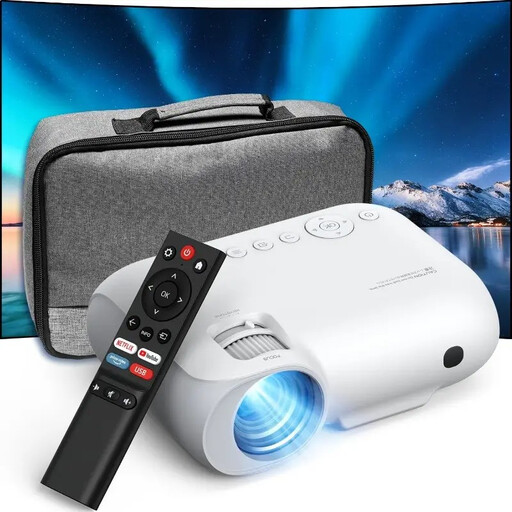 No image available
YOTON Y7 projector
An option to consider if native 1080p output suits the level of detail you want to see in a nature documentary.
The product title lists native 1080p, 4K compatibility, Wi-Fi and Bluetooth; it also states 9000 lumens.
Do not look directly into the lens while the projector is in use, and supervise children.
View at Joybuy
Frequently asked questions
How do I work out whether the image will fit on my wall?
Measure the available wall width and the distance from the planned lens position to the wall. Check these measurements using the calculator or distance chart for the exact model; the maximum image size alone isn’t enough. BenQ Netherlands and XGIMI EU provide information for specific models.
Is the stated brightness enough to tell how well the projector will perform in daylight?
No. A lumen rating alone doesn’t guarantee that the image will be clear in a bright room. Also consider the light falling on the projection wall and whether you can darken the room; ANSI and ISO lumen ratings for different models are not automatically comparable real-world tests.
Does 4K support mean the projector displays 4K images?
Not necessarily. Support for a 4K signal is not the same as native 4K output. Check the output or native resolution for the exact model, and also consider the resolution of the source you’re using.
What should I look for when it comes to streaming and sound?
Check that your streaming service is available on the exact model and that your subscription works with that service. Also consider whether the built-in audio will make dialogue clear enough from your seat; a claim of built-in sound doesn’t tell you how dialogue will sound in your room.
What product documentation is relevant when a product is sold in the Netherlands?
A compliant electrical or electronic product must have the required CE marking and EU declaration of conformity; products with Wi-Fi or Bluetooth must also meet the applicable rules for radio equipment. Ask for documentation for the exact version. Business.gov.nl explains that the CE marking is not a quality mark.


