If you want to present without a laptop, choose a projector only if its documentation confirms that it can open your file formats from USB or another storage device; a USB port alone is no guarantee. With a laptop or media player connected via HDMI, you can play the files on that device, but you’ll also need to bring it and the right cable. For a bright room or small captions, native resolution, brightness and setup are important too.
Who is this choice relevant to?
Presenter without a laptop
You want to show historical photos or slides directly from local storage. Check that the exact model supports your file types. BenQ Netherlands documents this for the MH733; Optoma Europe describes direct playback from USB or SD for the ML800.
Organiser of a presentation in a hall
You want photos and captions to be clear for a group. Match the native resolution, stated brightness, image size and setup to the room. These are product specifications published for their models by manufacturers including BenQ Netherlands, Epson Netherlands and ViewSonic Europe.
Volunteer working at different venues
You take your presentation to different rooms and need to balance portability with brightness and text detail. ViewSonic describes the compact M1+ as having a battery; its specifications and lumen rating differ from those of models designed for halls.
What should you look for?
Play files directly
Choose this if: you want to present without a laptop and the documentation for the exact model lists your files. For the MH733, BenQ documents support for formats including JPEG, PDF and PowerPoint via USB-A.
Bear in mind: a USB port may be intended only for power or servicing. Test your final files in advance.
Laptop or media player via HDMI
Choose this if: you want to play your files on an external device. Epson lists HDMI for the CO-FH02, as does ViewSonic for the LS740HD.
Bear in mind: you’ll need the playback device, a suitable cable and room for your setup.
Compact model for different venues
Choose this if: portability and easy setup in different locations are important. ViewSonic lists a battery and a weight of 0.75 kg for the M1+.
Bear in mind: the archived product sheet lists a native resolution of 854 × 480 and 300 LED lumens; this lumen rating is not directly comparable with other lumen ratings.
| What to consider |
What should you check? |
Who should pay particular attention? |
| Playing local files |
Check whether the exact model can open your file types from USB or SD; if not, HDMI with an external device is another option. |
If I want to present without a laptop, my slideshow needs to play directly from the storage device I bring with me. Around 36% of consumers prioritise direct file playback. |
| Readability for the audience |
Check the native resolution and consider the stated brightness alongside the room lighting and the image size you want. |
I want the audience to be able to see photos and captions clearly from their seats. Around 29% of consumers give readability in the room top priority. |
| Taking it between venues |
Check the exact model’s weight and power options, as well as its resolution and stated brightness. |
When I present in different places, portability and setup are important to me. Around 21% of consumers put portability ahead of other considerations. |
| Getting the right image for the room |
Check the throw distance needed for your desired image size and the placement options available for the model. |
I want to know in advance whether the projector can produce the image I want from the space available. Around 14% of consumers prioritise whether the setup is practical. |
Avoid common buying mistakes
-
Assuming a USB port can read files
The function varies by model. BenQ describes file playback via USB-A for the MH733, but lists the MH560’s USB-A port as providing power to devices. ViewSonic describes the LS740HD’s USB-A port as being for power or servicing.
Check the documentation for the exact model for a file reader and support for the formats used by your final files.
-
Confusing supported 1080p signals with native Full HD
Support for an input signal up to Full HD doesn’t mean the projector displays the image in native Full HD. The archived product sheet for the ViewSonic M1+ lists a native resolution of 854 × 480.
Check the native resolution and view your slides with captions at the intended image size.
-
Assuming that saving files also gives you the right to show them
Having files in local storage does not, in itself, give you permission to show protected images or audio to an audience. The Government of the Netherlands and Auteursrecht.nl explain that permission may be required for use outside a strictly domestic setting.
Before an event, check who owns the rights to each photo, film clip and piece of music, and whether permission or an applicable exception applies. The right to control the use of someone’s likeness may also be relevant if people are recognisable.
Brands to consider
BenQ
The MH733 is a documented option for presentations from USB-A; check the function for each model.
- BenQ Netherlands lists JPEG, PDF and PowerPoint support via USB-A, Full HD and 4,000 lumens for the MH733.
- BenQ describes the MH560’s USB-A port as providing power to devices, so a USB port alone is no guarantee of direct file playback.
Epson
The CO-FH02 is a Full HD model with HDMI for use with an external playback device.
- Epson Netherlands lists Full HD and 3,000 lumens for the CO-FH02. For the EB-X49, Epson lists HDMI and 3,600 lumens.
- According to Epson, the EB-X49 has XGA resolution. A USB port or Android feature alone is no guarantee that the model can play the local files you need directly.
ViewSonic
The LS740HD is a Full HD model for larger spaces; the M1+ is a more compact option with different image specifications.
- ViewSonic Europe lists 5,000 ANSI lumens and two HDMI inputs for the LS740HD. The archived product sheet for the M1+ lists a battery.
- The LS740HD’s USB-A port is listed as being for power or servicing, not as a documented file reader. For the M1+, the sheet lists a native resolution of 854 × 480 and 300 LED lumens; don’t compare this lumen rating directly with ANSI lumens.
Projectors for use via HDMI
These Joybuy products are suited to a local slideshow played on a laptop or media player connected via HDMI; you play the files on the connected device.
 No image available
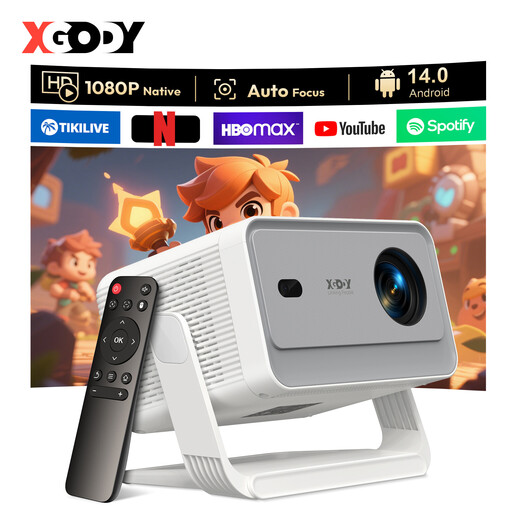
XGODY Gimbal N6 Pro
Suitable for a setup with an external device connected via HDMI; the product title describes the model as portable.
Native 1080P; 700 ANSI lumens; 4K signal support.
View at Joybuy
 No image available
XGODY Gimbal A6 Pro
Suitable for a presentation played from an external HDMI device; the product title describes the projector as portable.
Native 1080P; 650 ANSI lumens; supports 8K signals.
View at Joybuy
 No image available
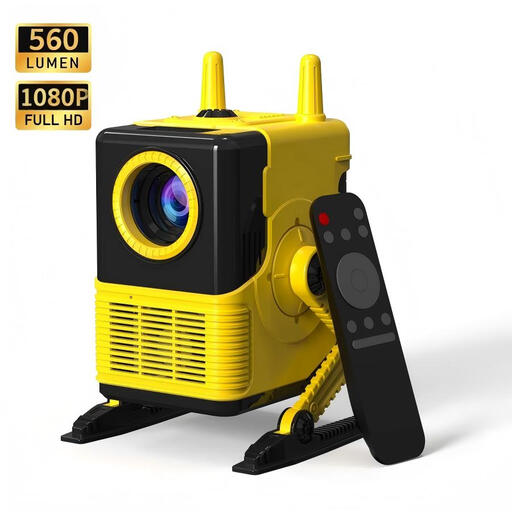
XBJ H8
Suitable for a presentation using an external device connected via HDMI; the product title describes the model as portable.
Supports 1080P signals; 1500:1 contrast ratio; 560 lumens.
View at Joybuy
 No image available
HP CC360 FHD Smart Projector
Suitable for a slideshow played from an external device via HDMI.
Native 1080P; Wi-Fi and Bluetooth.
View at Joybuy
 No image available
2026 Video Projector
Suitable for a presentation with an external device connected via HDMI.
The product title lists HDMI compatibility, a 180° rotating body and 50%–100% digital zoom.
View at Joybuy
Frequently asked questions
Can I open a PowerPoint presentation directly on any projector with USB-A?
No, it depends on the exact model. BenQ documents PowerPoint playback via USB-A for the MH733, while describing the MH560’s USB-A port as providing power to devices. Check the manual and test your presentation in advance.
What should I check before a presentation at an unfamiliar venue?
Check that the available throw distance is suitable for your desired image size, and test the presentation at the venue. Try your final files and connections, and check that everything is easy to read in the planned room lighting.
What about the warranty and cooling-off period when buying a projector online?
According to ACM ConsuWijzer, your statutory guarantee applies alongside any seller’s guarantee. The Government of the Netherlands states that purchases made remotely from a business usually come with a 14-day cooling-off period, with some exceptions; check which terms apply to your purchase.
Can I show historical photos, film clips or music to an audience?
Not simply because the files are stored locally. The Government of the Netherlands states that permission may be needed to use copyright-protected work; an event does not automatically count as a strictly domestic setting. Check the rights holder, any permission and any applicable exception for each work. The right to control the use of someone’s likeness may also be relevant if people are recognisable.


