What should you look for when buying?
First, decide whether your seat is off to the side, the projector needs to be off-centre, or both. Then consider ambient light and film format as separate factors.
| What to consider |
What to look for |
Who is this important for? |
| Viewing from seats at the side |
Compare the stated viewing angle of the exact screen material with your furthest seat. For example, Elite Screens lists 180° for CineWhite and 70° for CineGrey 4D; these are material specifications, not a guarantee of how it will look in your room. |
If the projector faces the screen directly but I’m watching from the side, I want the picture to remain visible from the furthest seat. Around 36% of consumers give viewing from seats at the side top priority. |
| Projector off-centre |
Measure the distance to the screen and the sideways offset. Then check the horizontal lens shift or keystone range for the exact model; these features work differently. |
If the projector needs to sit on a side table, I want to know whether the setup will work without using more digital correction than necessary. Around 29% of consumers prioritise projector placement. |
| Ambient light and screen choice |
Check the stated light output and intended image size, but also check the viewing angle of the specific screen material. Manufacturers’ quoted lumen figures are not measurements taken on the same screen. |
If I want to watch with some lights on and have people sitting to the side, I’m looking for a screen that suits both conditions. Around 21% of consumers make watching in ambient light their top priority. |
| Film format and usage |
Check the aspect ratio of the film version you’re watching and the model’s light source. Epson Netherlands lists 5,000 hours in Eco mode for the EH-TW7000; BenQ Netherlands quotes 20,000 hours in normal mode for the W2720i. These are different manufacturer specifications, not equivalent promises of usage or warranty cover. |
If I want to watch classic films in their original aspect ratio and factor in maintenance, I check my film source and the model’s light source. Around 14% of consumers put film format and running costs first. |
Joybuy products
These Joybuy projectors are suited to flexible film viewing and placement. Assess the viewing angle of the screen material separately from the projector’s correction features.
 No image available
V1 Outdoor Mini Projector 720P
The portable design and battery may suit watching films somewhere without a nearby power socket; keystone correction does not change the screen’s viewing angle.
The title lists 720P, 4K support, dual wifi, Bluetooth 5.0 and a 10.400 mAh battery. The product description mentions autofocus, four-way keystone correction and up to 2 hours of battery life.
Joybuy
 No image available
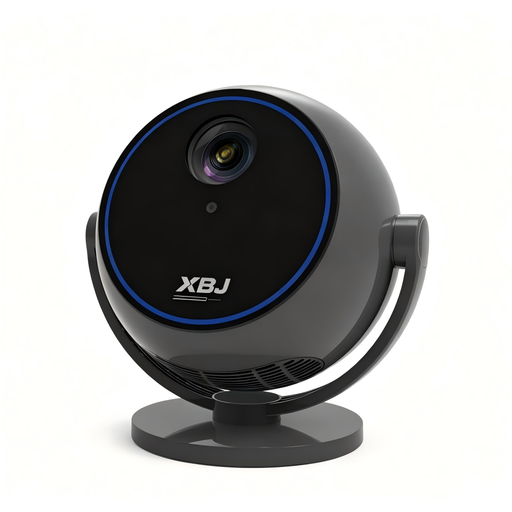
Android 13 Smart Projector 1080P
The rotating stand may come in handy when you want to adjust the projection direction; check the setup and screen viewing angle separately.
The product information lists native 1080P, Wi-Fi 6, Bluetooth 5.0 and a 360° rotating stand.
Joybuy
 No image available
CC360 FHD Smart Projector
Autofocus and automatic image correction features are listed to help you get set up quickly; they do not replace checking the screen’s viewing angle from the side of the sofa.
The product information lists native 1080P, streaming apps, wireless casting, 500 LED lumens and 220 ANSI lumens. These are stated product specifications, not independent measurements.
Joybuy
 No image available
XGIMI MoGo 4 Full HD 1080p, Google TV, EA SPORTS FC 26 Game Code, Match Night EU Edition
The portable projector and battery may suit watching films without a permanent power connection; measure your intended setup and assess the screen material separately.
The title lists Full HD 1080p, Google TV and a 2,5-hour battery. The product description mentions 450 ISO lumens and Harman Kardon audio.
Joybuy
 No image available
Video projector with built-in apps and rotating design
The rotating design and automatic image correction may suit flexible positioning; viewing from seats at the side still depends on the screen material.
The title lists digital zoom of 50%–100%, a stated image size of 50–200 inches and a 180° rotation range. The product description mentions an HDMI connection.
Joybuy
Frequently asked questions
Does keystone correction help if you’re sitting at the side of the sofa?
No. Keystone correction adjusts the shape of an image projected at an angle, not the screen’s viewing angle. Your seat position makes the specific screen material important; if the projector is positioned at an angle, check the model’s correction options.
How do you check the required projection distance?
Measure the available distance between the projector and screen, then decide on your preferred image width. Compare this with the throw ratio and zoom of the exact model: Epson Netherlands lists 1,32–2,15:1 for the EH-TW7000, while BenQ Netherlands lists 1,2 and a fixed zoom for the GV50.
What if a classic comedy was filmed in 4:3?
Check the aspect ratio of the version you’re watching and whether the projector supports that signal. Optoma Europe lists 4:3 compatibility for the HD146X alongside a native 16:9 aspect ratio; compatibility does not mean a 4:3 film will fill the entire 16:9 image.
What compliance should you check for a projector in the Netherlands?
The relevant European product rules apply to the sale of electrical and electronic equipment in the Netherlands. Business.gov.nl states that the manufacturer is responsible for providing the required CE marking and EU declaration of conformity; equipment with Wi-Fi or Bluetooth may also be subject to radio equipment rules. A CE marking does not assess a projector’s picture quality.
Who can help if a product develops a fault after purchase in the Netherlands?
According to the Dutch government, the seller must provide a solution if a product is faulty. The Netherlands does not have a fixed statutory guarantee period for all products; what you can reasonably expect depends, among other things, on the product and the information provided at the time of sale.


