
Viewers sitting to one side
If the projector is directly in front of the screen but your seat is clearly off-centre, compare the stated viewing angle for the specific screen material. Elite Screens lists different figures for each material variant.


Sitting to one side of the screen does not automatically mean you need horizontal lens shift. If the projector is directly in front of the screen, start by checking the stated viewing angle for the exact screen material. Lens shift matters when the projector itself needs to sit off-centre; in that case, check the projection distance, zoom and limits for horizontal and vertical adjustment. Assess dark detective scenes using the screen size and lighting conditions you’ll actually have, as manufacturer claims alone can’t predict the result.
If the projector is directly in front of the screen but your seat is clearly off-centre, compare the stated viewing angle for the specific screen material. Elite Screens lists different figures for each material variant.
If the projector can’t sit in line with the screen, check that the projection distance, optical zoom and horizontal lens shift will all work in your room. Epson Netherlands and BenQ Netherlands publish model-specific lens shift limits.
If you mainly watch in the evening, assess shadow detail using the lighting and screen size in your own setup. A manufacturer’s claims about dark scenes aren’t an independent assessment of how the picture will look in your room.
First decide whether your main challenge is your seating position, the projector’s position, the picture in dark scenes or connecting your series source.
When: if the projector can sit in line with the screen but your sofa is off to one side, compare the viewing angle of the screen material you’ve chosen.
Keep in mind: a stated viewing angle doesn’t automatically predict how the picture will look in your room.
When: if the projector itself can’t sit directly in front of the screen, measure how far to the side it will be and check the optical lens shift on the exact model.
Keep in mind: horizontal and vertical adjustment can limit each other; digital keystone correction is not optical lens shift.
When: if placing a projector further back in the room isn’t practical, you could look into an ultra-short-throw model and a compatible screen.
Keep in mind: a short projection distance won’t automatically solve the viewing angle from a seat to one side.
| What to consider | What to look for | Who is this important for? |
|---|---|---|
| View from a seat to one side | Compare the seats at the edges with the stated viewing angle for the exact screen material variant. | If my seat is off-centre from the screen, I want to know whether I’ll still be able to see the picture clearly from there. Around 36% of consumers give side viewing the highest priority. |
| Detail in dark scenes | Assess a dark scene using the lighting conditions and screen size you’ll actually have. | I want to assess shadow detail in my own viewing space, rather than relying only on a contrast claim. For around 29% of consumers, displaying dark scenes is the top priority. |
| Positioning the projector | Measure the distance from the lens to the screen and the sideways offset; check the model’s throw ratio, zoom and combined lens shift limits. | If the projector won’t fit in line with the screen, I want to know whether the optical adjustment range will work in my room. Around 21% of consumers say projector placement is their main consideration. |
| Playing series and sound | Check the HDMI inputs, streaming method and audio connection on the exact model. | I want to connect my series source and existing audio equipment. For around 14% of consumers, playback and sound are the top priorities. |
Lens shift moves the projected image; the viewing angle of the screen material is a separate feature. If the projector is directly in front of the screen, lens shift won’t automatically improve the view from a seat to one side.
Mark the projector position and seating separately, then check the screen material variant first.
Digital keystone correction and optical lens shift are different ways to align an image. The adjustment range on one axis may also be reduced when you make a large adjustment on the other.
Check the exact model’s specifications for horizontal lens shift and the limits when adjusting both axes at the same time.
Manufacturers’ claims about dark detail don’t automatically predict how dark scenes will look in the ambient light in your room.
Assess dark scenes using your intended screen size and lighting conditions. An unsuitable screen or lighting setup may mean you need to make changes to the room or screen.
The Epson EH-TW7000 is worth looking into if you’re after a home cinema projector with optical zoom and horizontal and vertical lens shift.
The W4100i is worth comparing if you’re looking into LED projection, connections and limited sideways positioning space.
The Samsung The Premiere 7, model SP-LPU7DSAXXXE, is an example of an ultra-short-throw projector designed to sit close to the wall.
The CineWhite and CineGrey 3D materials show why you should check the viewing angle of the exact screen variant.
These projectors are relevant if you’re considering projection distance, flexible positioning or watching series through built-in apps. To check the view from a seat to one side, look separately at the screen material’s viewing angle and the projector’s alignment.
 No image available
The short throw ratio may be useful if you need to place the projector close to the screen; measure the distance and desired screen width for your room.
The product information lists WXGA, a 0.52:1 throw ratio, 3.800 ANSI lumens and 3D.
 No image available
Built-in streaming features and the adjustable gimbal may suit a flexible setup; also check that the projection distance and alignment work with your screen.
The product information lists native 1080P, a 0–90° gimbal, Android 14, 2 GB RAM and 16 GB ROM. 4K/8K video decoding, Wi-Fi 6 and Bluetooth 5.4 are also listed.
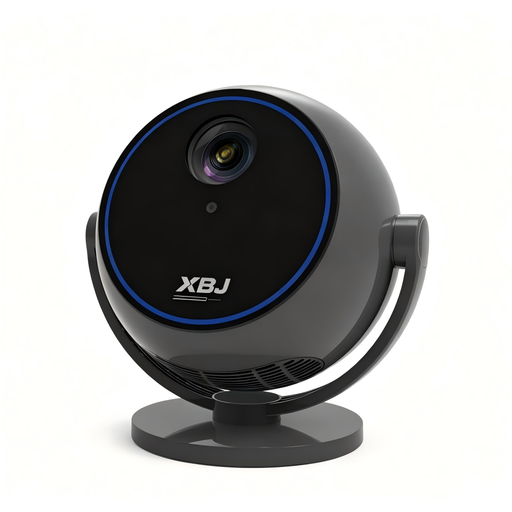 No image available
Built-in streaming apps and a rotating stand may be useful if you want flexibility over the projection direction; check that the picture will land in the right place in your room.
The product information lists 1080P HD, Wi-Fi 6, Bluetooth 5.0 and a stand that rotates 360°. Built-in streaming apps are also mentioned.
 No image available
Built-in apps may be useful if you want to stream series directly through the projector; also check which connections are available for your other equipment.
The product information lists a 50–200-inch picture size, 50%–100% digital zoom and 180° rotation. Built-in apps and access to the Play Store are also mentioned.
 No image available
The rotating mount may suit different projection directions. If the projector needs to sit off-centre from the screen, check separately whether your setup requires optical lens shift.
The product information lists native 1080P, 4K decoding, a 360° rotating mount, Wi-Fi 6 + 5G and Bluetooth 5.4.
Not for that reason alone. If the projector is directly in front of the screen, first check the stated viewing angle of the screen material. Horizontal lens shift matters if the projector itself needs to sit off-centre from the screen.
Measure the distance from the lens to the screen and the desired screen width, then check the throw ratio and zoom on the exact model. If the projector will sit to one side, also measure how far it is from the screen’s centre line and check the combined limits for horizontal and vertical lens shift.
Check the type of light source and the operating mode the stated lifespan refers to. Epson lists 5.000 hours for the EH-TW7000 lamp in Eco mode; BenQ states 20.000 hours for the W4100i LED light source in normal mode. These are stated operating lives, not a guarantee that an individual unit will last that long.
According to the Dutch government, there is no fixed statutory warranty period in the Netherlands, but you are entitled to a product that is fit for purpose. If there’s a fault, contact the seller; a manufacturer’s guarantee is in addition to your statutory rights.
According to the Dutch government, distance purchases usually come with a 14-day cooling-off period. Check the seller’s information and whether an exception applies to your purchase.