What should you look for when choosing?
First, work out whether the seating, the projector or both are off-centre from the screen axis. Then compare the screen material and room conditions with the capabilities of the specific model.
| What to consider |
What to look for |
Who is this important for? |
| Viewing from side seats |
Compare the stated viewing angle of the exact screen material and check that it’s suitable for your type of projector. |
If I watch from the ends of the sofa, I want the screen material to work with that viewing angle. Around 36% of consumers rank side-seat viewing as their top buying priority. |
| Projector off the screen axis |
Measure the lens position, screen size and throw distance; check the horizontal and vertical lens shift together for the specific model. |
If the projector can’t be positioned directly in front of the screen, I want to know whether the image shift will work in my room. Around 29% of consumers prioritise this type of placement. |
| Dark scenes |
Compare the picture settings and HDR support of the exact model, and assess the picture in the lighting conditions you’ll watch in. |
When watching period dramas, I want to be able to follow dark scenes without treating a manufacturer’s claims as a guarantee of how it will look in my room. Around 21% of consumers prioritise this aspect of picture quality. |
| Watching in ambient light |
Compare the amount of incoming light, the stated projector brightness and a screen material suited to both your projector type and seating. |
If I can’t darken the room properly, I’m looking for a screen that works with both the ambient light and my viewing position. Around 14% of consumers rank watching in a bright room as their top priority. |
Projectors at Joybuy
The projectors below are designed for home viewing. Check whether each model’s placement works with your seating, screen and room lighting.
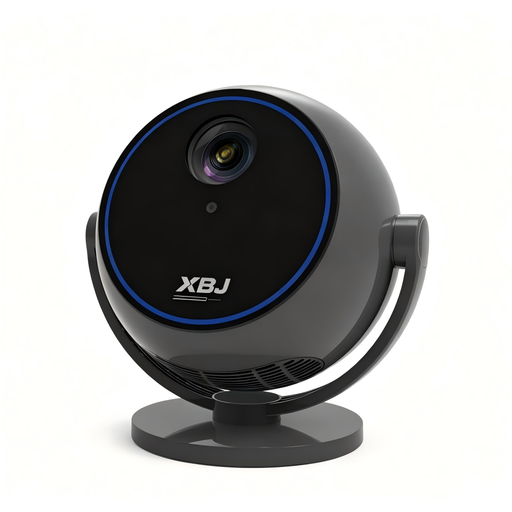 No image available
1080P projector with 360° rotating stand
The rotating stand may be useful if you want flexibility in setting the projection direction; separately check that your screen material’s viewing angle works for your seating.
The product name lists 1080P, Android 13, Wi-Fi 6, Bluetooth 5.0 and built-in streaming apps.
View at Joybuy
 No image available
Video projector with built-in apps and 180° rotation
The rotating casing and automatic image correction may be useful for a flexible set-up; check that the correction suits the positioning you need.
The product name lists Wi-Fi 6, Bluetooth, built-in apps, a picture size of 50–200 inches and digital zoom of 50%–100%.
View at Joybuy
 No image available
Optoma Photon Beam PK52
Before assuming this model will work off the screen axis, compare the required throw distance and lens position with your room.
View at Joybuy
 No image available
BenQ TK700 4K UHD projector, 3200 ANSI lumens
If positioning it off the screen axis, check that the available adjustment matches your measurements; a resolution specification alone says nothing about the lens shift you need.
The product name lists DLP, UHD 4K (3840 × 2160) and 3200 ANSI lumens.
View at Joybuy
 No image available
Magcubic HY350Max, native 1080P
Before choosing this model for a projector position off the screen axis, check the exact throw distance and image correction required for your room.
The product name lists 900 ANSI, Android 14, Wi-Fi 6, Bluetooth 5.4 and automatic keystone correction.
View at Joybuy
Frequently asked questions
Do you need lens shift because you sit off-centre on the sofa?
Not for that reason alone. Lens shift moves the projected image to suit the projector’s position; if you’re viewing from an angle on the sofa, compare the viewing angle of the exact screen material. If the projector is also off the screen axis, check both.
How can you position a projector to the side without relying on extensive digital correction?
First, measure the screen size, throw distance and lens position. Then check whether the exact model offers the horizontal and vertical lens shift you need at the same time. BenQ warns that extensive keystone correction can affect image edges and sharpness, among other things.
Do you need to buy extra cover when purchasing online in the Netherlands?
No, you don’t need extra cover to have your statutory rights if a product is faulty. According to the Dutch Government, the seller must provide a solution when a product is faulty; compare additional warranty terms only if you want to know whether they offer extra rights. There is no fixed statutory two-year warranty period in the Netherlands.
Can you return a projector bought online if the set-up doesn’t work?
For eligible distance purchases from a business, there is generally a 14-day cooling-off period in the Netherlands, subject to exceptions. Check the terms that apply to your order and assess the set-up within the applicable period. The Dutch Government explains the rules for distance selling.


