A seat away from the centre line doesn’t, by itself, mean you need a projector with lens shift. Start by checking the screen’s viewing angle from the seats furthest to the side. If the projector itself needs to sit off-centre, check the exact model’s horizontal lens shift, zoom and throw distance. Epson and BenQ describe lens shift as a way to move the image. An ambient-light-rejecting screen may be an option in a bright room, but Elite Screens warns that some materials have a narrower viewing angle than matte white.
Who is this choice relevant to?
Viewers sitting to the side
You want people sitting away from the centre line to be able to see the stage on screen. Compare the screen’s viewing angle and assess it from the seats you have in mind. Elite Screens publishes viewing-angle specifications for individual screen materials.
Viewers with a fixed projector position
You can’t place the projector directly in front of the centre of the screen. Before relying on digital keystone correction, check the throw distance and horizontal optical lens shift of the exact model. Epson and BenQ describe lens shift for specific models.
Viewers in a bright living room
You can’t fully darken the room, so you’ll need to weigh a screen’s ability to reject light against its viewing angle. Elite Screens explains this trade-off for screen materials including CineGrey 3D.
What should you consider when choosing?
First, work out whether viewers will be sitting to the side, the projector itself needs to be positioned off-centre, or there’s ambient light to contend with. These are different considerations: lens shift moves the image, but it doesn’t determine how the screen distributes light to the seats.
| What to consider |
What to look for |
Who is this important for? |
| Screen viewing angle |
Compare the stated viewing angle for the exact material, and check the image from the seats furthest to the side under your planned lighting conditions. |
If I’m watching with others sitting away from the centre line, I want the seats furthest to the side to be within the intended viewing area too. Around 33% of consumers put visibility from the side first. |
| Fixed projector position |
Measure the screen width, distance and horizontal offset. Check the exact model’s horizontal lens shift, throw ratio and zoom. |
If the projector can’t sit directly in front of the screen, I want to know whether its optical shift and throw distance will work in my room. Around 27% of consumers prioritise a fixed projector position. |
| Ambient light |
Consider whether you can darken the room. If not, check the viewing angle and projector compatibility of the specific ambient-light-rejecting material. Elite Screens gives CineGrey 3D a 90° viewing angle and says it isn’t suitable for ultra-short-throw projectors. |
If I can’t fully darken the room while watching, I want to weigh light rejection against visibility from the side. Around 20% of consumers put ambient light at the top of their list. |
| Connectivity and sound |
Check the connections on your playback device and the exact projector model. Also decide how you’ll handle the sound. |
If I want to play a theatre recording easily and hear it clearly, my source needs to connect to my chosen picture and sound set-up. Around 20% of consumers prioritise connectivity and sound. |
Common pitfalls
-
Confusing a side seat with an off-centre projector position
Lens shift moves the projection on the screen; the screen’s viewing angle doesn’t determine where the projector can go. So sitting away from the centre line doesn’t automatically mean you need lens shift.
Mark out the positions of the seats, screen and projector separately in your room. Then check the screen’s viewing angle and, only if the projector needs to sit off the screen’s centre line, its horizontal lens shift too.
-
Choosing an ALR screen without checking the seats furthest to the side
Elite Screens gives CineGrey 3D a viewing angle of 90° and says this material isn’t suitable for ultra-short-throw projectors. These specifications apply to this particular material, not to all screens.
Compare the viewing angle and projector compatibility of the exact screen material with your room layout and intended seating positions.
-
Focusing only on the projector
Your choice also depends on the screen, available space, playback device and sound set-up. If you choose a lamp-based model, you may also need to consider a replacement lamp.
Before buying, make a list of the components you need and check that the connections and any replacement lamp are compatible with your chosen model.
Brands to consider
Epson
Epson offers home cinema projectors with different light sources and installation options, including the EH-TW7000 and EH-LS12000B.
- Epson lists optical zoom and lens shift as installation aids for the EH-TW7000. According to Epson, the model has two HDMI ports.
- The right position depends on your room dimensions and the range of the exact model. Epson’s stated light source life for the EH-LS12000B is a manufacturer claim, not a real-world measurement.
BenQ
The W4000i is a home cinema projector for which BenQ specifies both horizontal and vertical lens shift.
- BenQ specifies horizontal lens shift of ±15% and a throw ratio of 1.15–1.50 for the W4000i.
- These figures apply to this model. Compare the adjustment range you need with your room; BenQ’s claims about HDR picture quality are manufacturer claims.
Elite Screens
Elite Screens makes projection screens using materials including matte white and ambient-light-rejecting options. It’s a screen manufacturer, not a projector brand.
- According to Elite Screens’ material table, the MaxWhite and CineWhite materials listed have a stated viewing angle of 180°.
- Elite Screens gives CineGrey 3D a viewing angle of 90° and says it isn’t suitable for ultra-short-throw projectors. Specifications vary by material.
Projectors at Joybuy
These projectors are options to compare for a home set-up. Check each model to make sure its connections, the picture size you want and its positioning work with your room and playback device.
 No image available
2026 video projector with built-in apps and Play Store
The built-in apps and Play Store make this a good option if you want to open content directly on the projector.
The product title lists Wi-Fi 6, Bluetooth, 50%–100% digital zoom, 180° rotation and HDMI compatibility.
View at Joybuy
 No image available
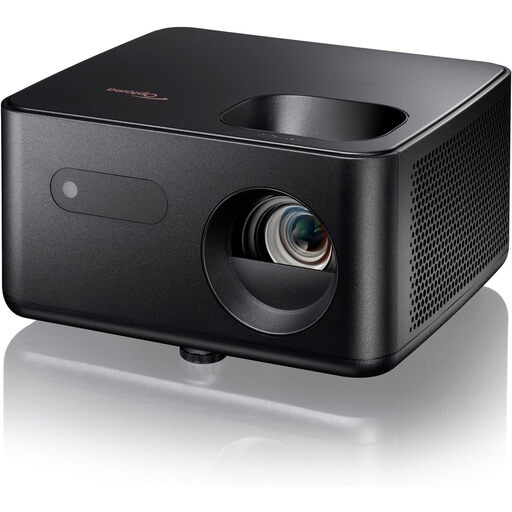
Optoma Photon Life PK31
A projector to assess in terms of your preferred viewing angle and where you can position the device in your room.
View at Joybuy
 No image available
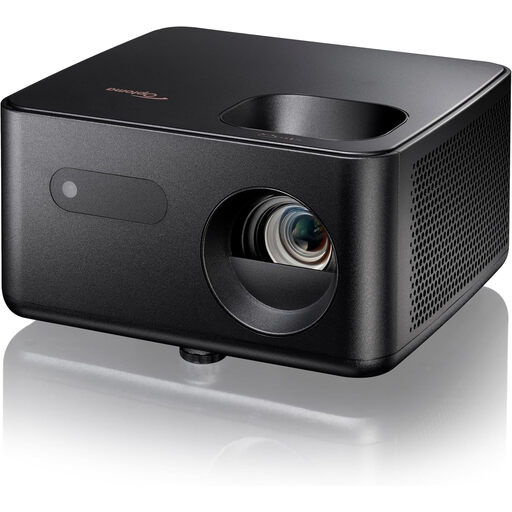
Optoma Photon Life PH31
Compare this model with your playback device and room layout before deciding whether the connection options and projection position will work for you.
View at Joybuy
 No image available
Optoma Photon Beam PK52
A projector to compare with your preferred picture size, playback device and the space available in your room.
View at Joybuy
 No image available
Optoma Photon Go
Check that your preferred projection position and connections will work with your room and playback equipment.
View at Joybuy
Frequently asked questions
Do you need horizontal lens shift if your seat is off-centre?
Not because of the seat alone. Check the screen’s viewing angle from that position. Horizontal lens shift matters if the projector itself needs to sit off the screen’s centre line.
Can you correct a skewed image with keystone correction?
Horizontal keystone correction can digitally straighten a trapezoid-shaped image. Epson describes lens shift as a way to move the image optically. Check that the adjustment range of your chosen model suits the projector’s position.
Which connections and maintenance should you check?
Compare the output on your playback device with the inputs on the exact projector model, and decide how you’ll connect the sound. If you choose a lamp-based model, also check the stated lamp life and whether a suitable replacement lamp is available. Epson lists two HDMI ports and a stated lamp life of 5,000 hours in Eco mode for the EH-TW7000.
What are your rights when buying online in the Netherlands?
According to ACM ConsuWijzer, online purchases generally come with a statutory cooling-off period of up to 14 days after delivery; exceptions and conditions may apply. The statutory guarantee isn’t automatically limited to a fixed period of two years, and also depends on what you can reasonably expect from the product under normal use.
Can you copy or share a theatre recording?
The Dutch government distinguishes between making a private copy for personal use and distributing or making a recording available to the public. Buying a projector doesn’t change the rights associated with the recording; also check the terms under which it’s offered.


