Which brands are worth comparing?
The models below offer a starting point for specific positioning or usage needs. Always check the features of the exact model and how they suit your own setup.
Epson
The EH-TW7000 is worth considering if you’re looking for optical zoom and lens shift for a fixed home setup.
- Epson Netherlands lists lens shift, optical zoom and HDMI for the EH-TW7000.
- These features apply to this model and don’t, on their own, tell you whether its range will suit your room.
BenQ
The W4100i is a model to consider if the projector won’t naturally sit where you want it.
- BenQ describes lens shift as a setting that lets you move the image within a model-specific range.
- BenQ warns that the range depends on the settings; strong digital keystone correction can also affect the image.
XGIMI
The HORIZON Ultra is worth considering if you regularly move the projector and want built-in setup features.
- For this model, XGIMI lists autofocus, automatic keystone correction, optical zoom and two built-in speakers.
- These features don’t show that the model has horizontal optical lens shift, and they don’t determine the screen’s viewing angle.
Hisense
The XR10 is a model you could compare with other home cinema projectors.
- COMPUTER BILD ranked the XR10 first in its German test on 12 October 2026.
- That test result doesn’t prove that a particular version will suit a side seat; check the positioning and version separately.
Optoma
The UZ38X is worth comparing if 4K UHD playback, brightness and HDMI for your existing player are important to you.
- Optoma Europe lists 3,800 lumens, 1.3× manual zoom and automatic vertical keystone correction for the UZ38X.
- Horizontal keystone correction isn’t the same as horizontal optical lens shift; check the model version and documentation.
Projectors at Joybuy
These projectors at Joybuy are designed for home use, with models for flexible setups and a bundle that includes a screen.
 No image available
Ultimea Apollo P40
Autofocus and automatic keystone correction can be useful if you change your setup; check whether the projector can cast the image where you want it without substantial digital correction.
1080p, HDR10, 700 ANSI lumens, Wi-Fi and Bluetooth; 1.4:1 throw ratio.
View at Joybuy
 No image available
Optoma UZ38X 4K UHD Dual-Laser Projector
The listed zoom and connections are useful if you want to adjust the image size from a fixed position to suit an external player. Check separately whether you can position the projector beside the screen axis.
Native 4K UHD, 3,800 lumens, 1.3× manual zoom, two HDMI 2.0 inputs and automatic vertical keystone correction. Screen and source device not included.
View at Joybuy
 No image available
XGODY N7 Cine Smart Projector
Autofocus, keystone correction and automatic screen fitting can be useful if you use the projector in different places; check the image position and visibility from your seat.
Native 1080p, support for 4K input, 1,000 ANSI lumens and a 90° rotating stand.
View at Joybuy
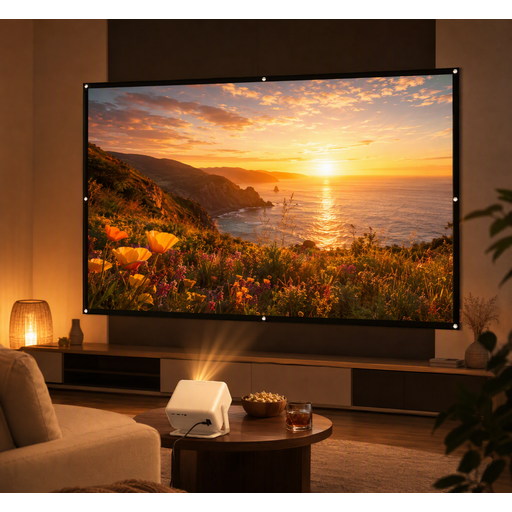 No image available
XGODY Gimbal A6 Pro with 100-inch screen
This bundle may be a good option if you also need a screen. First, check that the screen material is suitable for the viewing angle from your seat.
The bundle includes a 100-inch screen. The projector has HDMI, USB and AV inputs, plus built-in stereo speakers.
View at Joybuy
 No image available
Android 13 Smart Projector, 1080p
The rotating stand can be handy if you want to point the projector in a different direction. Check that the position you choose also gives you a suitable throw distance and a clear line of sight.
1080p, Wi-Fi 6, Bluetooth 5.0, built-in streaming apps and a 360° rotating stand.
View at Joybuy
Frequently asked questions
Do I need lens shift because I’m sitting to one side?
No, not just because of where you’re sitting. To check visibility from that spot, compare the screen’s viewing angle. Horizontal lens shift matters if the projector itself needs to sit beside the screen axis.
Can automatic keystone correction always fix a projector that’s positioned at an angle?
No. Keystone correction adjusts the image digitally and can affect the image edges and size, among other things, according to BenQ Netherlands. First check whether the projector and screen can be positioned suitably in the room.
How can you check before installation whether the image size will work?
Measure from the lens to the screen, decide how wide you want the image to be, then compare this with the throw ratio and zoom of the exact model. Separately check that the required horizontal and vertical image shifts together fall within the stated range.
Which extra parts and service terms should you check?
Check whether you also need a screen, mount, player or audio solution, and read the service terms. ACM ConsuWijzer makes clear that statutory guarantee rights exist alongside a manufacturer’s warranty and depend on what you could reasonably expect from the product.
What warranty rights apply to a projector in the Netherlands?
A manufacturer’s warranty doesn’t replace your statutory rights. According to ACM ConsuWijzer, those rights depend on what you could reasonably expect from the product. If there’s a problem, contact the seller.


