
Viewer in an end seat
Your projector can sit directly in front of the screen, but you also want to enjoy animated films from a seat off to one side. So, start by checking the screen material and its viewing angle from your seat.


If your seat is the only thing off to one side of the screen, start by choosing a screen material with a viewing angle suited to that position: lens shift on the projector won’t change the screen’s viewing angle. If the projector also needs to sit off-centre, measure the throw distance and compare the horizontal and vertical shift required with the optical lens shift available on the exact model. Automatic keystone correction can make setup easier, but digital correction can affect things such as sharpness and image size.
Your projector can sit directly in front of the screen, but you also want to enjoy animated films from a seat off to one side. So, start by checking the screen material and its viewing angle from your seat.
You can’t position the projector on the screen’s centreline and want to check whether the image shift required is within the range of the exact model.
You move the projector for film nights and want to be able to focus and align it easily afterwards. Also check that the screen is suitable for viewing from your seat.
First, work out whether it’s just the viewer sitting to one side or whether the projector also needs to sit off the screen’s centreline. Then consider the screen material, throw distance and adjustment options as separate parts of your setup.
| What to consider | What should you check? | Who is this important for? |
|---|---|---|
| Viewing from the side | Compare the stated viewing angle of the exact screen material with your seating positions, and check that it’s compatible with your projector type. | If I’m watching from the end seat on my sofa, I want the screen to suit that viewing angle. Around 36% of consumers give visibility from a side seat top priority. |
| Projector off the screen’s centreline | Measure the distance from the lens to the screen and the horizontal and vertical shift required; check the model’s combined limits. | If my room layout means I can’t position the projector centrally, I want to know whether its optical shift is enough. Around 29% of consumers prioritise placing the projector off the screen’s centreline. |
| Picture in ambient light | Take the room’s lighting and image size into account, and also check the screen material’s viewing angle and compatibility with your projector. | If I can’t always darken the room for a film night, I consider picture quality in ambient light as well as visibility from my seat. Around 21% of consumers make picture quality in ambient light their main consideration. |
| Setting up again | Check which features work automatically on each model, and distinguish between optical zoom, lens shift and digital keystone correction. | If I move the projector each time, I want to be able to focus and align it again quickly. Around 14% of consumers prioritise being able to set up their projector repeatedly. |
Elite Screens Europe specifies a 180° viewing angle for CineWhite and a 90° viewing angle for CineGrey 3D. For CineGrey 3D, the manufacturer also states a minimum throw distance of 1.5 times the image width. These are properties of those materials; check them against your own seating positions and setup.
For the Epson EH-TW7000, Epson Netherlands specifies horizontal lens shift of ±24%. BenQ states a maximum of ±15% horizontal lens shift for the W4100i and notes that the vertical adjustment affects the horizontal range. These model specifications describe image shift, not the screen’s viewing angle.
Lens shift moves the projected image, but it doesn’t change the viewing angle of the screen material.
Mark the seat, screen and projector separately. First check how the screen looks from your seat, then assess the image shift required.
An ambient-light-rejecting material may also require a particular viewing angle and throw distance. Elite Screens states a 90° viewing angle and a minimum throw distance of 1.5 times the image width for CineGrey 3D.
Check the viewing angle, distance and compatibility with your projector type together before choosing a screen.
Automatic keystone correction is a digital image adjustment. BenQ warns that keystone adjustment can affect things such as sharpness and image size.
First, point the projector towards the screen as accurately as possible. If it needs to sit off the screen’s centreline, check separately whether the model offers enough optical shift.
The EH-TW7000 is worth considering if the projector will be fixed in place but can’t be positioned on the screen’s centreline.
The European W4100i is a comparison model for a fixed film setup with optical image shift.
The HORIZON Ultra is worth comparing if you regularly set up the projector in a different position.
This selection of Joybuy products includes projectors for watching films on a projected screen. Check the picture and setup features listed for each model, and separately confirm that the screen material suits your side seat.
 No image available
The listed built-in apps and projected image size may be useful if you want to watch films directly through the projector.
The product title lists Wi-Fi 6, Bluetooth, HDMI, automatic screen correction, 50–200 inches, 50%–100% digital zoom and 180° rotation.
 No image available
The listed autofocus and automatic keystone correction may be useful if you move the projector and need to set it up again afterwards.
The product title lists native 1080p, 4K support, Google TV, Wi-Fi 6, Bluetooth and JBL sound. The description mentions autofocus and automatic keystone correction.
 No image available
This model lists autofocus and automatic screen correction; if you’re sitting to one side, also check the screen material’s viewing angle separately.
The product title lists native 1080p, 900 ANSI, Android 14, Wi-Fi 6, Bluetooth 5.4 and 180° rotation. The description mentions autofocus, auto-keystone and screen fit.
 No image available
The listed automatic keystone correction and swivel function may be useful if you regularly change the projection direction. On their own, they tell you nothing about the screen’s viewing angle.
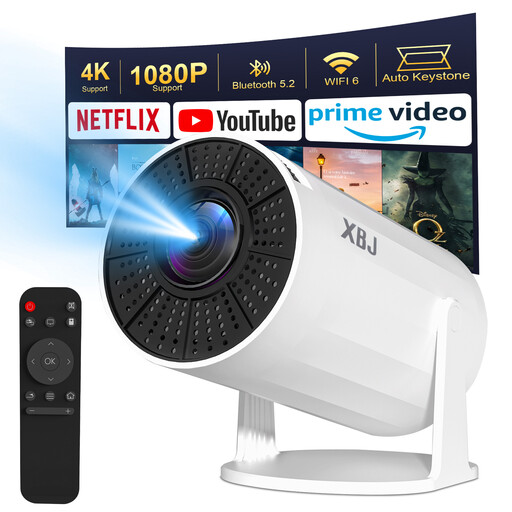
The product title lists Wi-Fi 6, Bluetooth 5.2, 1080P, 4K decoding, Android 11, 200 ANSI, a screen size of 40–200 inches and 180° rotation.
 No image available
The listed swivel function and automatic keystone correction may be useful if you use the projector in different directions.
The product title lists Full HD 1080P, 120-inch projection, 500 Lumens, Wi-Fi, Bluetooth, HDMI and 360° rotation for projecting onto a ceiling, wall or table.
Not for that reason alone. For a side seat, the screen material’s viewing angle is what matters most; horizontal lens shift is useful if the projector itself needs to sit off the screen’s centreline.
Measure the distance from the lens to the screen and decide how wide you want the image to be. Compare this with the exact model’s throw ratio. If the projector will sit off-centre, also check the horizontal and vertical shift required together.
You can, as long as the exact model supports the correction required. BenQ describes keystone as a digital image adjustment and warns that it can affect sharpness and image size, among other things. So, point the projector as accurately as possible first.
Check whether you need a separate screen or mounting solution for your setup. According to the Netherlands Authority for Consumers and Markets, the seller is responsible for the statutory guarantee on a faulty consumer product; there is no fixed Dutch guarantee period. The Dutch government states that, for applicable distance sales, a 14-day cooling-off period applies in many cases.
For electrical equipment covered by the EU Low Voltage Directive, distributors must check for CE marking, required documentation and clear safety information, among other things. EUR-Lex publishes the directive; the requirements for a specific projector package depend on the equipment and any adapter. Check the details of the product on offer.