What should you look for when buying?
First, measure the available projection distance and image width. Then decide whether you can darken the room and how important storage, noise and streaming directly from the projector are to you.
Fixed projector for a bright living room
A good fit if: you often watch films together and can’t always dim the lights in your shared room.
Consider: how the stated light output and throw ratio of the exact model suit your room, as well as where you’ll place it and how much fan noise it makes.
Portable smart projector
A good fit if: a fixed installation would be inconvenient and you want to put the projector away after the film.
Consider: whether you can make the room dark enough and whether the stated battery life will last for your film; battery life depends on specific usage conditions.
| What to consider |
What should you check? |
Who should pay extra attention? |
| Projection distance |
Measure the distance from the lens to the wall and the image width you want. Check that both work with the throw ratio of the exact model. |
I want to know in advance whether the image will fit without rearranging the room; around 31% of consumers put placement first. |
| Ambient light |
Check the stated light output and its unit of measurement, and decide whether you can adjust the lights and curtains during the film. |
If I can’t make the living room dark enough, I want to know the light output stated by the manufacturer for the model; around 25% of consumers prioritise visibility in bright conditions. |
| Portability and battery |
Check whether you can put the projector away, whether there’s a power socket nearby and how the stated battery life compares with the length of your film. |
I want to reclaim space in the living room afterwards and would rather not have a permanent installation; around 25% of consumers put tidying away first. |
| Sound and streaming |
Check that the exact version supports the streaming app you want and find out how to connect external audio. Compare fan noise for each stated mode. |
I want us to be able to hear the film together and start it without a separate streaming device; around 19% of consumers prioritise sound and streaming directly from the projector. |
Projectors at Joybuy
These Joybuy products are projectors for home use and film nights. Check the placement, streaming features you want and product information for the exact version of each model.
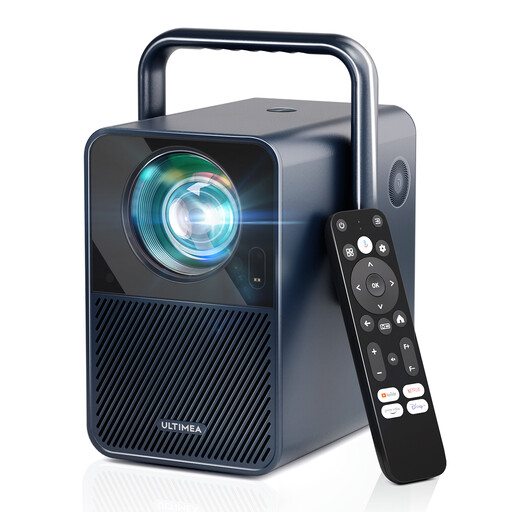 Image unavailable
Ultimea Poseidon E40, native 1080P, Android TV 11.0
An option to compare if you’re looking for a home projector with built-in streaming.
The product name lists native 1080P, 1000 ANSI lumens and Android TV 11.0.
View at Joybuy
 Image unavailable
Yaber L2, native 1080P, Google TV
A portable smart projector to compare if built-in Google TV matters to you.
The product name lists native 1080P, 520 ISO lumens and two 5 W speakers.
View at Joybuy
 Image unavailable
Optoma Photon Go
Compare this model’s placement options with the distance and available space in your living room.
View at Joybuy
 Image unavailable
Magcubic HY350Max, native 1080P, Android 14
A compact smart projector to compare if you want to put it away after use.
The product name lists native 1080P, 900 ANSI and Android 14.
View at Joybuy
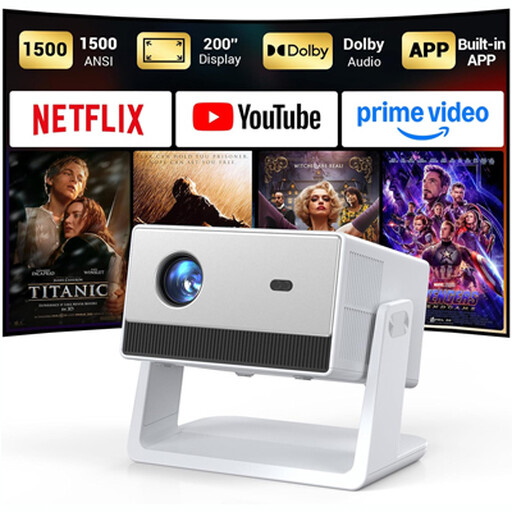 Image unavailable
Funfilx Smart Projector, native 1080P
An option to compare if you want to start films using built-in apps; check that the version supports the app you want.
The product name lists native 1080P and built-in apps.
View at Joybuy
Frequently asked questions
How can I tell whether a projector will fit in our living room?
First, measure the distance from the lens to the wall and the available image width. Compare these with the throw ratio of the exact model; a maximum stated screen size doesn’t guarantee that the image will fit where you plan to put it.
Can a portable projector play a whole adventure film on battery power?
That depends on the length of the film and the usage mode. Nebula states that the Capsule 3 Laser lasts for up to 2,5 hours in Eco mode; XGIMI lists up to 1,2 hours of video in Eco mode for the battery version of the Vibe One. For longer films, check whether mains power is available.
How can I avoid noise or heat becoming a distraction while watching?
Compare the stated fan noise for each operating mode and place the projector on a stable surface with plenty of ventilation, following the instructions. The stated speaker power alone doesn’t tell you whether dialogue will be clear from where you’re sitting.
What are my rights when I buy a projector online in the Netherlands?
For an eligible distance purchase from a business, you generally have 14 days to change your mind, according to the Dutch government. Dutch statutory warranty gives you the right to a product that works as it should: there isn’t one fixed statutory warranty period for all products, and the retailer is your point of contact if a product is faulty.
Does the CE mark mean that a projector has been independently approved?
No. The CE mark is the manufacturer’s declaration that the product complies with the relevant EU rules; it isn’t a centrally issued approval certificate. According to the European Union, CE marking is only required for products covered by rules that specifically require it. Check the product information and declaration of conformity for the exact version.


