
Housemate with limited space for set-up
You need to find a practical spot and screen size in a shared room, ideally without a permanent installation.


First, measure the available projection distance and work out how much light will remain in the room while you’re watching. These conditions matter more than a resolution claim on its own. Then choose between a model that’s easy to move and one suited to a permanent spot, and check that its sound, audio connections and access to your preferred streaming service work for shared use.
You need to find a practical spot and screen size in a shared room, ideally without a permanent installation.
You watch documentaries in a living room that can’t always be darkened, and want to be able to follow the details and on-screen text.
You want to hear dialogue clearly and have a useful audio or headphone connection. Fan noise and easy access to content also matter.
First, measure the distance to the screen or wall and see how much ambient light there’ll be while you’re watching. Then compare portability, sound and access to your streaming services with the way the living room is used.
| What to consider | What should you check? | Who is this important for? |
|---|---|---|
| Projection distance and positioning | Measure the available distance and check the throw ratio and image size for the exact model. Allow for a stable spot and the space your housemates need. | If I want to put the projector away after use, the set-up and projection distance still need to be practical. Around 33% of consumers give suitable positioning top priority. |
| Visibility in ambient light | Compare the stated brightness with the light in the room and the image size you want. A lumen rating alone doesn’t predict how clearly you’ll see the details. | If the living room can’t be completely dark while we’re watching, I want to be able to follow details and text. Around 27% of consumers give visibility in changing light top priority. |
| Quiet viewing with clear dialogue | Check the stated fan noise for each mode and whether the model can connect to your preferred headphones or external speakers. | If dialogue needs to stay clear without disturbing my housemates, I’ll consider fan noise and listening options. Around 20% of consumers give quiet, clear shared viewing top priority. |
| Streaming and shared use | Check whether the service you want works on the model, whether you need a subscription and which connections are available for an existing streaming device or laptop. | If housemates want to watch content from different sources, I want to be able to switch easily between the options we use. Around 20% of consumers give direct access to viewing sources top priority. |
Image size depends on the projection distance and where you can position the projector.
First, measure the available distance, then check the distance chart for the exact model.
An accepted input signal doesn’t tell you how many pixels the projector displays.
Check the native resolution and compare any unclear claims with the specifications for the exact model.
Streaming features and audio connections vary between models and versions.
Check that your service and subscription work, and that the connections you need for video and audio are available.
Projectors in the same product range can have different versions and specifications.
Compare the full model name and its specifications before choosing a version.
The TH575i is worth considering for a shared living room where you’ll also be watching with some ambient light.
The Lifestudio Pop EF-61W is designed as a portable projector that you can set up again in a different spot.
The NeoPix 450 Smart is an option if you want the flexibility to position your projector in different ways.
The Capsule range could be worth considering if you regularly want to move a projector between rooms.
These Joybuy projectors have features that could suit watching documentaries in a shared living room. Compare the specifications listed with your available space, room lighting and preferred viewing sources.
 No image available
This portable model could suit you if you want to move the projector after use.
Full HD 1080p; 250 ISO lumen; Google TV; built-in battery; JBL audio; projection screen with stand included.
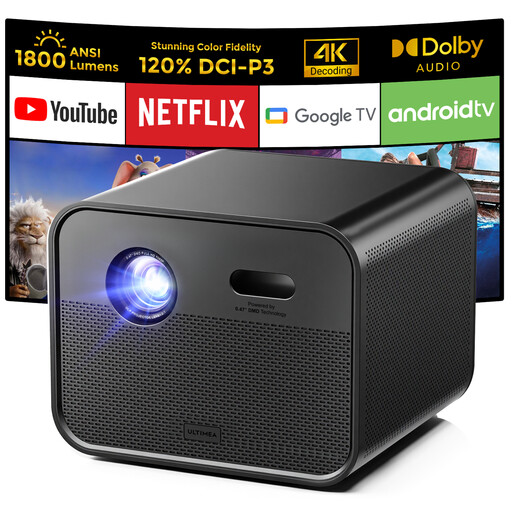 No image available
The listed Google TV feature could suit you if you’d rather not use a separate playback device; check that your preferred service is available.
Native Full HD 1080p; 4K support; 1.800 ANSI lumen; Google TV; automatic focus and 6D keystone correction; 5G WiFi/Bluetooth.
 No image available
The listed flexible stand could be useful if you want to set up the projector in different spots.
Native 1080p Full HD; 520 ISO lumen; Google TV; two 5 W speakers; compatible with a 360° ceiling mount and a flexible stand.
 No image available
The built-in apps could suit a set-up where you want to open content directly on the projector.
WiFi 6 and Bluetooth; automatic screen correction; 180° rotation; stated screen size 50–200 inches; digital zoom 50%–100%.
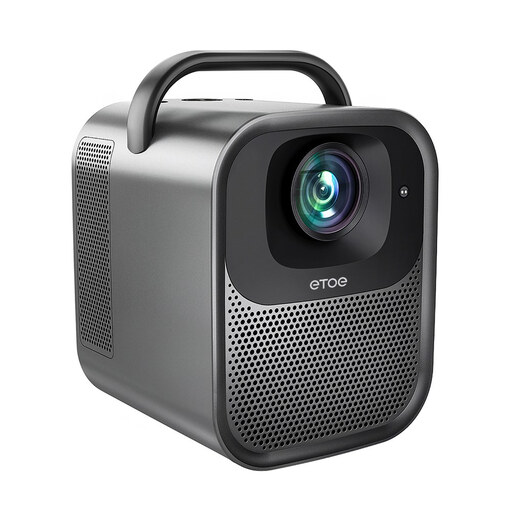 No image available
The listed Google TV feature could suit you if you want to watch without a separate playback device; check that your preferred service is available.
Native 1080p; 1.300 ANSI lumen; Google TV; 4K decoding; automatic focus and automatic keystone correction.
Measure the distance from the possible projector position to the screen or wall, then compare it with the throw ratio and image size for the exact model. Choose a short-throw model only if a standard set-up won’t fit in that spot.
That depends on the model and the service you want to use. BenQ lists an included Google TV dongle with access to services including Netflix and YouTube for the TH575i. Check your own service, subscription and any alternative HDMI source.
Place the projector on a stable surface, keep cables out of walkways and follow the manual for the exact model on ventilation, cleaning and software updates. The Philips manual covers these topics for the NeoPix 450; don’t assume its instructions apply to other models.
For a distance purchase, the seller must provide information about the cooling-off period, which is usually 14 days according to the Dutch government. Statutory consumer rights also apply: ACM ConsuWijzer says you can expect a product to last a reasonable amount of time. A manufacturer’s warranty doesn’t replace this right; check the terms of your specific purchase.
According to Business.gov.nl, sellers of electrical or electronic equipment in the Netherlands must ensure that the product complies with the applicable European rules. Check the documentation for the specific model; this general requirement doesn’t confirm that an individual product complies.