
Viewers sitting to the side
You often watch films with other people, some of whom sit away from the centre of the screen. You want to know which screen material suits those viewing positions.


Choose a screen based on the manufacturer’s stated viewing angle for seats away from the centre. Lens shift and keystone correction adjust the position or shape of the projected image, not how it looks from those seats. Also measure your preferred screen width, throw distance and projector position. If you’re considering a light-rejecting screen, check that its viewing angle and projection requirements suit your setup.
You often watch films with other people, some of whom sit away from the centre of the screen. You want to know which screen material suits those viewing positions.
Your projector can’t sit directly opposite the screen. You want to check in advance whether the lens shift, throw distance and any geometry correction will work in your room.
You regularly move your projector, or you can’t always darken the room. You’re weighing up realignment, stated brightness and screen choice.
The screen plays a part in how the image looks from the side; projector settings won’t fix that. So assess seating positions, screen material and projector position as separate parts of the same setup.
The percentages below break down the buying priorities for this choice, focusing on animated films and seats away from the screen’s centre line. The checks that follow will help you compare relevant models and screen materials with your room.
| What to consider | What to look for when buying | Who is this important for? |
|---|---|---|
| Image quality from side seats | Compare the stated viewing angle for the exact screen material with the seats furthest to the side, and check compatibility with your projector. | If I’m watching with others from different seats, I want the screen material to suit those sitting away from the centre. Around 36% of consumers put the view from side seats first. |
| Projector away from the screen’s centre line | Measure your preferred screen width, the distance from the lens to the screen and the horizontal offset. Then check the model’s lens-shift range and throw ratio. | If the projector can’t sit directly opposite the screen, I want to know whether installation is possible without relying heavily on digital correction. This is a priority for around 29% of consumers who prioritise projector placement. |
| Viewing in ambient light | Consider the lighting in the room alongside the projector’s stated brightness. With a light-rejecting screen, also check the viewing angle and throw-ratio requirements. | If I can’t darken the room properly, I’m looking for a projector and screen combination suited to the ambient light. Around 21% of consumers prioritise this consideration. |
| Realignment | If you need these features, check that the exact model has automatic horizontal and vertical keystone correction and autofocus. | If I move the projector regularly, I want to be able to refocus and realign it quickly afterwards. This is the main priority for around 14% of consumers. |
A stated viewing angle is specific information about a screen material, not a guarantee that every seat will see the same image. Elite Screens Europe gives CineGrey 3D a 90° viewing angle and a minimum throw ratio of 1.5 times the image width; according to the manufacturer, the material isn’t suitable for ultra-short-throw projectors. Always check the specifications for the exact screen and projector.
Lens shift moves the projected image, but it doesn’t change the stated viewing angle of the screen material. If the screen isn’t right for side seats, you may still need to choose a different screen.
Start by checking the seats furthest to the side, then compare them with the viewing angle of the exact screen material.
Light-rejecting screens vary from one material to another. Elite Screens lists specific viewing-angle and throw-ratio requirements for CineGrey 3D, and says the material isn’t suitable for ultra-short-throw projectors.
Before you choose, check the specifications for the exact screen material against your projector and seating arrangement.
Keystone correction adjusts the geometry of an angled projection, while lens shift moves the image optically. BenQ warns that keystone correction can affect image quality, among other things.
Where possible, position the projector to suit the screen and check the optical settings before relying heavily on digital correction.
The Capsule 3 (New) and Capsule 3 Laser are separate versions, so the model name alone isn’t enough to match specifications to the right variant.
Compare the full model name, light source and key specifications of the version you want to buy.
The EH-TW7000 is a fixed home-cinema option worth considering if lens shift and optical zoom matter for your projector position.
The W4100i is worth looking into if a fixed projector position calls for horizontal lens shift.
The HORIZON S Pro is an option to consider if you regularly reposition your projector.
The Capsule 3 (New) is a portable option for temporary film setups.
These Joybuy product picks are for watching films and include portable projectors or models that are easy to reposition. For viewing from seats away from the centre, you’ll still need to check the viewing angle of your chosen screen separately.
 No image available
A portable model to consider for a temporary film setup.
The product name lists Full HD 1080p, 250 ISO Lumens, a built-in battery and a projection screen with stand.
 No image available
A portable projector to consider if you regularly move your film setup.
The product name lists Full HD 1080p, 450 ISO Lumens, Google TV and a battery with a stated runtime of 2.5 hours. The bundle name also mentions an EA SPORTS FC 26 game code.
 No image available
The listed features may be useful if you want flexibility to adjust the projection direction.
The product name lists built-in apps, automatic screen correction and 180° rotation.
 No image available
A portable model to consider for a temporary film setup where realignment matters.
The product name lists native 1080p, automatic keystone correction, a 360° rotating stand, Wi-Fi 6 + 5G and BT5.4.
 No image available
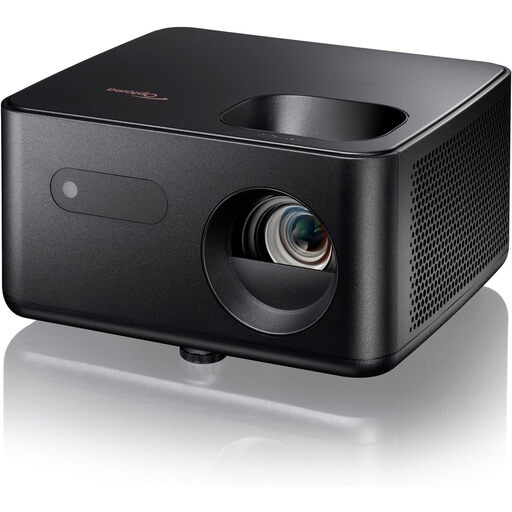
A projector model to assess alongside your screen choice and preferred setup.
No. Keystone correction won’t change the viewing angle from your seat; it adjusts the shape of an angled projection. For side seats, compare the viewing angle of the exact screen material and bear in mind that keystone correction may affect the image.
Measure your preferred screen width, the distance from the lens to the screen, and the lens’s horizontal position relative to the screen’s centre line. Compare these measurements with the exact model’s throw ratio and lens-shift range. Also check that the screen material is suitable for the type of projector.
No, it depends on the exact screen material. For example, Elite Screens says CineGrey 3D isn’t suitable for ultra-short-throw projectors and gives a minimum throw ratio of 1.5 times the image width. Check that the projector and screen material are compatible.
For a standard online purchase, you’ll generally have up to 14 days after delivery to change your mind, according to ACM ConsuWijzer. This is separate from your statutory guarantee: if a product doesn’t meet what you could reasonably expect under normal use, the seller is responsible for providing an appropriate solution.
For a projector covered by the relevant European product regulations, the manufacturer must apply the required CE marking to a compliant product and draw up an EU declaration of conformity, as explained by Business.gov.nl. Wireless features may also be subject to additional radio equipment rules. CE is not a quality mark for image performance.