
Families with spread-out seating
Want everyone, including those sitting at the sides, to see their travel photos, so they assess the projection surface from the outer seats. Elite Screens Europe lists viewing angles for each screen material.


When people are sitting off-centre, start by choosing the projection surface: Elite Screens Europe lists viewing angles for each material, while Epson describes lens shift as a feature for positioning the image, not for improving the view from the side. Then choose a projector based on where you can place it and the ambient light, and check that your photo source and preferred slideshow will work before you buy.
Want everyone, including those sitting at the sides, to see their travel photos, so they assess the projection surface from the outer seats. Elite Screens Europe lists viewing angles for each screen material.
Can’t place the projector directly in front of the screen and want to distinguish lens shift from digital keystone correction. Epson Nederland lists both features for the EH-TW7000.
Use different rooms or homes and consider portability, power and how to connect the photo source. BenQ Nederland and XGIMI describe portable models with different connection and power options.
Start with the outer seats and screen material, then work out where the projector can go. Next, check the photo source, room lighting and whether you’ll need to move it.
| What to consider | What to look for when buying | Who is this important for? |
|---|---|---|
| Viewing from the side | Check the viewing angle of the specific screen material and assess it from the outer seats. Elite Screens Europe lists a 180° viewing angle for the MaxWhite and CineWhite materials mentioned. | If I want to see travel photos from a seat at the side, I want to know how the chosen screen material performs from that position. Around 28% of consumers give side viewing top priority. |
| Projector placement | Measure the distance and decide where you want the image to appear. Check whether the exact model has lens shift; this is different from keystone correction. | If the projector can’t be placed centrally in front of the screen, I want to know whether its position falls within the adjustment range. Around 22% of consumers prioritise flexible placement. |
| Visibility and photo detail | Consider the room lighting and the image size you want. Compare brightness figures only when they use the same measurement basis, and check the stated resolution. | If I want to see the detail in my travel photos clearly, I consider both the resolution and the room conditions. Around 22% of consumers prioritise visibility and photo detail. |
| Playing photos | Decide whether your photos will come from a laptop, phone or USB storage device. Check that the connection, any adapter and playback method will work with that setup. | If I want to use a device I already own, I want to know in advance that the whole playback setup will work. Around 17% of consumers give connecting the photo source top priority. |
| Moving between locations | Check how the projector is set up and powered. If it has a battery, check the stated usage conditions too. | If I want to host the photo slideshow in different rooms or homes, I consider portability and power. Around 11% of consumers prioritise portability. |
Keystone correction helps adjust the shape of the image when the projector is at an angle to the screen. It doesn’t tell you how well people sitting at the side will be able to see the screen.
First, assess the specific projection surface from the outer seats, then check the projector’s placement separately.
If the chosen surface doesn’t suit your seating arrangement, you may need a different projection screen.
A USB reader doesn’t automatically mean that your preferred image files or slideshow will be supported. BenQ’s USB image instructions mention specific models, but not the GV50.
Check the instructions for the exact model and test your preferred setup using your laptop, phone or storage device.
Depending on your chosen setup, you may need a suitable playback device or adapter.
The stated figures for the models discussed use both ANSI and ISO lumens. Without the same measurement basis and comparable conditions, you can’t make a reliable comparison of visibility.
Compare figures that are defined in the same way, and consider your preferred image size and the ambient light in your setup.
Epson lists a separate replacement lamp for the CO-FH01, so the light source and any replacement parts could affect the cost of ownership.
For the exact model, check the light source, available replacement parts and warranty terms.
A separate replacement lamp could mean an extra expense later on.
The CO-FH01 mentioned is an HDMI model; the EH-TW7000 offers lens shift and optical zoom for more flexibility when positioning it permanently.
BenQ describes the GV50 as a portable Full HD laser model with an adjustable base, HDMI, a USB reader and screen mirroring options.
The MoGo 4 is a portable Full HD model with a built-in battery and adjustable stand, designed for setups that need to move from place to place.
Joybuy projectors to consider for displaying travel photos: check that each model’s connections and playback method are compatible with your photo source.
 Image unavailable
Worth considering for a slideshow from a connected source; check in advance that your device and preferred slideshow will work.
Native 1080P; 1000 ANSI Lumens; 4K Supported.
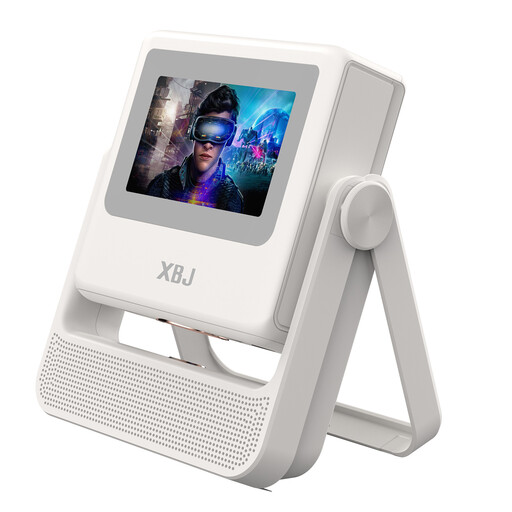 Image unavailable
Worth considering if you’re looking for Native 1080P; check that the connections and playback method are compatible with your photo source.
Native 1080P; 900 ANSI Lumens; Auto-Focus; Auto Keystone Correction.
 Image unavailable
If you want to display photos from a laptop, check that this model’s connections match your laptop’s output.
 Image unavailable
For a photo slideshow from an HDMI source, check in advance that the connection and playback you want will work with your device.
 Image unavailable
If you want to display photos from HDMI, USB or a phone, check that your specific photo files and playback setup will work.
Native 1080P Full HD; 900 ANSI; HDMI/USB/Phone; 180° Rotation & Auto Keystone.
No, not with the guests’ view from the side. Keystone correction adjusts the image shape when the projector is at an angle to the screen; for the outer seats, check the screen material’s viewing angle separately.
A laptop with a suitable video output can be connected to the Epson models discussed via HDMI. For a USB stick, check the image formats and playback method supported by the exact projector model; the BenQ instructions consulted for USB images don’t mention the GV50.
Only compare figures when they use the same measurement basis. BenQ lists 500 ANSI lumens for the GV50 and XGIMI lists 450 ISO lumens for the MoGo 4; these different figures aren’t directly comparable. Also consider the lighting conditions and the image size you want.
Epson lists a separate replacement lamp for the CO-FH01, so check which replacement parts are available for this model. According to the Dutch government, there is no fixed statutory warranty period in the Netherlands; if a product is faulty, the retailer is your point of contact. A manufacturer’s warranty is additional to this.