Start by checking the distance between the projector and the screen, and the picture size that will suit your room. Then compare image processing, resolution and how you’ll watch your documentaries. A dedicated home cinema projector suits a permanent set-up, while a short-throw model can help when space is limited. A compact smart projector is easier to move around, but may have different limits on picture size or specifications.
Who is this choice relevant to?
Viewers who want to see dark details
If you watch documentaries in a darkened room, you can take image processing and your own viewing set-up into account rather than focusing solely on the stated brightness figure. BenQ describes its image processing for dark scenes, while ProjectorCentral explains why lumen measurement methods matter.
Viewers with limited space for a projector
If you want a large picture but have little space between the projector and screen, it’s a good idea to measure the available lens-to-screen distance at home first. Epson and BenQ explain shorter projection distances and how to match a projector to your room.
Viewers who want easy streaming
If you move your projector around or want to get started without a complicated set-up, check the apps and sound as well as the picture size. Philips lists built-in apps for the NeoPix 230 Smart NPX230/INT.
What should you look for when choosing?
First, measure the available projection distance and decide on your preferred picture size. Then compare image quality and resolution, and check that the projector suits the way you stream.
| Key consideration |
What to look for when buying |
Who is this important to? |
| Dark details and colour |
Compare image processing and colour using your own source; don’t treat a standalone lumen figure as decisive. |
When watching starry skies or deep-sea footage, I want to judge dark tones and colour on my own screen. Around 36% of consumers are most concerned about dark image details when buying. |
| Fine details and text |
Check the resolution of both the projector and the source. Support for 4K content does not, by itself, prove that the projector has a native 4K panel. |
For maps, captions and fine textures, I want to check that the projector and source offer enough resolution. Around 29% of consumers prioritise readability and detail. |
| Distance and positioning |
Measure the distance from the lens to the screen and your preferred screen width; compare these with the projection specifications for the exact model. |
If the projector can’t be placed far from the screen, I want to know whether the picture size I want will work in my room. Around 21% of consumers are most concerned about positioning when buying. |
| Playback and running costs |
Check whether your streaming service is available, whether you’ll need an extra device and which usage mode the stated lifespan applies to. |
I want to start watching my documentaries easily and know in advance what equipment I’ll need for the way I watch. Around 14% of consumers prioritise easy playback and running costs. |
Common buying mistakes
-
Mistaking 4K support for native 4K resolution
A model that can process 4K content doesn’t automatically have a native 4K panel. This distinction matters if you’re paying for a finer picture.
Check the resolution stated by the manufacturer for the exact model, and distinguish it from the supported input signals.
-
Comparing all lumen figures directly
Brightness figures are difficult to compare if they’re based on different measurement methods. White and colour light output are also different specifications. ProjectorCentral explains why the measurement method matters when it comes to lumen figures.
Check how the figure was measured and consider it alongside the screen size and light in the room.
-
Choosing a projector before measuring your room
The available distance between the lens and screen helps determine whether your preferred picture size will suit your room.
Measure the space and check the projection specifications for the exact model before choosing a set-up.
You may need to adjust the set-up or find a suitable screen.
Brands to consider
BenQ
The W2710 is designed for home cinema, including dark HDR scenes.
- BenQ describes image processing for the W2710 that is designed to help show detail in dark and bright HDR scenes.
- This is the manufacturer’s description; results also depend on your source and room set-up.
Epson
The EH-LS7500 is a 3LCD laser projector with a short throw for home entertainment.
- Epson states that this model’s laser light source lasts for up to 20,000 hours of use.
- Epson also recommends using a streaming device of your choice. These specifications apply to this model and not automatically to other Epson projectors.
Philips
The NeoPix 230 Smart NPX230/INT is a portable projector with built-in apps.
- Philips lists native Full HD, a picture size of up to 80 inches and automatic image correction for this model.
- Check that the stated picture size suits your room and verify the specifications for the exact variant.
Optoma
Optoma describes DLP and 4K UHD for the relevant projector range; the Photon Beam PK52 is a separate laser option.
- The 4K UHD range gives you a starting point if you want to compare models with this picture specification.
- A feature of a product range is not an independent performance measurement for every individual model.
Projectors at Joybuy
This Joybuy selection includes projectors for 4K UHD home cinema, standard-throw projection and a portable smart set-up. Compare each model’s resolution, connections and placement options.
 No image available
Optoma UZ38X 4K UHD Dual-Laser Projector
An option to compare for a permanent home cinema set-up and documentaries with fine details.
Native 3840 × 2160; HDR10/HLG; 1.3× optical zoom; picture size of 28–300 inches; 2 HDMI inputs. A projection screen and source device are not included.
View at Joybuy
 No image available
JMGO N1S Ultra 4K Triple Laser UHD Projector
Worth considering if you’re looking for a 4K UHD projector and want to adjust its projection angle.
The description lists 4K UHD, HDR10, a contrast ratio of 1600:1 and an adjustable gimbal.
View at Joybuy
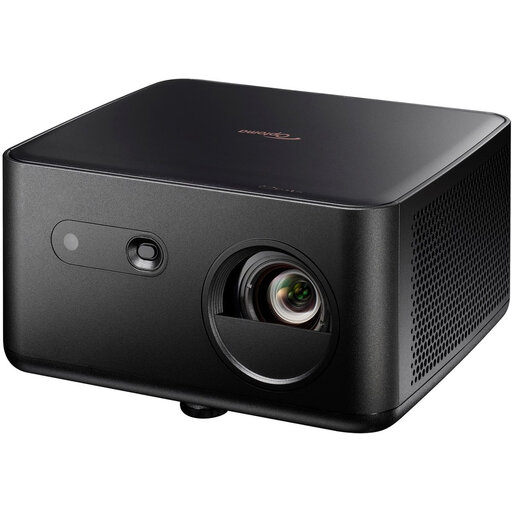 No image available
Optoma Photon Life PK32 4K UHD DLP Projector
A model to compare if you watch documentaries with fine details and have an HDR source.
3840 × 2160; HDR10/HLG; picture size of 60–150 inches; HDMI 2.0 and USB-C. The product title lists 1100 ISO lumens.
View at Joybuy
 No image available
Epson EF-22N Standard Throw Projector 3LCD 1080p
A standard-throw model to consider if its intended positioning suits your room.
Native 1080p (1920 × 1080); 3LCD; stated picture size of 30–150 inches.
View at Joybuy
 No image available
Dangbei Atom Portable Laser Projector
A portable smart projector to consider if you want to get started without a separate streaming device; just check that the stated service is right for you.
Native 1080p; 4K HDR input support; HDR10; built-in Google TV. Support for 4K input does not mean the native resolution is 4K.
View at Joybuy
Frequently asked questions
How can you tell whether a projector will suit your room?
Measure the distance from the intended lens position to the screen and decide on your preferred screen width. Compare both with the projection specifications for the exact model; don’t rely solely on an advertised maximum diagonal picture size.
Is digital keystone correction the same as positioning the projector correctly?
No. Keystone correction digitally adjusts a skewed picture, but this can affect image quality. Try to position the projector correctly in the first place.
Can you watch documentaries without a separate streaming stick?
It depends on the model and streaming service. Philips lists built-in apps for the NeoPix 230 Smart; Epson recommends a streaming device of your choice for the EH-LS7500. Check that your service is available before buying.
What cancellation period and warranty apply to an online purchase in the Netherlands?
According to ACM ConsuWijzer, online purchases usually come with a statutory cancellation period of up to 14 days after delivery, subject to legal exceptions. If a product is faulty, the seller is responsible for the statutory warranty; any manufacturer’s warranty does not replace this right.


