What should you look for when choosing?
First, decide where the screen can go and how much space you have for the projector. Then compare brightness and picture features with the light from your windows, your match source and your viewing setup.
| What to consider |
What should you check? |
Who should consider this? |
| Visibility in window light |
Where will daylight fall on the screen? Compare the stated brightness of the exact model and choose a screen suited to the light in the room and the projection angle. |
If your main concern is keeping the match from looking washed out during the day, consider both window light and your screen choice. Around 36% of consumers rank visibility as their top priority. |
| Distance and screen |
Measure the distance from the lens to the screen and decide on your preferred image width. Check the throw ratio and whether the screen suits the projection angle. |
If you have limited depth, the projector needs to suit your room without overlooking the screen and viewing angles. Around 29% of consumers prioritise the space available for positioning their setup. |
| The match, motion and sound |
Test your own broadcast source and HDMI or app connection. Check the motion features, connections and audio options for each model. |
If you want to follow the action and hear the commentary, check the entire viewing setup in advance. Around 21% of consumers prioritise live match viewing and connectivity. |
| Running costs and support |
Consider the projector and a compatible screen as one complete setup. For your chosen model, also check the light source, maintenance instructions and audio options. |
If you’re weighing up the complete setup and the support available later, look beyond the projector model alone. Around 14% of consumers put running costs and support first. |
Projectors at Joybuy
These projectors are options for home use. Match each model to the light from your windows, your preferred image width, your screen choice and the connections available.
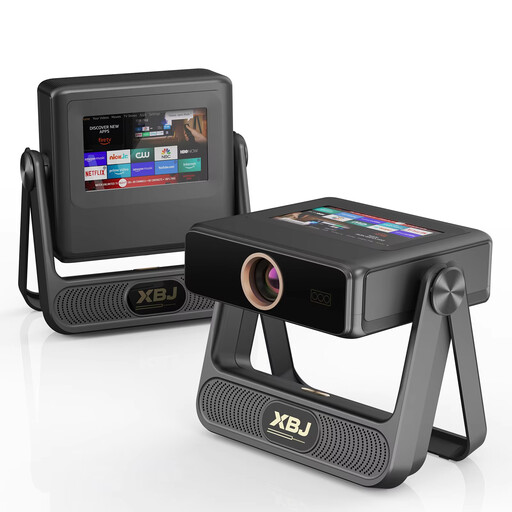 Image unavailable
XBJ A5Pro Grey Full HD projector
An option to consider if you’re looking for a Full HD projector with an HDMI connection for your match source.
Native 1080P, 900 ANSI lumens, 4K decoding, Wi-Fi 6, autofocus and automatic keystone correction.
View at Joybuy
 Image unavailable
Video projector with built-in apps and 180° rotation
An option if you’d like to consider flexible projection direction and an HDMI or TV stick connection.
Automatic screen correction, 50–200-inch image size, 50%–100% digital zoom and 180° rotation.
Compatibility with HDMI, TV Stick, USB stick, iOS, Android and laptop is listed.
View at Joybuy
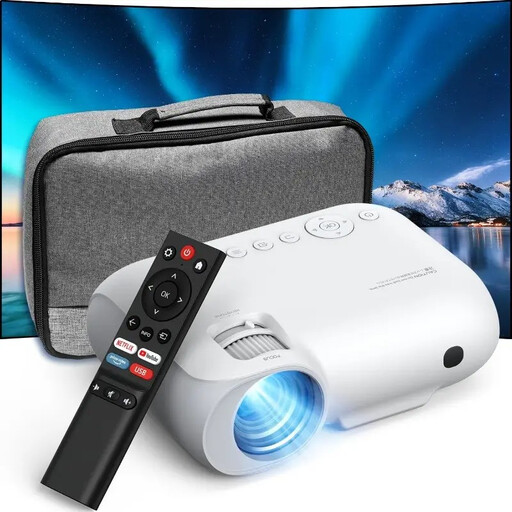 Image unavailable
YOTON Y7 Full HD projector
An option if you’re looking for a native 1080p projector with connections for a match source.
Native 1080p, stated brightness of 9.000 lumens, Wi-Fi, Bluetooth and HDMI.
View at Joybuy
 Image unavailable
Optoma Photon Beam PK52
An option if you’re weighing up 4K UHD and two HDMI inputs against the projection distance in your room.
4K UHD, 3.500 lumens, laser light source, 1,21:1–1,59:1 throw ratio and manual zoom.
Two HDMI 2.0 inputs and two built-in speakers rated at 15 W each.
View at Joybuy
 Image unavailable
Magcubic HY350Max Full HD projector
An option to consider if you’re looking for a Full HD model with MEMC and a stated projection distance.
Native 1080p, 900 ANSI lumens, MEMC, 1:1 throw ratio and a stated projection distance of 1,35 metres.
Autofocus, automatic keystone correction and HDMI compatibility.
View at Joybuy
Frequently asked questions
Will more lumens help if sunlight falls directly on the screen?
Higher brightness can help with ambient light, but first check where the window light falls on the screen. ProjectorCentral describes how ALR screens can differ in contrast and viewing angle, among other things, so their suitability also depends on your setup.
Can you use any ALR screen with a short-throw or UST projector?
No. Check whether the exact screen is suitable for your projector’s projection angle. ProjectorCentral explains that a UST setup needs a screen designed for it, and that some ALR screens are intended only for conventional long-throw projectors.
Which connection should you test before the rugby match?
Test the live match using your own authorised broadcast source, then check the app or HDMI connection and the sound. BenQ notes that app availability can vary by region, subscription and device settings, so having a smart platform doesn’t confirm that you can access the match.
How do you maintain a projector?
Follow the manual for your chosen model for ventilation and cleaning, and check which type of light source it uses. Epson describes the EH-TW840 as a lamp projector and the EH-LS800B as a laser projector, so the same maintenance schedule won’t necessarily apply to both.
What are your rights when buying online in the Netherlands?
For a standard online purchase, you generally have a statutory 14-day cooling-off period after delivery, subject to legal exceptions. The seller is also responsible if the product doesn’t meet what you could reasonably expect from normal use; there is no fixed general time limit for the statutory guarantee. ACM ConsuWijzer explains the cooling-off period, while the Netherlands Authority for Consumers and Markets explains the statutory guarantee.


