
Portfolio creator with limited setup space
You want to display your work on the wall without positioning the projector far into the living room. The throw ratio, minimum image size and clear floor space all help determine which setup will work.


First, measure the distance from the lens to the wall and the usable wall width. Then decide between short-throw and ultra-short-throw projection. For a design portfolio, legible detail, brightness suited to the available room light and a connection that works with your laptop matter more than simply having a large screen. Check colours using your own work, and don’t rely on digital keystone correction alone for a sharp image.
You want to display your work on the wall without positioning the projector far into the living room. The throw ratio, minimum image size and clear floor space all help determine which setup will work.
You display typography, drawings or visual work and want to assess resolution, sharpness and colour reproduction using your own portfolio. A quoted colour gamut isn’t an independent measurement of how accurately your work will be reproduced.
You can’t always darken the room and want to know whether your portfolio will remain visible. So assess brightness alongside image size and ambient light, rather than relying on a single lumen figure.
| What to consider | What should you check? | Who is this important for? |
|---|---|---|
| Distance and wall width | Measure the distance from the lens to the wall and the usable wall width. Compare these with the throw ratio and stated image sizes for the exact model. | I want the image to fit within the wall width without obstructing the walkway. Around 36% of consumers prioritise a suitable throw distance. |
| Detail and colour | Compare the resolution and stated colour specifications for each model. If possible, test your own files and font sizes at the intended image size. | If small text, fine lines and blocks of colour need to remain clear, I want to be able to check my own work. Around 29% of consumers give detail and colour top priority. |
| Visibility in room light | Consider whether you can darken the room and choose a realistic image size. Only compare brightness figures when the unit of measurement is clear. | I want to show my portfolio without having to darken the living room completely. For around 21% of consumers, visibility in room light is the most important consideration. |
| Connections and setup | Check that the inputs match your laptop’s output and whether you’ll need an adapter. Also consider where the sockets and cables are. | I want to present from my own device without a complicated setup. Around 14% of consumers prioritise connections and setup. |
An ultra-short-throw model can still have a large minimum image size. Epson specifies a minimum image size of 60 inches for the EB-770F, while XGIMI gives a minimum of 90 inches for the AURA 2.
As well as measuring the distance from the lens to the wall, check the usable wall width and the image size for the exact model.
An unsuitable image size may mean you need a different setup or a suitable projection surface.
ANSI lumens, ISO lumens and light-source lumens are different specifications. Room light and image size also affect how visible the picture is. BenQ explains the differences between these methods of measurement.
Check the unit of measurement, note your preferred image size and consider how much you can darken the room.
A larger image spreads the available light over a greater area. BenQ also warns that keystone correction can affect sharpness and image edges.
First, physically align the projector as accurately as possible, then check fine lines and small text from your intended viewing distance.
Optoma describes the GT2000HDR as a Full HD projector that accepts 4K input. This doesn’t mean the model displays images in 4K.
Check the stated display resolution separately from the resolutions the device accepts as input.
The EB-770F is an ultra-short-throw model designed for presentations.
The TH671ST is a short-throw model with stated 1080p display.
The GT2000HDR is a short-throw option with Full HD display and a laser light source.
The AURA 2 is an ultra-short-throw projector with stated 4K display.
These Joybuy projectors are options to compare for displaying a portfolio. Check that the throw distance and image size for each model will work in your living room.
 No image available
A projector to compare for portfolios with fine detail; check the image size and positioning in your room.
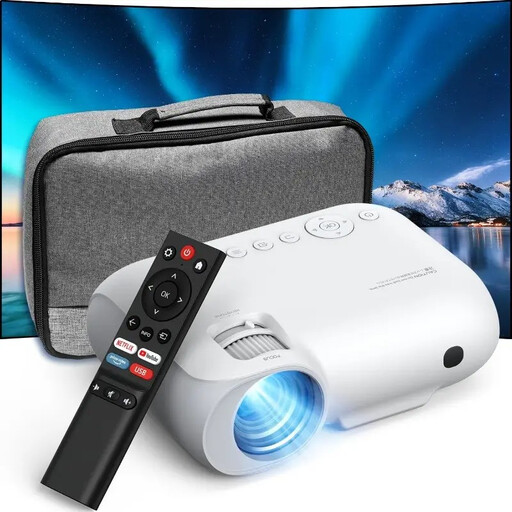
The product name specifies native 1080p Full HD, 4K compatibility, 9000 lumens, WiFi and Bluetooth. The lumen specification isn’t defined in more detail here.
 No image available
A model to compare if its stated native 1080P display suits your portfolio and you can check the positioning in advance.
The product name mentions Native 1080P, Bluetooth and 4K LCD. Before buying, check exactly what the 4K specification means for display and input.
 No image available
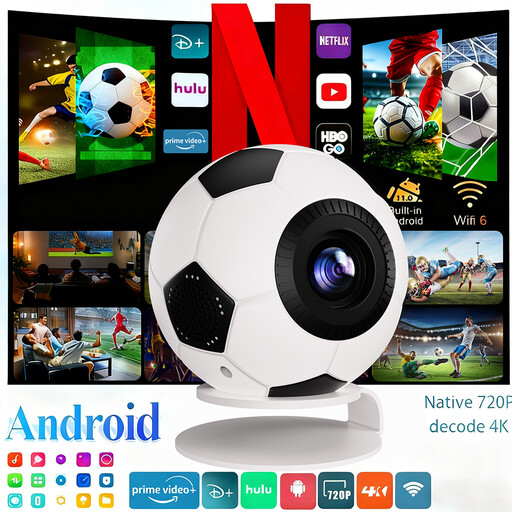
This mini projector is an option to compare; check that its stated image size and positioning will work for your portfolio.
The product name specifies 1080P Full HD, 4K decoding, 800 ANSI lumens, Android 14, WiFi 6 and Bluetooth 5.4. 4K decoding isn’t the same as a stated 4K display resolution.
 No image available
A model to compare for displaying a portfolio; check in advance that its stated resolution and setup suit your needs.
The product name specifies 1080P, autofocus and automatic keystone correction.
 No image available
A portable model to compare if you’re looking for a projector for portfolio presentations; first measure the distance and desired image width.
The product name specifies 1080p HD, 1200 ISO lumens, an image size of up to 180 inches and 4K HDR input. 4K input doesn’t mean it has a stated 4K display resolution.
Measure the usable image width and the distance from the intended lens position to the wall. Compare these measurements with the throw ratio and permitted image sizes for the specific model. Also check that the projector itself will fit and that people won’t walk through the beam.
You can if the model supports this correction, but BenQ warns that digital correction can affect image edges and sharpness, among other things. For detailed portfolio work, first align the projector physically as accurately as possible.
Check the light source and maintenance instructions for the exact model: BenQ lists a lamp for the TH671ST and Optoma a laser light source for the GT2000HDR. According to the Dutch government, there is no fixed statutory warranty period; your statutory rights are separate from any manufacturer’s warranty, and the retailer is your point of contact if something is faulty.
When you buy online from a business, you’ll often have 14 days to change your mind. The Dutch government lists exceptions and distinguishes, among other things, between purchases from businesses and private individuals. So check who the seller is and which terms apply to your order.
The Dutch government states that electrical appliances sold in the EU must carry the CE mark. Check the marking and product information for the specific version, especially if the seller is based outside the EU; a model name alone doesn’t confirm that the requirements have been met.