
Student with a colour-critical portfolio
You show illustrations, photography or other visual work where colour reproduction matters. Compare the colour information for specific models and assess the picture in the room where you’ll be presenting.


Choose a projector based on the room where your portfolio will be assessed. In ambient light, readability and suitable brightness matter, while colour-critical work calls for you to assess the picture mode of the specific model. Then measure the projection distance and consider how you’ll use it for films, as well as its sound and how easily different users can switch over. A high lumen rating or 4K input alone won’t determine the right choice.
You show illustrations, photography or other visual work where colour reproduction matters. Compare the colour information for specific models and assess the picture in the room where you’ll be presenting.
You want fellow students or assessors to be able to see text and detail while there’s ambient light. Readability and suitable connections are important considerations.
You switch between portfolio presentations and shared entertainment, taking placement, readjustment and sound into account.
Start with the lighting conditions and the type of portfolio work. Then check the projection distance, connections and what you need for film sound.
| Consideration | What should you check? | Who should pay particular attention? |
|---|---|---|
| Colour reproduction | Compare the colour information and picture modes for the exact model. Assess the picture under the lighting conditions in which you’ll show your portfolio. | If colour is crucial in my illustrations or photographs, I want to assess the picture mode and colour information for the exact model. Around 36% of consumers put colour accuracy first. |
| Readability in ambient light | Check the stated measurement standard for brightness, the screen size and the lighting in the room. | When the room stays lit during presentations, I want to be able to see text and fine lines without losing sight of colour accuracy. Around 29% of consumers prioritise readability in ambient light. |
| Placement and sharing | Measure the distance from the screen and the desired image width. Also check the connections and the setup steps needed when users change. | If several people use the projector, I want to know in advance where it can go and how devices connect. Around 21% of consumers prioritise placement and easy sharing. |
| Films, sound and use | Check the audio connections, supported video input and light source type of the model you’re considering. | For shared film nights, I want to check that the audio connection and light source suit how often we watch. Around 14% of consumers put film use and sound ahead of the other considerations. |
Perceived brightness also depends on ambient light and image size. A stated brightness figure doesn’t prove that colours will be reproduced well in your setup.
Compare the measurement standard and assess the picture and colour under the lighting conditions and at the screen size you’ll actually use.
According to Optoma, the Optoma GT2000HDR supports 4K input but has a native resolution of Full HD. A supported input signal is not the same as the resolution the model projects at.
Check the native resolution for the full model number, not just the highest stated input resolution.
A short-throw model with fixed optics needs to be positioned differently from a standard projector. If there’s no suitable place for it, you may need to change your setup or buy additional mounting equipment.
Work out the screen width, lens position and clearance beforehand, then compare these with the model’s throw ratio.
The EB-FH54 is an example of a Full HD projector designed for presentations, for showing work in a lit room.
The W2720i represents a colour- and film-focused home cinema option for anyone who also wants to show portfolios.
The GT2000HDR is a short-throw laser projector for rooms with limited projection depth.
The HORIZON S Max is a film-focused projector with an adjustable stand, suited to setups that may change.
Projector picks for portfolio presentations and shared film viewing. Check that each model’s picture suits your room.
 Image unavailable
For shared use with presentations and films; assess the picture in the room where you’ll show your portfolio.
Native 1080P and 700 ANSI lumens. The product description lists HDMI, Wi-Fi 6 and 5 W stereo speakers.
4K support is not the same as native 4K projection.
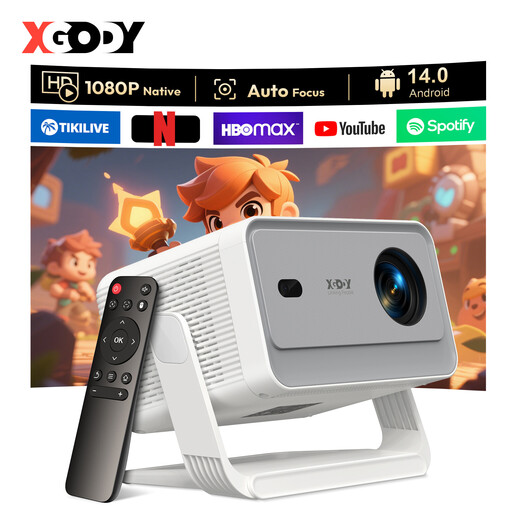 Image unavailable
For a shared setup with presentations and films; check the colour and readability at your intended screen size.
Native 1080P and 650 ANSI lumens. The product description lists HDMI, autofocus, automatic keystone correction and an adjustable stand.
8K support doesn’t mean this model projects in native 8K.
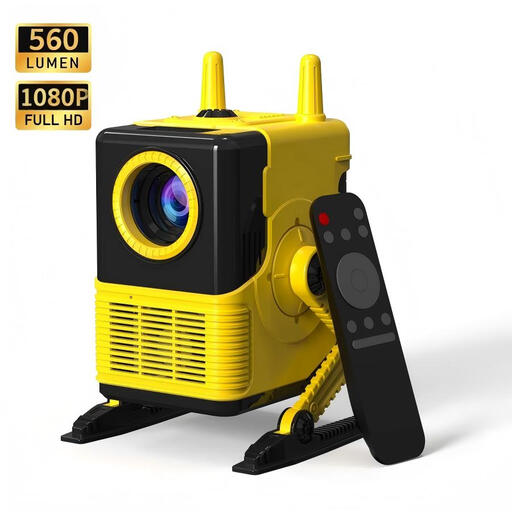 Image unavailable
For anyone wanting to connect devices such as a laptop; check that the stated picture specifications suit the details you want to show in your portfolio.
The product name lists 1080P support and 560 lumens. The description mentions HDMI, USB, Bluetooth 5.0 and four-point keystone correction.
 Image unavailable
For shared entertainment and switching between different devices; check that it has the connection you need for your presentation source.
The product name lists a screen size range of 50–200 inches, 50%–100% digital zoom and 180° rotation. The description mentions HDMI.
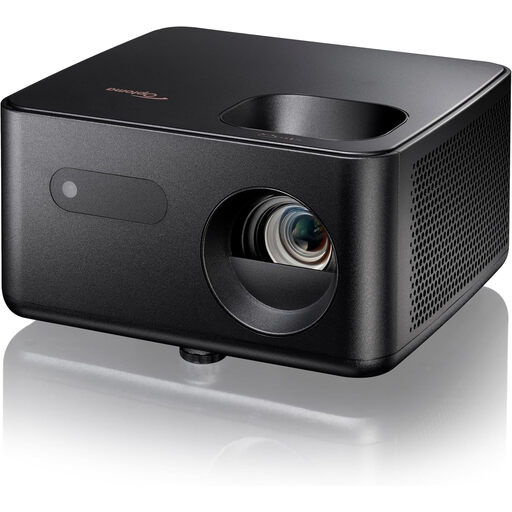 Image unavailable
For portfolios and entertainment when you can decide in advance how far the projector will be from the screen.
Native 1080p and 1,500 lumens. The product description lists a projection distance of 1.99–5.47 m, 1.1× manual zoom, HDMI and a 5 W speaker.
Measure the distance between the planned lens position and the screen, then work out your desired image width. Compare these measurements with the throw ratio for the exact model. For example, Optoma specifies a 0.496:1 ratio and fixed optics for the GT2000HDR.
No. Distinguish between native resolution and supported input. Optoma specifies the GT2000HDR as native Full HD, even though the model supports 4K input. Also check how details appear at your intended image size.
Check the placement, ventilation and mounting requirements in the manual for your chosen model. For a lamp-based model, ask about the suitable lamp type and replacement options. Epson lists a lamp life of 12,000 hours in Eco mode for the EB-FH54; this doesn’t guarantee that every lamp will last that long.
According to the Dutch Government, you’re entitled to a product that works properly, and there’s no fixed statutory guarantee period in the Netherlands. If a product develops a fault, contact the seller. A manufacturer’s guarantee supplements your statutory rights; it doesn’t replace them.
Business.gov.nl outlines the applicable European product rules for electrical and electronic equipment, including CE marking and a prepared and signed EU declaration of conformity. Additional rules may apply to wireless functions. The Dutch Government states that permission is required to make copyright-protected films, photographs or music available to the public. Whether a particular film night in a shared room counts as a public screening depends on the circumstances.