
Watching with the lights on
You watch with the lights on or daylight falling on the wall, and want to make out faces and clues in dark scenes.


Start by checking how much light reaches the projection wall and how much space there is between the lens and the wall. These factors can help you decide whether a brighter, fixed model, a portable projector or a compact option is right for you. Assess dark scenes and dialogue in the spot where you plan to watch, and check how you want to stream your series. A quoted brightness figure or built-in speaker alone won’t guarantee good results in your open-plan kitchen.
You watch with the lights on or daylight falling on the wall, and want to make out faces and clues in dark scenes.
You want a useful picture width without the projector getting in the way of the walkway or making the dining table awkward to use.
You want to put the equipment away after an episode and weigh portability against watching with ambient light.
First decide whether you want a fixed set-up, a projector you can move around or a compact model you can put away. Then you can weigh up your priorities for brightness, distance and playback.
Choose this if: you want to watch with the lights on in your open-plan kitchen and have a suitable fixed projection distance. BenQ quotes 3.800 ANSI-lumen and a 1,49–1,64:1 throw ratio for the TH575i.
Bear in mind: it uses a lamp and needs a fixed set-up. Light falling on the wall will still affect dark scenes.
Choose this if: you want to use the projector in different places and can darken the room while watching. Epson lists Full HD, 700 lumen and Google TV among the features of the Lifestudio Pop EF-61W.
Bear in mind: reducing the light on the projection wall may be important. Also check that the apps you want and your audio set-up are supported.
Choose this if: you want to put the projector away after watching and usually watch in a darkened room. Nebula quotes 300 ANSI-lumen for the Capsule 3 Laser; XGIMI lists Full HD and an adjustable stand for the Elfin Flip Laser.
Bear in mind: ANSI and ISO lumen figures are not directly comparable. If you choose a battery-powered model, also check the quoted playback time suits the way you use it.
ProjectorCentral explains that light on the projection surface affects how dark black appears. Also measure the distance from the lens to the wall, and compare the picture in conditions similar to those in your open-plan kitchen.
| What to consider | What should you check? | Who is this important to? |
|---|---|---|
| Dark scenes in ambient light | View dark images at your intended picture size and with the amount of light falling on the wall; check whether you can darken the room. | If daylight falls on the wall, I want to make out faces and clues in the shadows. Around 36% of consumers are particularly concerned about how visible dark scenes will be. |
| Projection distance and positioning | Measure the distance from the lens to the wall and the available wall width; check the throw ratio of the exact model and keep the ventilation openings clear. | With limited space, I want a useful picture without the projector getting in the way. Around 29% of consumers are particularly concerned about finding a suitable projection distance and position. |
| Dialogue, subtitles and playback | Check the app or HDMI source you want to use, whether subtitles are readable from your seat and whether the audio connections are suitable. | When I’m following detective series, I want to hear the dialogue and read the subtitles without having to faff about with the playback source. Around 21% of consumers particularly prioritise dialogue and series playback. |
| Setting up and putting away | Check the dimensions, stand, power supply and quoted playback time against how long you tend to watch in one sitting. | I want to clear the open-plan kitchen again after watching and be able to put the projector away easily. Around 14% of consumers are particularly concerned about having a temporary set-up they can put away. |
Light on the projection wall affects how dark black looks. So a quoted brightness figure alone won’t tell you how well you’ll see shadow detail in a lit kitchen.
View dark images where you plan to set up the projector, at a similar picture size and in comparable lighting.
The throw ratio helps you work out what picture width you can achieve from the available distance between the lens and the wall.
Measure the distance and wall width, and check the specifications for the exact model variant before choosing your set-up.
Epson lists the EF-22N as discontinued. XGIMI has separate Elfin Flip variants, and specifications for one model do not automatically apply to another.
Check the full model name and product variant on the product page.
The TH575i is a home projector worth comparing if the quoted brightness and a fixed set-up are important to you.
The Lifestudio Pop EF-61W is a portable smart projector for anyone who can darken the room while watching.
The Elfin Flip Laser is a portable model with an adjustable stand.
The Capsule 3 Laser is a compact model for anyone who values portability more than watching in bright ambient light.
This selection includes a model with a short throw ratio and several portable projectors. For your open-plan kitchen, check the distance to the wall, the light in the room and how you want to stream.
 No image available
A short throw ratio may work well when the projector needs to sit close to the wall; check whether 0,52:1 suits your desired picture width.
The title lists WXGA, 3.800 ANSI-lumen and 3D. The product description mentions HDMI, vertical keystone correction and a 10 W speaker.
 No image available
The adjustable stand and Google TV suit a set-up you can use in different places; check how much light falls on the projection wall.
The product description lists 520 ISO-lumen, native 1080p, Google TV, a 360° stand and two 5 W speakers.
 No image available
The rotating stand can be useful if you want to position the projector flexibly; check that your chosen spot is stable and has enough room for ventilation.
The title lists native 1080p and 1.200 ANSI-lumen. The product description mentions a stand that rotates 0–90°, Android 14, HDMI and two 8 W speakers.
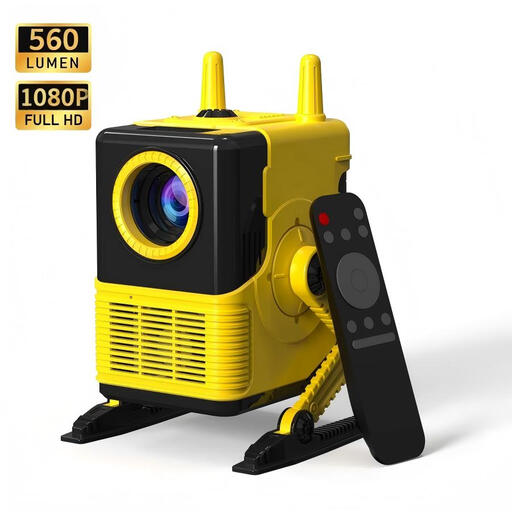 No image available
A portable model may suit you if you want to put the projector away after use; check that its connections work with your playback source.
The title lists 1080P support and 560 lumen. The product information mentions LCD, Wi-Fi and HDMI.
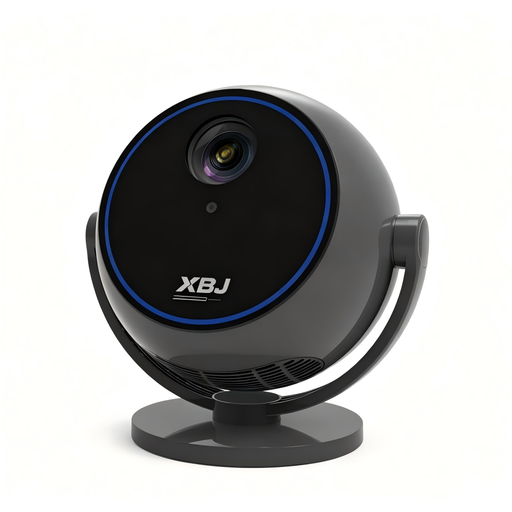 No image available
The rotating stand and built-in streaming apps are useful if you want to adjust the projection direction and stream without a separate streaming stick.
The product title lists 1080P HD, Wi-Fi 6, Bluetooth 5.0 and a 360° rotating stand. The product description mentions built-in streaming apps.
No. Light on the projection wall affects visible contrast, so view dark images at your intended picture size and in the lighting conditions of your open-plan kitchen.
Measure the distance from the lens to the wall and the available picture width, then compare them with the throw ratio of the exact model. The distance from your seat to the picture is not the measurement you need for this.
Check that the exact model variant supports the app you want or your external HDMI player. View subtitles from your usual seat and check the audio connections if you want to use other speakers; a built-in speaker alone won’t tell you how clearly speech will come across in your kitchen.
Choose a stable spot away from splashes and cooking fumes, and keep the ventilation openings clear. Check the manual for the exact model for positioning and operating instructions.
Check which markings and documentation apply to the exact model on offer. The Netherlands Food and Consumer Product Safety Authority explains that the applicable rules depend on the product variant; equipment with Wi-Fi or Bluetooth may fall under the rules for radio equipment. A product listing alone does not prove compliance.