What should you look for when buying?
First check whether only your seat is off-centre or whether the projector also needs to sit to one side. Then assess the screen from your seat and choose an image size that works with the amount of light in the room.
| What to consider |
What should you check? |
Who is this important for? |
| Visibility from an off-centre seat |
Check the stated viewing angle for the exact screen material and assess the image size from the seat furthest to the side. |
If I want to follow cooking instructions from the side, I need to know whether the screen is easy to see from my seat. Around 36% of consumers say visibility from an off-centre seat is their top priority. |
| Projector beside the screen axis |
Measure the distance to the screen and the amount of horizontal offset. Check whether the lens shift has enough range or what keystone settings are available. |
If furniture means the projector has to sit beside the screen axis, I want to position it properly without using more digital correction than necessary. Around 29% of consumers put projector positioning first. |
| Picture in ambient light |
Make a note of when you watch and how large the image needs to be. Only compare brightness if the units of measurement match. |
If I watch cooking programmes with the windows or lights on, I want to be able to make out text and ingredients at my chosen image size. Around 21% of consumers prioritise visibility in ambient light. |
| Moving and playback |
Check the battery and connections on the exact version, and make sure it works with your own playback source. |
If I want to move the projector between viewing spots, I need a setup that suits my power supply and how I watch content. Around 14% of consumers put portability and connections at the top of their list. |
Joybuy products
These Joybuy products suit portable and fixed projector setups for watching cooking programmes. Check that the features listed for each model work with your projector position and viewing light.
 No image available
XGIMI Vibe One, Full HD 1080p, Google TV, built-in battery and projection screen with stand (Match Night EU Edition)
This portable version comes with a battery and projection screen with stand, making it suitable for a setup you want to move around.
The product name lists 250 ISO lumens. The product information limits automatic keystone correction to a side projection angle of up to 25° and lists up to 1.2 hours of video playback in Eco mode.
Joybuy
 No image available
XGODY N7 Cine Smart Projector, native 1080P
Automatic keystone correction and the stated short throw distance make this model worth comparing if you have limited space for positioning.
The product name lists 1000 ANSI lumens and native 1080P. 4K is described as supported, not as the native resolution.
Joybuy
 No image available
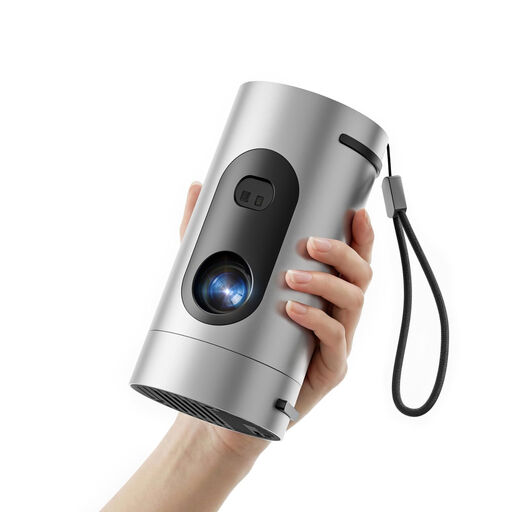
XBJ Q8-Silver-Grey mini projector, native 1080P
This portable projector is worth comparing if you want to power it using a power bank.
The product name lists native 1080P, 8000 lumens and 8W Dolby Digital Audio. The power bank is sold separately.
Joybuy
 No image available
2026 video projector with automatic screen correction, HDMI and 180° rotation
Automatic screen correction and rotation may be useful if you want to adjust the projector when setting it up. Check that the connections work with your playback source.
The product name lists an image size of 50–200 inches and digital zoom of 50%–100%.
Joybuy
 No image available
Optoma Photon Beam PK52
This model is worth comparing if the projector needs to sit beside the screen axis and you’re considering digital correction.
The stated horizontal keystone correction is limited to a maximum of 30°.
Joybuy
Frequently asked questions
Do you need horizontal keystone correction if you’re sitting at an angle to the screen?
No, not to correct your seating position. Keystone correction is designed to fix distortion caused by the projector’s projection angle. If you’re sitting off-centre, first assess the screen’s viewing angle and visibility.
How can you tell whether a projector will fit in your planned position?
Measure the distance from the lens to the screen, your desired image width and the amount of horizontal offset. Compare these with the throw ratio and horizontal adjustment range of the exact model. Lens shift and keystone correction are not interchangeable.
Can you use the same large image with light coming through the windows or from lamps?
You can’t tell from the resolution alone. Ambient light and image size make brightness and suitable screen material more important. Assess your setup under the lighting conditions you’ll be watching in.
What rights apply to an online purchase in the Netherlands?
Online purchases generally come with a statutory 14-day cooling-off period after delivery, subject to exceptions. There is no standard two-year period for the statutory guarantee; it depends on what you could reasonably expect from the product. ACM ConsuWijzer explains these rights.
Does a projector sold in the Netherlands need to have a CE marking?
Electrical appliances offered on the EU market must meet the applicable safety requirements and carry the required CE marking. Check this for the specific product. A brand name or product description alone does not show that these requirements have been met.


