What should you look for when choosing?
Start with the conditions in the room: will the lights stay on, how wide will the image be, and how much space is there between the lens and the screen? Then compare the native resolution, connections and maintenance terms that matter to your club.
| What to consider |
What to check before buying |
Who should pay extra attention? |
| Visibility in room lighting |
Compare the stated ANSI lumens in the relevant mode, taking room lighting and image size into account together. |
If the lights stay on during the event, I want to keep photos and captions visible without completely darkening the room. Around 25% of consumers prioritise visibility in room lighting. |
| Legibility of archive details |
Check the native resolution and compare it with the details in your photos, maps and captions. |
When there is small text and fine detail on maps, I want to know what resolution the projector actually displays. Around 25% of consumers give legibility of archive details their highest priority. |
| Projection distance in a small room |
Measure the desired image width and the distance from the lens to the screen, then compare these with the throw ratio. |
If the projector cannot be placed far from the screen, I want to know in advance whether the setup can produce the image I want. Around 20% of consumers prioritise limited projection space. |
| Setting up in different locations |
Check the connections needed for a laptop and, if required, sound. Make sure the setup will fit the available space. |
When we present in different rooms, I want to be able to connect the laptop and any sound equipment without surprises. Around 15% of consumers prioritise easy setup in different locations. |
| Maintenance during use |
Compare the terms for the stated lamp mode or light source, and ask about replacement parts and applicable service conditions. |
For a club that uses its projector regularly, it is important to know what maintenance the light source may need. Around 15% of consumers prioritise maintenance and running costs. |
Joybuy projectors for this topic
Joybuy projector options suited to this topic.
 No image available
XGIMI Vibe One portable projector, Full HD 1080p, Match Night EU Edition with projection screen and stand
An option to compare if Full HD and an included projection screen with stand suit your archive setup; check whether 250 ISO lumens will be sufficient for the room lighting and image size.
The product name mentions Google TV, JBL Audio and a built-in battery.
View on Joybuy
 No image available
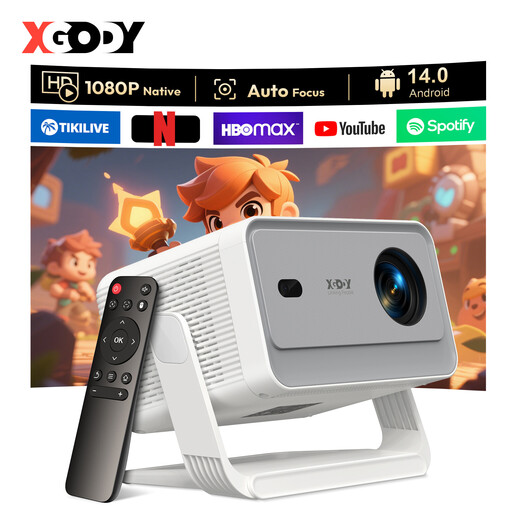
XGODY Gimbal A6 Pro projector, native 1080P, white and grey
An option if native 1080P and HDMI or USB connectivity are important; check whether the stated brightness suits the room and chosen image size.
The product name lists 650 ANSI and Android 14.0; the product information mentions HDMI and USB connections.
View on Joybuy
 No image available
XGIMI MoGo 4 portable projector, Full HD 1080p, Match Night EU Edition with EA SPORTS FC 26 game code
An option if Full HD and a built-in battery suit your presentation setup; check whether the stated brightness is right for the ambient light and image width.
The product name lists 450 ISO lumens and Harman Kardon audio; the product specifications mention HDMI.
View on Joybuy
 No image available
2026 video projector with built-in apps and 180° rotation
An option if the stated HDMI compatibility suits your presentation source; check the connections on both the projector and laptop in advance.
The product name lists wifi 6, Bluetooth, automatic screen correction and a stated screen size of 50–200 inches.
View on Joybuy
 No image available
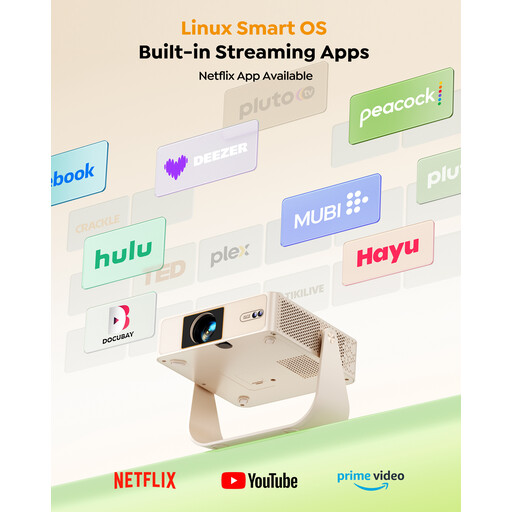
Yaber L1 Pro portable projector, native 1080P with flexible stand
An option if native 1080P and an adjustable setup suit your presentation; check whether the stated brightness is suitable for the room lighting and image size.
The product name lists 180 ANSI lumens, 330° rotation and a Linux system.
View on Joybuy
Frequently asked questions
What should you measure before ordering a projector?
Measure the desired image width and the possible distance between the lens and the screen. Compare these together with the throw ratio of the exact model. A short-throw model may be an option if the available distance is short.
Can you play archive videos' sound directly through the projector?
Check the audio input, built-in speaker and any audio output on the exact model, as well as the laptop connection. For example, the BenQ MH560 lists a speaker and a 3,5 mm audio output; decide whether these will be sufficient for your room.
What does the stated lifespan of a lamp or laser mean?
It is a figure for the light source under the stated operating conditions, not a guaranteed lifespan for the entire projector. BenQ Netherlands lists different operating hours for each lamp mode on the MH560; Optoma Europe states 30.000 hours for the ZH350ST laser light source.
Does consumer protection automatically apply if the neighbourhood club buys the projector?
Do not assume that it does: this depends, among other things, on who makes the purchase and whether the agreement is used mainly or exclusively for business purposes. The Dutch government explains statutory guarantees for consumer purchases; ACM ConsuWijzer explains when consumer protection does not apply to business use. Ask the seller which terms apply to your purchase.
Can the club project every photo from a neighbourhood archive at a club event?
First consider the rights and intended use. The Dutch government states that permission from the creator may be needed to use copyright-protected photos, and that a private copy for personal use cannot simply be distributed or made public. Whether a particular screening is permitted depends, among other things, on the rights, licence and way the photos are shown.
What about identifiable people in archive or event photos?
Identifiable people in photos are personal data. The Dutch Data Protection Authority distinguishes between personal use and use on behalf of an organisation. For the latter, the club must assess the applicable GDPR legal basis for the specific images. Consent is one possible legal basis, but not the only one.


