Joybuy projectors for different setups
These Joybuy products are suited to portable screenings, positioning close to the wall and fixed Full HD setups. Before choosing, always check the intended image size, the amount of light and the distance available in your room.
 No image available
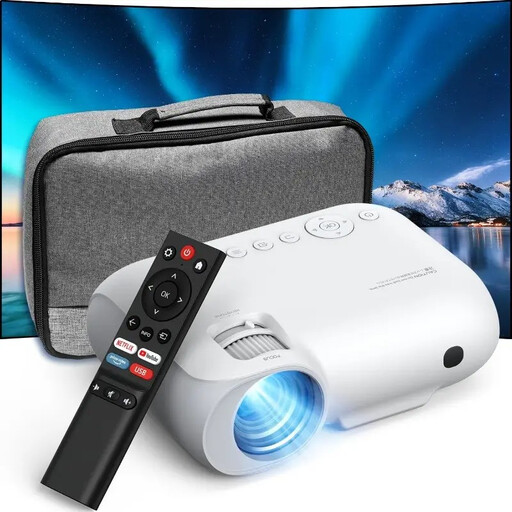
YOTON Y7 native 1080p Full HD projector
A portable option for moving between rooms; test small archive details in the room’s ambient light.
The product name lists native 1080p Full HD, 4K compatible, 9000 lumens, WiFi and Bluetooth. Don’t compare the lumen figure directly with measurements using other standards.
Joybuy
 No image available
Yoton Y6 5.2 Bluetooth 4K LCD native 1080P projector
A portable model for screenings in different rooms; check which connection your source device needs beforehand.
The product name lists 4K LCD and native 1080P.
Joybuy
 No image available
Optoma Photon Go
An ultra-short-throw option if the projector needs to sit close to the wall and you want to keep the space in front of it clear.
The product information lists 1080p Full HD, a throw ratio of 0.18:1 and a projection distance of 0.26–0.4 m.
Joybuy
 No image available
Epson EF-22N standard-throw projector 3LCD 1080p (1920x1080)
A fixed Full HD setup for showing archive images; check whether the standard-throw distance is achievable in your room.
The product name lists 3LCD and a resolution of 1080p (1920x1080).
Joybuy
 No image available
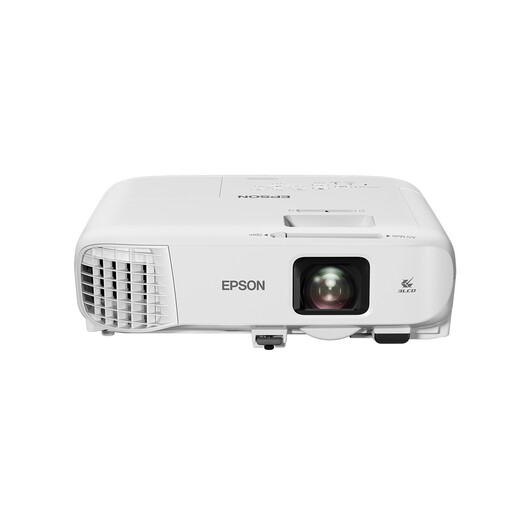
Epson EB-992F standard-throw projector 4000 ANSI lumens 3LCD 1080p (1920x1080)
A fixed Full HD option to consider if the room will remain partly lit during the screening; first measure the projection distance you need.
The product name lists 4,000 ANSI lumens, 3LCD and 1080p (1920x1080).
Joybuy
Frequently asked questions
How can you check whether a projector will work in your shared room?
Measure the available distance from the wall and decide what image size you want. Then check the distance specifications for the exact model; Epson offers a distance simulator for the CO-FH01, while BenQ lists a throw ratio of 1.49–1.64 for the TH575i.
How do you connect a neighbourhood archive to a projector?
It depends on the device the files are stored on. Epson and BenQ state that the CO-FH01 and TH575i have an HDMI input; check whether your laptop has a suitable output and test your own photos, maps or videos beforehand.
What should you look for when using a projector in a bright room?
Consider the ambient light and intended image size alongside the stated brightness. The models in this comparison use different measurements, including ANSI lumens and ISO lumens, so these figures aren’t directly comparable as a real-world brightness test.
What if a projector bought online isn’t suitable or stops working?
For eligible online consumer purchases, you generally have a 14-day cooling-off period, as explained by the Dutch government. This is separate from your rights if a product doesn’t meet the terms of the agreement: ACM ConsuWijzer explains that in the Netherlands, the statutory guarantee period isn’t fixed at two years for every product, but depends on what you can reasonably expect with normal use. Check the terms that apply to your purchase.
Can you show photos or videos from a neighbourhood archive without permission?
Not every screening automatically falls under the same exception. The Dutch government explains that copyrighted photos and films can’t necessarily be made public without permission; Auteursrecht.nl describes the exception for strictly domestic use and the distinction between that and screenings elsewhere. Check who owns the images, what permission or licence applies and who will be invited. Don’t automatically assume that an open neighbourhood event counts as a domestic screening.


