What should you look for when choosing?
Start with image size, light and throw distance. Then compare picture detail, audio for the group and the cost of the complete setup.
The table groups consumers considering a projector for a nature documentary screening by their main purchase priority.
| Factor |
What should you look for? |
Who should give this more weight? |
| Picture visibility |
Decide on the image size and consider the ambient light. Compare stated light output using the same measurement method, and take the screen and room into account. |
If I want a large group to watch in a lit venue, visibility comes first. Around 28% of consumers have this as their main priority. |
| Detail in nature footage |
Compare the resolution and exactly what a 4K label means. Also check the documentary’s resolution and playback method. |
If fine detail in landscapes and wildlife matters to me, I look at both the projector and the source. Around 22% of consumers put picture detail first. |
| A suitable position |
Measure your desired screen width and the distance available. Compare these with the throw ratio or the stated distance for a particular image size. |
If there isn’t much distance in the room, or the projector needs to be kept out of the way, positioning is my main concern. Around 22% of consumers put positioning first. |
| Clear audio for the group |
Check the audio connections and test dialogue from different seats. Plan for additional audio equipment if the room requires it. |
I want the documentary’s narration to be clear at the back too, rather than assuming the built-in speakers will be enough. Around 17% of consumers make clarity their top priority. |
| Use and maintenance |
Include the screen and any audio equipment in your overall setup. Check model-specific information about the light source and maintenance. For public screenings, find out what rights you need. |
If I’m organising several screenings, I look beyond the projector itself and take maintenance and rights into account. Around 11% of consumers put running costs first. |
Projectors at Joybuy
These models suit group screenings where image size, picture detail, light output or limited space for positioning are important considerations.
 No image available
Optoma UZ38X 4K UHD Dual-Laser projector
An option for consumers who value 4K UHD when projecting a large image.
The product name lists Dual-Laser, 3.800 lumens, DLP, 1,3× zoom and a 15 W speaker.
View at Joybuy
 No image available
JMGO N1S Ultra 4K Triple Laser UHD projector
A good fit for consumers who want to enjoy nature footage with an emphasis on picture detail.
The product name lists 4K, Triple Laser and UHD.
View at Joybuy
 No image available
Optoma Photon Beam PK52
A model worth comparing if a large image and clear dialogue matter for your group screening.
View at Joybuy
 No image available
Optoma H117ST short-throw DLP projector
A short-throw model to consider if the distance between the projector and screen is limited.
The product name lists WXGA, 3.800 ANSI lumens and 3D. Its stated WXGA resolution is a trade-off if fine detail is your priority.
View at Joybuy
 No image available
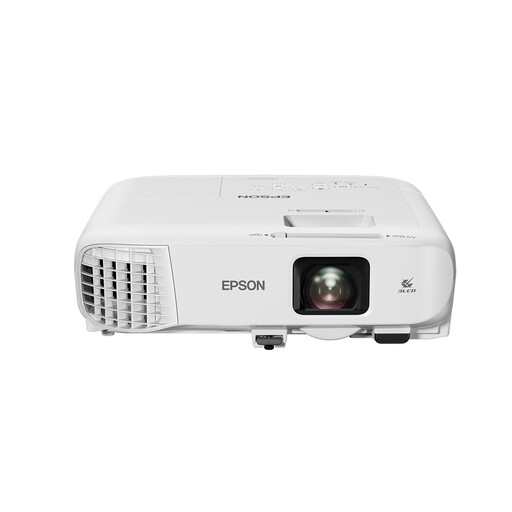
Epson EB-982W standard-throw projector
A model worth comparing for a venue setup where light output and positioning space are important.
The product name lists 4.200 ANSI lumens, 3LCD and WXGA resolution of 1280 × 800. WXGA is a trade-off if fine detail is your priority.
View at Joybuy
Frequently asked questions
How can you tell whether the projector will produce a large enough image from the available distance?
Measure the available distance and your desired screen width, then compare them with the exact model’s throw ratio. For an ultra-short-throw model, you can also check the distance specified by the manufacturer for a particular image size.
Does the documentary itself need to be available in 4K?
Yes. If you specifically expect 4K detail, check the documentary’s resolution and playback source too. FilmService says that most films on its own streaming service are in HD, that some older films aren’t available in HD, and that streaming quality can vary with available bandwidth. This doesn’t automatically apply to other services.
What should you check when setting up for a large group?
Check the positioning and connections for the exact model, and test the picture and dialogue from the back row. Built-in speakers alone don’t prove that audio will be clear enough throughout your venue.
What are your warranty rights in the Netherlands if the projector develops a fault?
According to the Dutch government, there is no fixed statutory warranty period in the Netherlands: you’re entitled to a product that works as it should, and the seller must provide a solution if it doesn’t. Normal wear and tear or damage caused by your own actions aren’t automatically covered by free repairs.
Can I show a nature documentary to a large group?
You need permission from the rights holder to publicly screen a copyrighted documentary. Whether a screening is public depends on the specific circumstances, so check the rights for the particular title and playback method. A projector or personal streaming subscription doesn’t automatically grant permission.


