
Viewer with limited space for setup
Wants to find out what screen size will fit on the available wall and whether the projector can go on a piece of furniture or somewhere else.


First, measure the distance between the projector and the screen, the available wall space and where the projector can go. Then decide between standard, short-throw and ultra-short-throw projection. For art documentaries, native resolution, picture settings and ambient light also matter: a stated resolution or colour claim alone doesn’t guarantee faithful reproduction. BenQ, LG and Epson publish projection details for specific models, so you can check whether a setup will work in your room.
Wants to find out what screen size will fit on the available wall and whether the projector can go on a piece of furniture or somewhere else.
Looks at the source quality, resolution and picture settings. A colour gamut claim alone doesn’t tell you how faithfully colours will be reproduced in your own setup.
Wants to watch even when the room isn’t completely dark, so needs to consider brightness, light control and screen choice together.
In a narrow living room, start with the physical setup. Then assess the picture, the available light and how you’ll play your documentaries separately.
Choose this when: the available distance matches the desired screen size, according to the specifications for the exact model.
Bear in mind: the projector may need more distance than your room or the space behind your seating allows.
Choose this when: there’s room for the projector in front of or near your seating, but less space for standard throw. BenQ specifies a 0.8 throw ratio for the TK705STi.
Bear in mind: short throw doesn’t mean the projector can sit right against the wall; check the setup details for the exact version.
Choose this when: the projector needs to sit on a piece of furniture close to the screen wall. For example, LG specifies 40 inches from 8,1 cm and 100 inches from 39,3 cm for the PU615U; Epson specifies 80 inches from 2,3 cm for the EH-LS800B.
Bear in mind: an uneven wall can distort the picture, and you may need a suitable UST screen. Also check the point from which the manufacturer measures the distance.
| What to consider | What should you check? | Which consumers should pay particular attention? |
|---|---|---|
| A suitable setup | Measure the wall width, available height, furniture depth and possible distance from lens to screen. Compare these measurements with the setup details for the exact model. | If I have limited space, I want to know in advance what screen size will actually fit on my wall. A suitable setup is the top priority for around 36% of consumers. |
| Detail and colour | Compare the model’s native resolution with the documentary source and check which picture settings are available. Treat colour claims as manufacturer claims. | If I watch artworks and fine details, I want to take source quality and picture settings into account. Around 29% of consumers give picture detail and colour top priority. |
| Ambient light | Think about when you watch and how much you can darken the room. Assess brightness specifications alongside the screen and light control. | If I can’t always darken the room, I want to know how the setup will work with the light in my living room. Watching in ambient light is the main priority for around 21% of consumers. |
| Playback and sound | Check the service or external playback source you want to use, the connections on the version you’re considering and where any audio equipment will go. | If I want to start and listen to documentaries easily, I want to know whether my source and sound setup are compatible. Around 14% of consumers prioritise ease of use and playback. |
The diagonal, wall width and distance between the lens and screen all need to work together. A size that looks appealing on paper may not fit in your chosen spot.
Measure the space and check the setup details for the exact version before comparing models.
If the intended position doesn’t work, you may need to move the furniture or projection surface.
An uneven wall can distort the projected picture. Samsung recommends a dedicated UST screen for optimum viewing with the LSP7T.
Check that the wall is flat and that your chosen projection surface suits the setup.
A suitable UST screen may be an additional part of the setup.
Stated lumen figures and colour claims don’t determine what the picture will look like in your living room on their own; ambient light, the screen and picture settings all play a part.
Compare brightness figures using their stated units, and treat manufacturer statements about colour as claims rather than independent measurements.
According to BenQ, the TK705STi combines a 0.8 throw ratio with 4K picture quality and Google TV.
The EH-LS800B is a UST model for which Epson specifies an 80-inch picture from 2,3 cm and a light output of 4.000 lumens.
According to LG, the CineBeam S PU615U is a compact UST projector with a stated 4K UHD resolution.
The PX3-PRO and L9Q are UST and laser home cinema options from Hisense.
The Premiere LSP7T is a UST model with built-in smart features.
This Joybuy selection includes projectors for external or built-in playback sources, including one model explicitly described as short throw. Compare native resolution and setup details with your source and room. According to the Dutch government, electrical appliances offered in the EU must carry the applicable CE marking as a product safety requirement; check this for the exact version.
 No image available
Worth considering if you want to connect an external playback source and native 1080p suits your source.
Native resolution: 1080p. The description lists HDMI, USB, AV and Bluetooth audio.
 No image available
An option if you want built-in streaming features; check separately whether your preferred documentary and service are available.
Native resolution: 1080p. The title mentions Google TV and Netflix; the description lists JBL stereo speakers and autofocus. 4K support isn’t the same as native 4K resolution.
 No image available
Consider this model if the stated 1:1 throw ratio suits your planned setup; check what screen size is achievable at your chosen distance.
Native resolution: 1080p; stated light output: 900 ANSI lumens. The description lists a projection distance of 1,35 metres for a large picture, Android 14, autofocus and automatic keystone correction.
 No image available
A short-throw option to explore if you want to position the projector relatively close to the screen; consider the resolution separately when viewing artistic detail.
Native WXGA resolution: 1280 × 800. The description lists a 0,52:1 throw ratio and 3.800 ANSI lumens. Full HD isn’t displayed at native Full HD resolution.
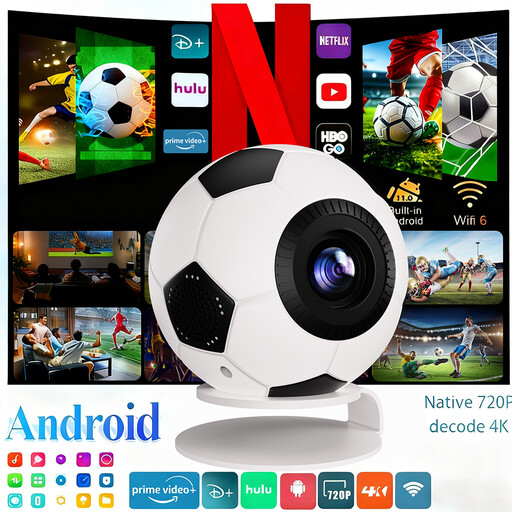 No image available
An option to consider if native 720p suits the documentary source and how you plan to use it.
Native resolution: 720p; 1080p is listed as decoding support. The title mentions 800 ANSI lumens; the description lists Android 14 and automatic keystone correction.
Measure the wall’s available width and height, along with the possible distance between the projector and screen. Then check the setup details for the exact model to find the screen size that matches that distance; the general term ‘short throw’ isn’t enough.
Some models can be used this way, but check whether the surface is flat enough for the picture you want. Samsung recommends a dedicated UST screen for optimum viewing with the LSP7T; this is the manufacturer’s recommendation for this model.
Ask about the service terms for the exact projector and keep your purchase details. According to the Dutch government, there’s no fixed statutory guarantee period in the Netherlands that applies to all products; what you can reasonably expect from a product is also taken into account. If a product is faulty, the seller is your first point of contact.
According to the Dutch government, electrical appliances offered in the EU must carry the applicable CE marking as a product safety requirement. Check the marking and product information for the exact version.