
USB viewer without a laptop
You want to open the recording directly from a storage device. Philips lists an in-built media player for films and music on the NeoPix 122; check that each model supports your video and audio track.


An in-built media player can be convenient if you want to watch without a laptop; HDMI lets you use a laptop or media player you already own. Before buying, test your own file to check that both picture and sound work. Then measure the available projection distance and decide whether the projector’s audio is good enough or whether you’ll need to connect your own sound system.
You want to open the recording directly from a storage device. Philips lists an in-built media player for films and music on the NeoPix 122; check that each model supports your video and audio track.
You want to project the picture and listen to the recital through your own sound system. For the GV50, BenQ lists features including a 3.5 mm audio output and HDMI ARC; check that the connection is compatible with your equipment.
You want to check in advance whether the projection distance and desired picture size will work in your home, or be able to move the projector easily. Philips lists a picture size of up to 65 inches for the NeoPix 122; that alone doesn’t tell you whether the distance will suit your room.
Choose this if: you want to watch without a laptop and the player on the exact model plays both your video and audio track.
Consider: a USB port alone doesn’t guarantee that your file will play; test it in advance.
Choose this if: you’d rather open your files using familiar playback software or use a media player of your own.
Consider: you’ll need an extra device and cable; also check where the audio will play.
| What to consider | What should you check? | Who is this important for? |
|---|---|---|
| Playing local files | Check the USB port’s function, the media player and whether it supports your file’s video and audio codecs. | I want to play the recording from USB without a laptop and need to know whether the picture and sound will work together. Around 36% of consumers say playing local files is their main concern. |
| Playing music and speech | Check the audio output on the exact model, its connection to your sound equipment and playback of the audio track. | If the recital needs to play through my own speakers, I’ll focus on finding a suitable connection. Around 29% of consumers say music playback is their top priority. |
| Picture in your viewing space | Measure the distance to the projection surface and compare the throw ratio and stated brightness of the exact model. | In a small room, I want to know in advance whether the picture I want will fit at the available distance. This is the main priority for around 21% of consumers. |
| Setting up and moving the projector | Check the power supply, setup requirements and stated battery life for conditions that suit your viewing location. | If I want to move the projector between viewing spots, I’ll consider the power supply and setup too. Around 14% of consumers put portability first. |
USB functionality varies by model. A projector may recognise a file without playing its video or audio track correctly.
Check what the USB port does and, where possible, test your own file, including its audio track, before relying on direct playback.
If the in-built player isn’t suitable, you may need a separate media player or extra setup.
A reference to in-built speakers isn’t an independent listening assessment, and doesn’t tell you whether the sound will suit your listening space.
Decide in advance whether you want to use your own sound system, and check that the projector’s connections are compatible with your equipment.
An external sound system may require extra equipment or connection cables.
XGIMI states that the MoGo 4 offers up to 2.5 hours of video playback on battery under the specified conditions. This isn’t necessarily the battery life you’ll get with every setting.
Compare the length of your recording with the battery information for your intended mode of use, and check the power options.
For a longer recording, your setup may depend on mains power or an additional power supply.
BenQ has announced a recall of the GV31 due to a risk of battery overheating. This notice applies to the GV31; don’t draw any safety conclusions about other models from it.
If you own a GV31, follow BenQ’s instructions to stop using it immediately and contact the company about the recall.
The GV50 is a portable Full HD option to consider if you’re looking for a USB reader and connection options for external audio.
The NeoPix 122 is a compact home projector. Philips lists an in-built media player for films and music.
According to Epson, the Lifestudio Pop EF-61G is a compact Full HD home projector with Google TV and in-built stereo sound.
The MoGo 4 is worth considering if you want to use the projector in different places and value a battery and adjustable stand.
These Joybuy product picks are intended for use with a laptop or media player via HDMI, or for local media via USB. Check which playback options and connections are available on the exact model for your file and audio setup.
 No image available
Consider this projector if you want to use a laptop or media player; check in advance that the exact version has the connection you need.
FHD is listed in the product name.
 No image available
Consider this model if you want to use an external playback source; check that the connection works with your device and where the audio will play.
 No image available
Consider this model if you want to use an HDMI source; also check how you’ll play the audio track through your preferred sound equipment.
The product name lists native 1080P and HDMI compatibility.
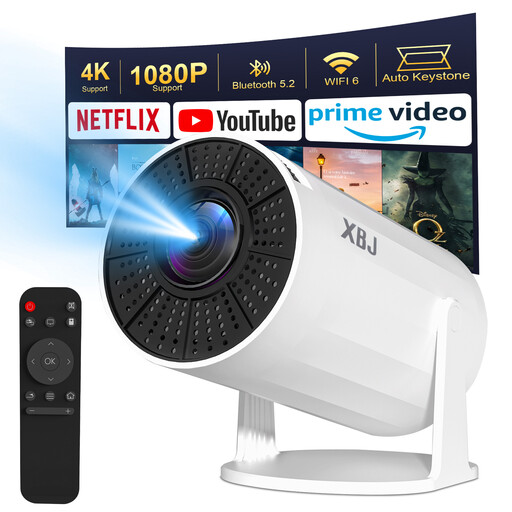 No image available
Consider this model for a setup with an external playback source; check in advance how you want to connect it to your audio equipment.
The product name lists 1080P, 4K decoding and BT5.2.
 No image available
Consider this model if you want to play local files from USB; before buying, check that your file works with the audio track you want.
The product name lists Full HD 1080P and 360° rotation.
No. A USB connection alone doesn’t confirm that it will. Check the USB function on the exact model and whether it supports your file’s video and audio track. BenQ explains that, on one specific model, an unsupported audio codec can prevent sound from playing, even if the file extension appears to be recognised; this model-specific information doesn’t automatically apply to other projectors.
HDMI is a useful option if you’d rather open files on your laptop or an existing media player. You’ll need an extra device and cable, though. Also check whether the external device can play the file and how the sound will reach your speakers.
Before buying, measure the distance between the projector and projection surface, then compare it with the throw ratio of the exact model. For example, BenQ gives the GV50 a fixed throw ratio of 1.2. Then follow the model-specific instructions to focus the image.
Check the noise specifications for the specific model and, if possible, listen from your usual viewing spot. BenQ explains that fan noise is related to heat dissipation and recommends ECO mode for the models covered by that guidance. Check whether your model has this mode and whether the picture still suits your room when it’s enabled.
Not simply because the file is stored locally on your device. According to the Dutch Government, a private copy for personal use must not be distributed or made available to the public. For a public showing or any other use outside that private setting, check separately which rights and permissions you need.