What should you look for when choosing?
First, measure the available wall width and projection distance. Then work out whether you can darken the room and how you want to connect the audio. Finally, consider portability and maintenance.
| What to consider |
What should you check? |
Who is this important for? |
| Projection distance and placement |
Measure the distance from where the projector will sit to the wall, as well as the usable image width. Compare these with the throw ratio or distance calculator for the exact model. |
If furniture and walking space limit where it can go, I want to know in advance whether the image I want will fit in the room. Around 36% of consumers give placement top priority. |
| Music audio and consideration for others |
Check the model’s audio output and how it connects to your source or any speakers. Agree on a viewing time and volume too. |
If we’re watching a performance together, I want to know how we’ll connect the audio and agree on a volume that works for our housemates. Around 29% of consumers prioritise music audio and agreeing arrangements for it. |
| Image visibility in ambient light |
Check whether you can darken the room during the screening. Only compare brightness figures when the measurement labels and conditions match. |
If the shared room can’t be completely darkened, I want to check in advance whether the image will still be visible in that light. Around 21% of consumers consider visibility in ambient light the most important factor. |
| Purchase and maintenance costs |
Compare the equipment you’ll need for picture and sound. For a lamp-based model, check which replacement part fits and how much it costs at the time of purchase. |
If we’re buying the projector together, I also want to factor in any maintenance costs and the connections we’ll need. Around 14% of consumers put total costs first. |
Products on Joybuy
These Joybuy products are suited to a shared movie night, with portable models and options offering different picture and audio connections.
 No image available
XGIMI Vibe One Match Night EU Edition with projection screen and stand
A portable option for anyone who wants to move their viewing spot.
The product name lists Full HD 1080p, Google TV, 250 ISO lumens, JBL audio and a built-in battery. The stated maximum video playback time on battery is 1.2 hours in Eco mode; battery life is shorter outside this mode.
Joybuy
 No image available
Blackview Smart Projector PV1000 Max Grey
An option to compare if you’re looking for native 1080P and several connection options for watching together.
The product name lists 1,000 ANSI lumens, native 1080P, Dolby Audio, Bluetooth, AirPlay 2 and a 360° rotating body.
Joybuy
 No image available
Yoton Y6 5.2 Bluetooth projector
An option to compare if you’re considering an external audio connection.
The product name lists native 1080P and Bluetooth.
Joybuy
 No image available
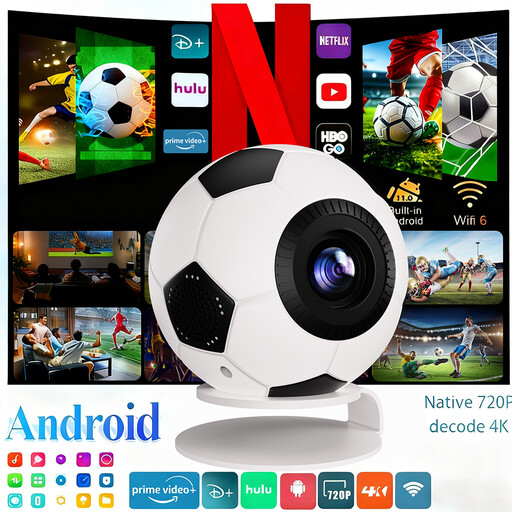
XBJ Football-Shaped Mini Projector
A portable option to compare if you want flexibility over where you set up the projector.
The product name lists 1080P Full HD, 800 ANSI lumens, 4K decoding, Android 14 and automatic keystone correction. Wi-Fi 6 and Bluetooth 5.4 are also listed.
Joybuy
 No image available
Dangbei N2 Mini-projector
An option to compare if automatic picture settings would be useful when setting up in a shared space.
The product name lists 1080P, Dolby Audio, Bluetooth, autofocus and automatic keystone correction.
Joybuy
Frequently asked questions
How can I tell whether the image I want will fit in our room?
Measure the available wall width and the distance from a possible projector position to the wall. Compare these measurements with the throw ratio or distance calculator for the exact model. BenQ explains how the required distance relates to the image size you want.
Can I play the recording directly from my laptop?
Only if the connections and playback requirements are compatible with your equipment and recording. Epson lists an HDMI input for the CO-FH01, and BenQ does for the TH585P. Also check your laptop’s output and whether your recording’s format and playback requirements are supported.
Where can I safely put a portable projector?
Place the projector on a flat, hard surface with good ventilation. BenQ advises against putting portable projectors on a cushion, blanket or sofa, as these can block ventilation. Follow the manual for your chosen model too.
Can I watch or share a recording of a music performance with my housemates?
Check the terms for the specific recording before copying or sharing it. The Dutch government states that a private copy for personal use must not be distributed or made public, and that copy protection must not be circumvented. Without knowing the recording’s source and licence terms, it isn’t possible to give a definitive answer for your situation.
Which Dutch rules apply to the projector and its audio?
Electrical equipment placed on the market in the Netherlands must meet the applicable European product requirements. Business.gov.nl explains that manufacturers must affix the CE mark and draw up an EU declaration of conformity when the relevant requirements are met; this does not in itself confirm that an individual device offered for sale has been checked. If noise could be an issue, the Dutch government recommends agreeing arrangements together first.


