Start by considering where you can place the projector and how you want to play the sound. Check the projection distance and the entire connection route between your film source, projector and audio system. Then choose picture and streaming features to suit the light in your room and your equipment. A lamp, LED or laser projector won’t automatically suit every set-up.
Who is this buying guide for?
Music film fan with their own speakers
You want to hear vocals and soundtracks through an existing audio system, so you check the connections and set-up. BenQ Netherlands and Epson Netherlands provide model-specific information about connections and audio.
Viewer with changing room light
You don’t always watch in complete darkness, so you compare picture settings and brightness using the same measurement method. Manufacturer data alone can’t predict how a projector will perform in your room; BenQ Netherlands and XGIMI EU provide relevant model specifications.
Viewer with limited space for positioning
You can’t necessarily place the projector behind your seating area, so you start with your desired picture width, the available distance and the right type of projector. Samsung Netherlands and BenQ Netherlands provide information about positioning and projection distance.
What should you look for when choosing?
First, measure the possible projection distance and decide how you’ll connect the audio. Then compare brightness figures only when they use the same measurement method, and check which source you’ll use to watch films.
| What to consider |
What to look for when buying |
Who is this important for? |
| Audio and connections |
Check the connections on your film source, projector and audio system together. If the projector will be close to your seat, compare its stated noise levels for each operating mode. |
If vocals and soundtracks need to play through my own audio system, I want to know in advance whether the connection route will work. Around 36% of consumers say sound is their top buying priority. |
| Picture in ambient light |
Make a note of when you watch and how much light you can block out. Compare brightness only when it’s measured using the same method. |
I want the picture to suit the light in my room and the picture size I’ve chosen. Around 29% of consumers prioritise picture quality in their own room lighting. |
| Picture size and distance |
Measure the distance from the potential lens position to the projection surface and decide on your desired picture width. Compare this with the specifications for the exact model. |
With limited space for positioning, I want to know whether I can achieve my desired picture size in the space available. Around 21% of consumers give positioning and picture size top priority. |
| Film source and controls |
Check which streaming service is actually included and how many HDMI connections you need. Also check that it will work with your preferred audio set-up. |
If I want to start films easily from my own source or through built-in apps, I’ll check in advance which option works with my equipment. Around 14% of consumers put ease of playback above other buying priorities. |
Common buying mistakes
-
Comparing lumen figures measured using different methods
ANSI, light source and LED brightness don’t measure the same thing. BenQ explains that the measurement methods differ. What’s more, a stated figure alone doesn’t tell you how the picture will look in your room.
Check how the brightness was measured, and consider it alongside the room lighting and your desired picture size.
-
Choosing an ultra-short-throw projector without checking the wall and positioning
Even when a projector is positioned close to the wall, the achievable picture size depends on its precise placement. Samsung recommends a suitable ultra-short-throw screen for the best viewing experience.
Measure the distance and check that the projection surface will suit your desired picture size before buying.
A suitable ultra-short-throw screen may be an additional purchase.
-
Assuming 4K content will display in the same way on every model
Epson describes the EH-TW7100 as a 4K PRO-UHD model; XGIMI lists the Elfin Flip Laser’s native resolution as 1920 × 1080 pixels. An input signal and native resolution are different specifications.
For the exact projector, check both the resolution and the supported input signals.
-
Overlooking the maintenance involved with a lamp projector
Epson lists a lamp light source for the EH-TW7100 and specifies a compatible air filter. These maintenance requirements apply to this model and don’t automatically apply to other projectors.
Compare the stated lifespan for each operating mode and check which parts are compatible with the exact version.
You may need a suitable replacement lamp or compatible filter later on.
Brands to consider
BenQ
The W2720i is worth considering if you want to assess picture settings and connections for an external audio system together.
- BenQ Netherlands lists eARC, S/PDIF and a 3.5 mm audio output among the connections on this model.
- The stated noise levels for each mode don’t tell you how audible the projector will be from your seat.
Epson
The EH-TW7100 is a lamp projector for a fixed set-up, where lens shift and optical zoom may be useful.
- Epson Netherlands lists HDMI inputs and built-in stereo speakers for this model.
- The lamp and compatible air filter are maintenance considerations; check the parts for the exact version.
Samsung
The Premiere 7 is an ultra-short-throw model to consider if placing the projector further from the wall isn’t practical.
- Samsung Netherlands lists built-in speakers for this model.
- Samsung recommends a suitable ultra-short-throw screen for the best viewing experience. Built-in speakers alone won’t tell you whether you need an external audio system.
XGIMI
The HORIZON 20 Max and portable Elfin Flip Laser offer different set-ups within the brand’s range.
- XGIMI EU lists optical zoom and lens shift for the HORIZON 20 Max. For the Elfin Flip Laser, it lists an adjustable stand, Full HD, Google TV and a 7 W speaker.
- Specifications for one model don’t automatically apply to another. Check your desired picture size and how the projector performs in your room separately.
Optoma
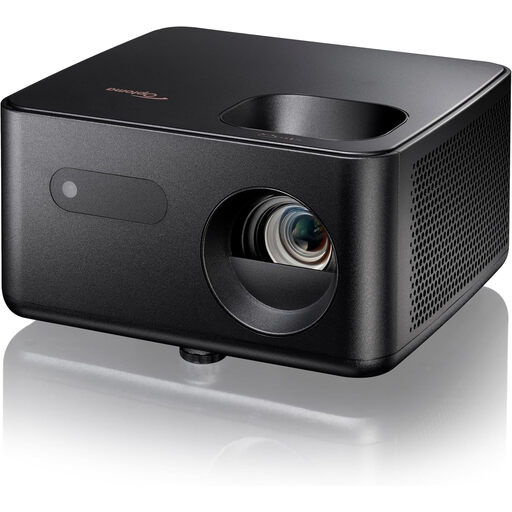
The UHD35STx is worth looking into if the usual distance between the lens and screen isn’t possible in your room.
- The 2024 European product sheet lists a 0.5:1 projection ratio, HDMI inputs and a 10 W speaker for this model.
- These model specifications don’t determine listening quality or current availability in the Netherlands.
Projectors at Joybuy
These projectors are suited to watching music films at home, with different options for built-in sound, external connections, positioning and playback. Before buying, check the specifications and, for a new electronic product placed on the EU market, the applicable CE marking on the item being offered.
 No image available
XGODY N7 Cine Smart Projector
An option to consider if built-in sound and playback without a separate streaming device are important to you.
The title lists 1000 ANSI lumens and native 1080p. The product description mentions two 8 W speakers and Whale OS with streaming apps.
Joybuy
 No image available
XGIMI MoGo 4 Portable Projector, Match Night EU Edition, EA SPORTS FC 26 Game Code
A portable model to consider if you regularly change where you watch and want built-in playback.
The product information lists Full HD 1080p, Google TV, 450 ISO lumens, a built-in battery and Harman Kardon audio with two 6 W speakers.
Joybuy
 No image available
XGIMI AURA 2 UHD 4K Ultra Short Throw Projector
An ultra-short-throw model to consider if the projector needs to sit close to the projection surface.
The title lists 2300 ISO lumens and a 60 W Harman Kardon speaker. The product description mentions a 0.18:1 projection ratio and a projection distance of 0.26–0.4 m.
Joybuy
 No image available
Optoma Photon Life PH31
A model to compare if you’re looking for Full HD playback and a connection to an existing audio system.
The product information lists native 1080p, 1500 lumens, HDMI and a 3.5 mm audio output. The built-in speaker is 5 W.
Joybuy
 No image available
Optoma Photon Go
A portable ultra-short-throw option to consider if you want to project close to the screen.
The product information lists Full HD 1080p, projection from 26 cm, a 0.18:1 projection ratio and a picture size of 60–100 inches. The model has HDMI and two 10 W speakers.
Joybuy
Frequently asked questions
Do you need to buy separate speakers for music films?
Not necessarily: several projectors have built-in speakers. If you want to use an existing audio system, check the connections on your source, projector and speakers together. The stated speaker power doesn’t prove how the sound will come across in your room.
How can you check the picture will fit before installation?
Measure from the potential lens position to the projection surface and decide on your desired picture width. Compare both with the projection distance or projection ratio for the exact model; the term ‘short throw’ doesn’t replace this check.
What maintenance might a lamp projector need?
A suitable lamp and an air filter may need replacing as part of maintaining a lamp projector. Epson lists the EH-TW7100 among the models compatible with the ELPAF39 air filter. Before buying a replacement, check the exact version and manual.
Which Dutch rules are relevant when buying?
Electronic devices placed on the EU market as new products must have the applicable CE marking. According to the Dutch government, purchases by consumers in the Netherlands are covered by a legal guarantee, with no fixed Dutch guarantee period; when you buy online from a business, you’ll often have 14 days to change your mind. These general rules don’t establish whether a specific item being offered meets the CE requirement.
Where can you take an old projector when you replace it?
According to Milieu Centraal, you can hand in an old, similar electrical appliance free of charge when you buy a new one, including when buying online. You can also take it to your local council’s recycling centre.


