
Hosting with the lights on
If you want to keep the lights on while everyone gets together, first consider whether the picture will remain visible in your lighting conditions. Screen size and portability come next.


Start by considering the lighting during the film and the distance between the projector and the screen: these will help you decide whether a brighter model or a compact projector for a dark room is the better choice. Then check your film source, audio and power supply. If you’re showing a film outside a strictly domestic setting, you may need permission from the rights holders.
If you want to keep the lights on while everyone gets together, first consider whether the picture will remain visible in your lighting conditions. Screen size and portability come next.
Measure the distance between the projector and the screen, then decide how wide you want the picture to be. This will help you check whether the throw ratio of your chosen model suits the room.
If you want to move the projector between locations and can darken the viewing area, weigh portability against the power available and the amount of playback time you need.
First, decide how much light will be on while you’re watching and how much space you have. Then check that your film source, audio and preferred set-up are compatible with the exact model.
| What to consider | What to look for | Who is this important for? |
|---|---|---|
| Visibility | Decide how much light will be on, then compare the stated brightness and unit of measurement with your preferred picture size. | If I want to leave the lights on during the film, I want to know whether the picture will remain visible in my room. Around 40% of consumers say visibility is their main reason for buying. |
| Picture size and positioning | Measure the available distance and desired picture width, then compare them with the throw ratio and, where available, the zoom. | In a smaller room, I want to know in advance whether I can achieve the picture width I want from the available position. Around 30% of consumers say positioning is their top priority. |
| Film playback and sound | Check the connections on your film source and how to connect audio to the exact model. | When watching with a group, I want to be able to connect my film source and hear the dialogue clearly. Around 20% of consumers put playback and sound first. |
| Portability and power | Check whether the model has a built-in battery, its stated playback time and whether a mains socket is available. | If I want to move the set-up around or use it somewhere without a socket, portability matters, especially if I can darken the viewing area. Around 10% of consumers cite portability as their main reason for buying. |
The picture width you can achieve also depends on the distance from the screen and the model’s throw ratio.
Measure your space and decide on your preferred picture width before choosing a projector.
You may need to reposition the projector or find a suitable screen.
BenQ Netherlands warns that ambient light can overpower a projector’s brightness at around 300 lumens. Nebula lists the Capsule 3 Laser at 300 ANSI lumens.
Choose a dark viewing area if portability is your priority, or consider a model with a higher stated brightness for a well-lit room.
Auteursrecht.nl distinguishes between screenings within a strictly domestic setting and those outside it. A private club event does not automatically count as a domestic gathering.
Consider who will be watching and, if necessary, obtain permission from the rights holders in advance.
The EH-TW7000 is designed for a prepared home cinema set-up. The features below apply to this model and not automatically to other Epson projectors.
The TK700 is a lamp-based model with a stated brightness and specified throw ratio. Check that ratio against your room.
The Capsule 3 Laser is designed for a portable movie set-up, where a built-in battery can come in handy.
Samsung describes The Freestyle+ as an easy-to-move projector with automatic picture adjustment.
This selection includes projectors for a prepared movie set-up as well as models for a portable set-up. Compare brightness, positioning and connections with the conditions in your room.
 No image available
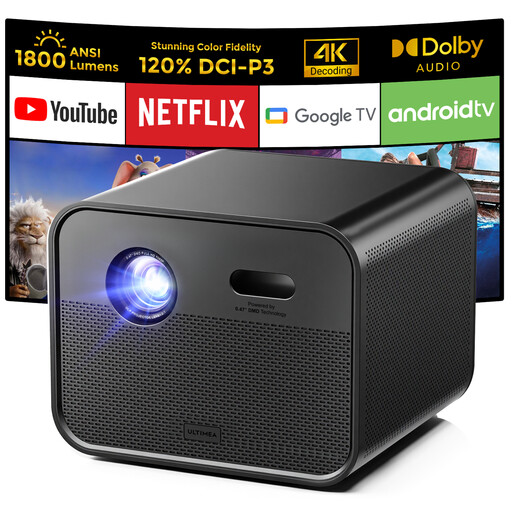
The stated Google TV features and built-in speakers may be useful if you want to watch without a separate streaming stick.
Native 1080p resolution; 1,800 ANSI lumens; 1.2:1 throw ratio; Google TV; two 10 W speakers; autofocus.
 No image available
The short throw ratio may suit a set-up where the projector needs to be close to the screen. Measure the available distance and desired picture width in advance.
WXGA resolution 1280 × 800; 3,800 ANSI lumens; 0.52:1 throw ratio; HDMI; built-in 10 W speaker.
 No image available
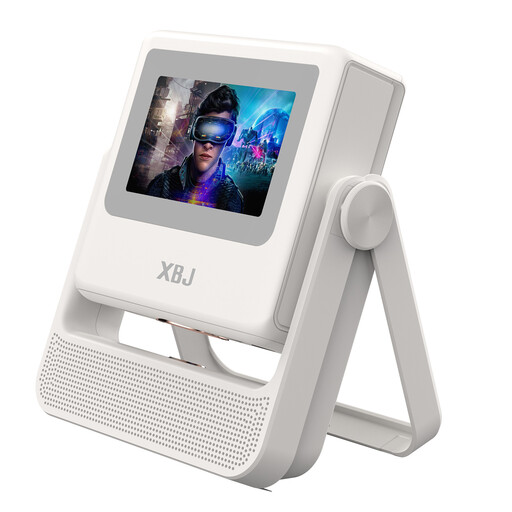
The listed Android features and automatic picture settings may suit a changing set-up. Check that the available apps and connections work with your film source.
Native 1080p; 4K decoding; 900 ANSI lumens; Wi-Fi 6; Android OS; autofocus and automatic keystone correction.
 No image available
The stated brightness and HDMI connection are worth considering if you want to connect a film source and may need to leave the lights on. Check that the projector can be positioned suitably in your room.
UHD 4K resolution 3840 × 2160; 3,200 ANSI lumens; 1.3× zoom; HDMI.
 No image available
The listed connections may come in handy when using a film source via HDMI or USB. Check which output your device uses beforehand.
WXGA resolution 1280 × 800; 3,000 lumens of white and colour light output; HDMI or USB connection; automatic vertical and horizontal keystone correction.
Measure the available distance from the lens to the screen and decide on your preferred picture width. Compare these measurements with the exact model’s throw ratio and zoom range. A general maximum picture size does not confirm that it will work in your set-up.
Connect your film source to one of the projector’s inputs in advance, and test the audio connection too. Epson lists two HDMI ports for the EH-TW7000; BenQ lists HDMI inputs and an audio output for the TK700. Check the connections on other models separately.
According to Auteursrecht.nl, you do not need permission from the rights holders for a screening within a strictly domestic setting. Permission is required for screenings outside this setting, such as at a club event or work party. A private gathering does not automatically count as domestic.
No. According to the Dutch government, there is no fixed statutory guarantee period in the Netherlands: a product must meet what you could reasonably expect from it. A manufacturer’s warranty is additional; if there’s a problem, the seller is responsible for providing a suitable solution.
According to the Dutch government, in many cases you have 14 days to change your mind when buying online from a business. Check the seller’s information and terms before buying. This distance-selling rule does not apply to purchases from a private individual.