
Organiser with a lit venue
Wants to keep photos visible to a group while keeping the lights on so people can see one another and share stories.


First, decide on your preferred image width, viewing distance and how much light will be in the room. Then check whether the projector will work at the available distance and whether small captions will be legible. If the lights will stay on during the event, a mains-powered presentation projector is likely to be the better choice. For a temporary set-up in a dark room, a battery-powered model may be more practical, although battery life depends on the mode you use. BenQ points out that ambient light and image size both affect how bright the picture appears.
Wants to keep photos visible to a group while keeping the lights on so people can see one another and share stories.
Displays scans, dates or captions and wants to check in advance that they will be legible at the chosen image size and viewing distance.
Takes the set-up to different rooms and weighs up placement flexibility, connections and battery life against brightness.
For a local history evening, you can weigh up your options against four priorities: visibility, legible detail, a suitable position, and ease of transport and playback.
Choose this option if: the room lights need to stay on or a group needs to see the same image. Compare the stated brightness with your planned image size and the ambient light.
Trade-off: you’ll need mains power and enough projection distance. Also check the source connection and the noise level of the set-up.
Choose this option if: you move between venues and can darken the room sufficiently. XGIMI states that the MoGo 4 offers up to 2.5 hours of video in power-saving mode.
Trade-off: the stated battery life won’t necessarily apply to every picture mode. For the Yaber T2 Plus GTV, also check the exact version and plug type.
| What to consider | What should you check? | Who is this important for? |
|---|---|---|
| Visibility in evening light | Decide on your preferred image width and room lighting. Compare brightness figures only when you know the measurement unit and operating mode. | If you want visitors to see the photos while the lights are on, visibility comes first; around 31% of consumers give it their highest priority. |
| Legible scans and captions | Test a representative photo with the smallest caption at the planned viewing distance. Check the native resolution. | If you want to show dates or small captions, check that they’ll still be legible at the back of the room; around 25% of consumers put these details first. |
| A suitable projection position | Measure the available distance from the lens to the screen and your preferred image width. Check these against the throw ratio of the exact model. | If cables, walkways or seating limit where you can position the projector, a suitable set-up is crucial; around 25% of consumers give this priority. |
| Transport and playback | Choose a playback device in advance and test the connection. If using the battery, check the stated run time and the mode it applies to. | For consumers moving between venues or looking for an easy way to play photos, portability and connections matter; around 19% put these needs first. |
A stated brightness figure alone doesn’t tell you how the picture will look in your room. According to BenQ, ambient light and image size also play a part.
For each model, note the measurement unit and operating mode, then assess your planned image size in the lighting conditions expected at the event.
XGIMI states that the MoGo 4 offers up to 2.5 hours of video playback in power-saving mode. Another operating mode may deliver a different run time.
Plan for the full event and test your preferred picture mode. Make sure mains power is available if needed.
The plug type and bundle may vary between versions of the Yaber model.
Before buying, check the full model name, EU plug and included accessories.
The EB-FH08 is an example of a mains-powered Full HD projector for group viewing.
The MH560 is a presentation projector worth comparing if text and a bright set-up are important to you.
The MoGo 4 is a compact option to consider for a temporary battery-powered set-up.
The T2 Plus GTV is a portable option where the exact version and plug type need careful consideration.
These Joybuy projectors are options to compare for displaying photos and captions. For each exact version, check the product information and make sure the set-up suits the room, your preferred image size and the available power supply.
 No image available
A portable option to consider if you want to display photos at a temporary venue.
The product name lists native Full HD, 800 ANSI lumens, a battery with a stated life of 2 hours, HDMI 2.1 and USB-C. Actual battery life depends on the conditions of use.
 No image available
An option for anyone looking for a projector for a mains-powered presentation set-up. Assess its brightness alongside the image size and lighting in the room.
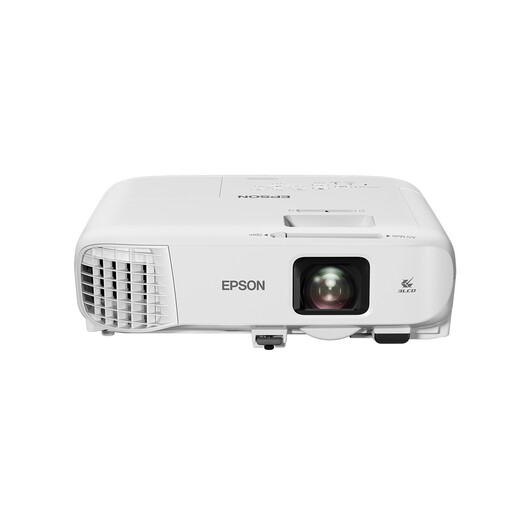 No image available
A mains-powered Full HD option to compare for showing archive images to a group.
The product name lists 4,000 ANSI lumens, 3LCD and 1080p (1920 × 1080). Check that the projection distance and image width suit the room.
 No image available
An option to compare if you’re looking for a portable projector for archive images.
The product name lists native 1080p, 900 ANSI lumens, Android 14 and automatic keystone correction. Check the throw ratio and the distance required to position it in your room.
 No image available
A presentation projector to compare if group viewing and flexible positioning are important.
Check the native resolution of the exact version before choosing it for scans with small captions.
Measure your preferred image width and the distance from the lens to the screen. Compare these with the throw ratio of the exact model, then check whether visitors at the back of the room can read the smallest captions.
Don’t assume so just because there’s a USB connection: test file playback on the exact model. If the projector has HDMI, a laptop you’ve tested in advance with a suitable HDMI connection is an alternative.
It depends on the projector and the operating mode. XGIMI states that the MoGo 4 offers up to 2.5 hours of video in power-saving mode; test your preferred picture mode and allow for the full length of the event.
According to the Netherlands Enterprise Agency (RVO), CE marking is mandatory for the relevant product groups, including electrical products. Check the product information for the specific version; the model name alone doesn’t confirm that it meets the requirements.
That depends on the rights to the photos and what you plan to do with them. The Dutch Government states that copyright-protected photos must not be distributed or made public without the creator’s permission. For publishing information about other people online, the Dutch Data Protection Authority provides separate guidance; holding a local event doesn’t automatically mean you have permission to do so.