Measure both the distance from the lens to the wall and the shelf depth. A short-throw projector can produce a large image from close by, while an ultra-short-throw model is designed to sit very close to the projection surface. Then choose based on the room lighting, how clearly small captions can be read and the connections you need. A portable projector isn’t automatically suitable for a short shelf-to-wall distance.
Who is this relevant to?
Presenter with a shallow shelf
You want both the projector body and lens position to fit the available space, with enough room for plugs and cables. ViewSonic and Epson’s projection data can help you compare the distance from the wall with your desired image size.
Organiser of a well-lit event
You want to show historical photographs and text without completely darkening the room. Match the stated light output to your intended image size and the amount of lighting that will remain on during the presentation.
Presenter travelling between venues
You take your presentation with you and need to find a suitable spot and source connection at each venue. Epson describes the EB-1780W as compact and lists built-in wireless connectivity; also check the projection distance you’ll need.
What should you consider when choosing?
Short throw for a fixed space
Suitable when: there’s room in front of the wall for the projector, but you don’t want to position it behind the audience.
Consider: check the lens distance, shelf depth and cable clearance for each model. The native resolution also affects how clearly small captions are displayed.
Ultra-short throw, close to the wall
Suitable when: the projector needs to sit close to the projection surface and the setup will have a permanent home.
Consider: measure the position needed for your desired image size and check that the projector body fits on the shelf; a stated image range doesn’t guarantee that it will.
Portable presentation projector
Suitable when: you show your presentation at different venues and can make enough projection distance available at each one.
Consider: a compact design won’t automatically solve a wall distance that’s too short. Check the setup and source connection at every venue.
| What to consider |
What should you check? |
Which consumers? |
| Projection distance and shelf |
Measure the shelf depth, space for plugs, lens-to-wall distance and desired image width; compare these with the specifications for the exact model. |
If I have limited shelf space, I want to know whether both the lens distance and projector body will fit. Around 36% of consumers prioritise projector placement. |
| Visibility in a lit room |
Check the stated brightness for your intended image size and decide how much room lighting will remain on during the presentation. |
If the room can’t be completely darkened, I want photographs and text to be easy to see. Around 29% of consumers prioritise visibility in a lit room. |
| Photographs and captions |
Check the native resolution and view a slide with small text at the planned image size. |
If visitors need to see historical photographs and small captions, I want to assess the detail at full size. Around 21% of consumers prioritise photographic detail and readable text. |
| Connections and portability |
Check that the inputs suit your source and whether wireless presenting is built in or requires an optional accessory. |
If I present at different venues, I want to connect my source and take the projector with me. Around 14% of consumers prioritise portability and connections. |
How to avoid common buying mistakes
-
Measuring only the shelf depth
The projector body might fit, even if the lens-to-wall distance isn’t right for your desired image width. Remember to allow space for plugs and cables too.
Draw the shelf, lens position, connections and projection surface to scale before choosing a model.
You may need a different position or type of projector.
-
Assuming a projector that accepts a Full HD signal projects in Full HD
According to its manual, the ViewSonic PS502W accepts a 1920 × 1080 input signal, but its native resolution is 1280 × 800. Supporting an input signal doesn’t increase the native resolution.
Check the native resolution and view a slide with your smallest caption at the planned image size.
-
Assuming wireless presentation or low running costs from the product name
BenQ lists an optional dongle for wireless projection with the MW632ST; its specifications name a lamp as the light source.
Check what’s included in the box, the light source and the availability of replacement parts for the exact item.
Depending on the version, you may need to factor in an optional dongle or maintenance for a lamp projector.
Brands to compare
ViewSonic
The PS502W is a short-throw business projector for anyone weighing up projection distance and room lighting.
- ViewSonic lists a 0.52 throw ratio, 4,000 ANSI lumens and two HDMI inputs for the PS502W.
- According to the manual, its native resolution is 1280 × 800, so check how clearly small captions appear at your intended image size.
Epson
The EB-760W is designed for ultra-short-throw projection, while the EB-1780W is a compact projector for presentations at different venues.
- Epson gives the EB-760W an adjustable image size of 60 to 150 inches. For the EB-1780W, Epson lists built-in wireless connectivity.
- The features of one model don’t tell you whether another will fit on your shelf; check the placement requirements for the exact model and image size.
BenQ
The MW632ST is a short-throw business option with wired connections and the option to present wirelessly.
- BenQ lists two HDMI inputs for the MW632ST.
- For wireless projection, BenQ lists an optional dongle. Confirm the projection distance for your image size before settling on a position.
Projectors at Joybuy
This Joybuy selection includes a short-throw model and portable projectors. If shelf space is limited, compare the lens distance, projector body and connections you’ll need. Portability doesn’t remove the need to check the placement.
 No image available
Optoma H117ST Short Throw DLP Projector
This short-throw projector is worth comparing if you have a fixed presentation space with limited distance.
The product title lists WXGA, 3800 ANSI lumens, 3D and the colour white.
Joybuy
 No image available
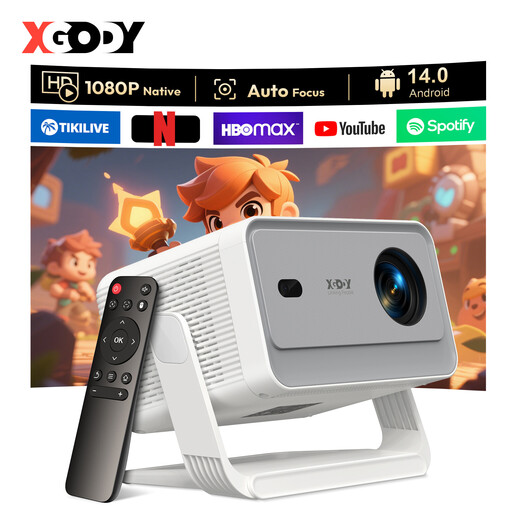
XGODY Gimbal N6 Pro
This portable model is designed to be taken to different presentation venues; check the projection distance at each one.
The product title lists native 1080p, 700 ANSI lumens, 4K support and the colours white and gold.
Joybuy
 No image available
XGODY Gimbal A6 Pro
This portable projector is an option if you want to present at different venues; check the placement at each one separately.
The product title lists native 1080p, 650 ANSI lumens, 8K support and the colours white and grey.
Joybuy
 No image available
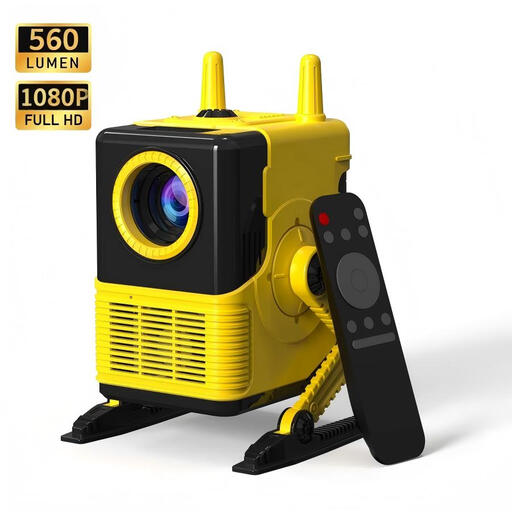
XBJ H8 Portable Projector
Its portable design suits presentations at different venues; check the distance to the projection surface at each location.
The product title lists 1080p support, 1500:1 contrast, 560 lumens, HDMI and USB.
Joybuy
 No image available
2026 Video Projector
The product title lists connections for devices such as laptops; check that they’re compatible with your presentation source.
The title lists built-in apps, WiFi 6, Bluetooth, automatic image correction, HDMI and USB.
Joybuy
Frequently asked questions
How can I tell whether a projector will produce a suitable image from my shelf?
Measure the lens-to-wall distance and your desired image width, then compare them with the projection data for the exact model. Measure the projector body and cable clearance separately. For the PS502W, ViewSonic lists a 0.52 throw ratio and a body measuring 309 × 115 × 234 mm.
Does a Wi-Fi projector always have everything needed for wireless presenting?
No, it depends on the model and version. BenQ lists an optional dongle for wireless projection with the MW632ST, so check which parts are included with the item on offer.
What can I do if my projector breaks sooner than expected during normal use?
For a purchase by a consumer in the Netherlands, the seller is responsible for the legal guarantee if the product doesn’t meet what you could reasonably expect. According to ACM ConsuWijzer, depending on the circumstances, the solution may be a repair, replacement or refund; the manufacturer’s warranty doesn’t replace this right.
What should I consider regarding product compliance and an old projector?
Check which product rules and documents apply to the specific version; general EU information about CE marking doesn’t confirm that an individual model on sale meets every requirement. According to the Dutch government, as a private individual you can hand in an old, similar projector when buying a new one under the old-for-new scheme; the shop isn’t allowed to charge you for this.


