
Families who watch with the lights on
Want everyone to be able to follow the video while some of the lights stay on. BenQ points out that ambient light and image size affect how visible a projection is.


Start by considering which lights will stay on while you watch, then measure the distance to the projection wall. More ambient light and a larger image call for extra attention to brightness; a compact set-up or a shorter throw distance can help when space is limited. Also check that your own videos will work via your preferred connection or playback method: specifications cannot predict exactly how the picture will look in your kitchen-diner.
Want everyone to be able to follow the video while some of the lights stay on. BenQ points out that ambient light and image size affect how visible a projection is.
Need to find a place for the projector and a projection wall without obstructing the table or walkway. The available distance and desired image size determine which set-up will work.
Want to play existing recordings, so they check that the connections and playback method on the exact model work with their devices and files.
First decide how much light will stay on while you watch, then measure the distance and available image space, and finally check the playback options. BenQ identifies ambient light and image size as factors affecting visibility; lumen figures alone cannot guarantee a particular result in your room.
| Consideration | What should you check? | Who is this important to? |
|---|---|---|
| Visibility with the lights on | Decide which lights will stay on and how large the image needs to be. Compare brightness without treating ANSI and ISO lumens as equivalent. | If the lights stay on during dinner, I want everyone to be able to follow the video; around 36% of consumers give visibility with the lights on top priority. |
| Position and throw distance | Measure the distance from the lens to the wall and the available image space. Take the table, walkway and positioning outside the cooking area into account. | If space around the table and wall is limited, I want a set-up that stays out of the way; around 29% of consumers prioritise the space available for positioning. |
| Playing videos from your own devices | Note where the videos are stored and which connection or playback method you need. Check format support for the exact model. | If our recordings are on our own devices, I want to know in advance how to play them; around 21% of consumers give playback from their own devices top priority. |
| Purchase and running costs | Compare the native resolution with the accepted input signals. For lamp models, check which maintenance parts are needed for the exact model. | If I want to weigh up the cost of buying and using a projector, I want to know which specifications and maintenance points are relevant; around 14% of consumers prioritise weighing up these costs. |
According to Denver, the Denver PR-4300 accepts a 4K input signal, but has a native resolution of 1280 × 720 pixels. A compatible input signal does not mean the projector displays the image in native 4K.
Compare the native resolution with the highest input signal resolution a model accepts.
Ambient light and image size affect how visible a projection is. A portable design alone does not tell you whether the picture will be clear enough in a lit kitchen-diner.
First decide which lights will stay on while you watch and how large the image needs to be; then compare the models' stated brightness.
The Denver PR-4300 manual warns against using it in greasy or damp environments. The distance to the wall and a stable position are also important when planning your set-up.
Choose a stable position outside the cooking area and follow the positioning and safety instructions for the exact model.
BenQ reports that the GV31 battery may overheat and cause a fire.
BenQ advises you to stop using it immediately and follow the instructions for battery servicing or the upgrade programme on offer.
The EH-TW6150 is a home projector worth looking into if brightness matters and you have room for a fixed installation.
The C2 Ultra may be worth considering if a variable, relatively short throw distance would help you plan your set-up.
The MoGo 4 is an example of a portable projector for a temporary set-up that can be put away after use.
The Freestyle 2nd Gen is a compact smart projector to consider if you want to be able to move your set-up around.
The PR-4300 shows which resolution and connection details to check on a more basic projector.
These projectors include models for shorter throw distances and fixed installations, with different stated brightness levels and connections. Compare the distance with your desired image size and check that your own videos will work via the right playback method. The NVWA requires CE marking for electrical products placed on the market; check the marking on the specific device.
 No image available
May be worth considering if the distance to the wall is limited and you want to connect an external video source.
Native WXGA resolution: 1280 × 800; stated brightness: 3.800 ANSI lumens.
Throw ratio: 0,52:1; HDMI input. The native resolution is not Full HD.
 No image available
May suit a set-up where you want to weigh up the throw distance and playback from your own devices.
Native 1080P; stated brightness: 520 ISO lumens; throw ratio: 1,17:1.
HDMI and USB, wireless casting and a 360° gimbal are listed in the product description. Check that your videos work with your preferred playback method.
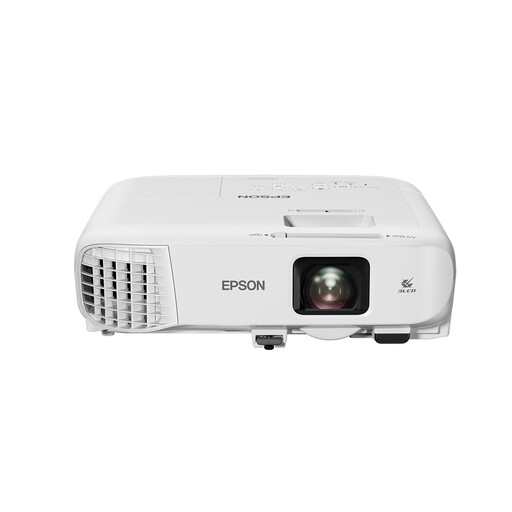 No image available
May be worth considering if you are planning a fixed installation and want to factor in brightness.
Stated brightness: 4.200 ANSI lumens; WXGA resolution: 1280 × 800; HDMI.
The standard throw ratio is 1,38–2,24:1 and the optical zoom is 1,6×. Check whether the available distance suits your desired image size.
 No image available
May be worth considering if a short distance to the wall and connections for external sources are important to you.
Native 1080P; stated brightness: 900 ANSI lumens; throw ratio: 1:1.
HDMI and USB are listed. The product description gives a distance of 1,35 m at a 1:1 throw ratio; check whether this suits your desired image size.
Assess the room with the lighting you use while watching. Then compare the stated brightness with your desired image size: ambient light and a larger image make a projection harder to see. A lumen figure cannot predict the exact result in your room.
Measure the available width of the projection wall and the distance from the intended projector position to the wall. Then check the throw distance or throw ratio for the exact model. Epson's distance simulator is designed for Epson models.
That depends on the model and file format. Hisense lists a media player for video on the C2 Ultra, but a USB connection on another model does not confirm that your files will play. Check the manual or use a compatible external player via HDMI.
According to the NVWA, electrical products placed on the market must have CE marking. Check the marking on the specific device; CE marking is not an assessment of picture quality.
BenQ has recalled GV31 projectors because the battery may overheat and cause a fire. Stop using it and follow BenQ's instructions for battery servicing or the upgrade programme on offer.