What should you look for when choosing?
Start by deciding how you’ll play your photos, then work out what brightness, projection distance and power supply suit the room. A USB port alone doesn’t prove that a projector can display photos directly.
| What to consider |
What to look for |
Who should consider this? |
| Photos from local storage |
Check for photo playback, supported file formats, storage and slideshow controls. Otherwise, consider connecting a laptop via HDMI. |
If I want to show photos directly from local storage without a laptop, the exact model needs to play those files. Around 36% of consumers say direct playback is their main consideration. |
| Visibility in ambient light |
Consider how much light you can block out and check the unit used for the stated brightness. Figures using different measurement standards aren’t necessarily directly comparable. |
If my family will be watching in a living room that isn’t completely dark, I want to know whether the picture will remain visible in the available light. Around 29% of consumers prioritise visibility. |
| Projection distance and placement |
Measure the available distance from the wall or screen and compare it with the model’s specifications. Also check where the projector and power cable can go. |
If my room is short on space, I want to know in advance whether I can get the picture size I want from the available position. Around 21% of consumers prioritise a suitable setup. |
| Portability and power |
Check whether the model has a built-in battery and which mode the stated running time applies to. Decide whether a mains socket will be available during the slideshow. |
If I want to move the projector between rooms or use it temporarily without a mains socket, the power supply needs to suit my setup. Around 14% of consumers prioritise portability and power. |
Projectors at Joybuy
These projectors are suited to local media playback or presentations via HDMI, with models for flexible placement. Check that the files and playback method you want to use are supported by each model.
 No image available
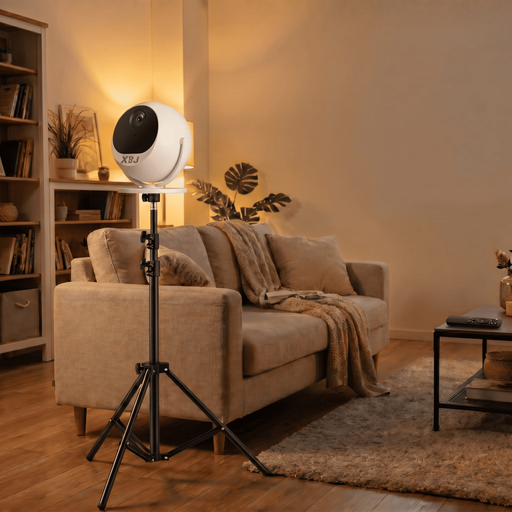
XBJ 360° portable projector with standard bundle
The product description lists media playback from a USB flash drive and HDMI for external devices.
The title mentions 360° rotation, Full HD 1080P support and a 1.7 m projector stand.
View at Joybuy
 No image available
ETOE Dolphin 2
The built-in battery and HDMI connection are suited to presentations where you want to use an external source; check how the projector will be powered at your location.
The product title lists Full HD 1080P, 800 ANSI lumens, HDMI 2.1 and a battery life of 2 hours.
View at Joybuy
 No image available
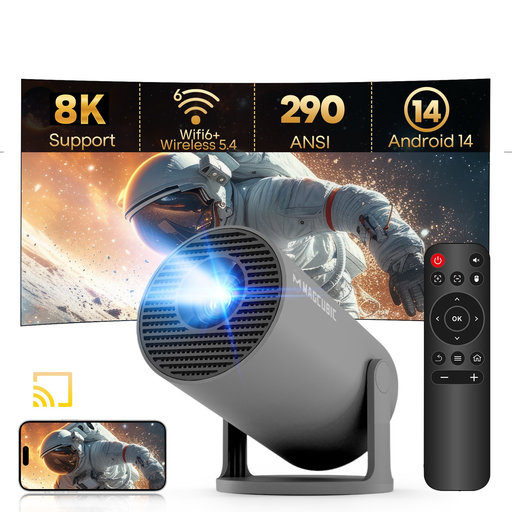
MAGCUBIC HY300Pro mini projector
The product description lists JPG, BMP and PNG images, a USB port and media playback; check that it works with your files and storage device.
The product details list 720p and 290 ANSI lumens; the product title also mentions 1080P support.
View at Joybuy
 No image available
Magcubic HY350Max
The HDMI connection listed in the product details lets you use an external source, such as a laptop.
The product details list native 1080P, 900 ANSI lumens, HDMI and USB.
View at Joybuy
 No image available
XBJ 360° portable projector, European version
The product description lists media playback from a USB flash drive and HDMI for laptops and other devices.
The title mentions Full HD 1080P, 360° rotation and an image size of up to 200 inches; the product description also mentions automatic focusing.
View at Joybuy
Frequently asked questions
Is a USB port enough to show your holiday photos?
No. Check whether the exact model can play photos and supports your file format and storage device. Philips lists a photo player for the NeoPix 110; for USB files on the MoGo 4, XGIMI recommends using a file manager app first.
How do you get your projector ready for a family evening?
Measure the available projection distance, decide where the picture will appear, and test your files and playback source in advance. BenQ lists a throw ratio of 1.2 for the GV50; Philips says the NeoPix 110 can project an image up to 65 inches when set up at around 2 metres.
What are your rights if a projector bought online doesn’t work properly?
When you buy from a business at a distance, you generally have a 14-day cooling-off period, according to the Government of the Netherlands. This is separate from your rights if the product is faulty: in the Netherlands, a product must meet what you can reasonably expect, and the seller is your point of contact. There is no fixed statutory warranty period of two years in the Netherlands.
Must projectors sold in the Netherlands comply with product safety rules?
Electrical and electronic equipment placed on the market must comply with the applicable European rules, according to Business.gov.nl. After the required assessment, the manufacturer affixes a CE mark and draws up an EU declaration of conformity. The Netherlands Enterprise Agency emphasises that a CE mark is a declaration by the manufacturer, not an independent safety certification.


