
Host with some light in the room
Wants several guests to be able to follow the holiday film without having to darken the room completely. Light output and visibility matter more than a built-in battery.


Start by considering the lighting during the screening and the distance between the projector and the screen. Then decide whether mains power or portability matters more. A projector with a higher stated light output may be a better choice if the lights will be on, while a battery-powered model gives you more freedom over where you set it up, but may be less suitable in ambient light or for a longer film. BenQ Netherlands explains that lumen ratings can use different measurement methods; Epson Netherlands points out that viewing distance, room size and image size all help determine the right setup.
Wants several guests to be able to follow the holiday film without having to darken the room completely. Light output and visibility matter more than a built-in battery.
Wants to connect and play their holiday film easily, with sound that everyone in the group can hear clearly.
Wants to be able to move the projector around, and so weighs up battery life and film length against the conditions at the chosen spot.
Start with the lighting and the available projection distance. Then check that your film source, power supply and sound are right for the get-together.
| What to consider | What should you check? | Who is this important for? |
|---|---|---|
| Image visibility in evening light | Check the measurement unit used for the stated light output, and assess the image in similar lighting and at your preferred size. | If the lights will be on and everyone needs to see the film clearly, I’d prioritise visibility. Around 33% of consumers say a clear image in evening light is their main concern. |
| Playing your own film | Check that your phone, laptop or other film source works with the projector, and find out which cable, adapter or wireless connection you’ll need. | I want to connect my own film file and know straight away whether the picture and sound work. Around 27% of consumers prioritise trouble-free playback. |
| Power and portability | Compare the film’s running time with the stated battery life and the corresponding operating mode; also check whether the battery can be recharged. | If there’s no power socket at the chosen spot, I want to know whether the battery will last for the whole film. Around 20% of consumers say being able to use a projector without a power socket is their main concern. |
| Image size and sound for a group | Measure the projection distance and check the speaker setup and any audio output. | When guests are sitting in different places, I want to know in advance whether they’ll be able to see the image and hear speech clearly. Around 20% of consumers prioritise suitable positioning and clear sound for the group. |
ANSI lumens, LED lumens and a light source’s light output are not directly comparable. Ambient light also affects how visible the image is; BenQ Netherlands explains the differences between measurement methods.
Check which measurement unit is stated and assess the projector in lighting similar to that at your get-together.
A supported input signal is not the same as the resolution the projector uses to display the image. BenQ lists the GV50’s projection resolution as 1080p, with support for input signals up to 4K UHD.
Check the native projection resolution separately from the supported input signals.
XGIMI states that the MoGo 4 offers up to 2.5 hours of video playback in Eco mode. This stated running time therefore applies under that operating condition.
Compare the film’s running time with the stated mode, and test the complete setup in advance.
Built-in speakers vary by model. For example, Epson lists the EB-FH08 as having a 2 W mono speaker, so don’t assume that sound from every projector will be equally easy to hear around the room.
Test a speech clip from the furthest seat and check which audio output is available before choosing extra equipment.
The EB-FH08 and EF-61W illustrate two different projector setups; these features apply to those models, not to the brand as a whole.
The GV50 is a portable Full HD laser model with a built-in battery; the GS50 is a separate model described as suitable for outdoor use.
The MoGo 4 is a portable Full HD projector with a built-in battery, adjustable stand and playback features.
The Capsule 3 Laser is a compact projector with a built-in battery, ideal if a small size is important to you.
These product picks are aimed at film screenings and vary in image size, connection options and setup. Check each projector to see which features suit your available space and film source.
 No image available
Worth considering if you need a short projection distance and want a built-in speaker.
WXGA resolution (1280 × 800), 3800 ANSI lumens and 3D. The native resolution is WXGA, not Full HD.
 No image available
Worth considering if you’re looking for built-in playback features and an adjustable setup.
520 ISO lumens, native 1080P, built-in Google TV and two 5 W speakers. The title also mentions a stand with 360° adjustment.
 No image available
Worth considering if you want to position the projector nearby and connect a film source via HDMI.
3000 ANSI lumens, 3LCD and WXGA resolution (1280 × 800). The native resolution is WXGA, not Full HD.
 No image available
Worth considering if you’re looking for built-in playback features and an adjustable projection angle.
Native 1080P, 900 ANSI lumens, Android 14 and a housing that rotates 180°. The title also mentions automatic keystone correction.
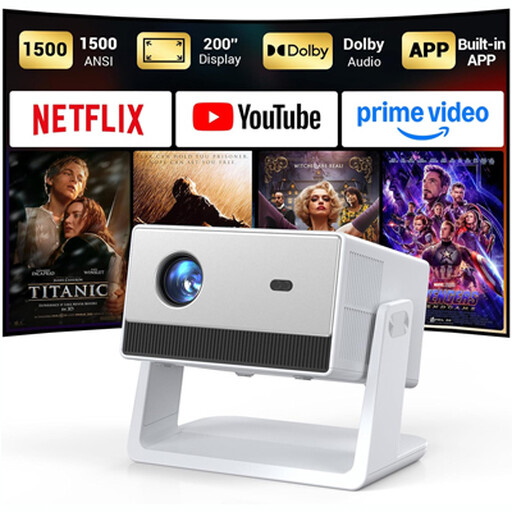 No image available
Worth considering if you’re looking for built-in playback features and want to set up the projector in your chosen spot in advance.
The product name mentions built-in apps, Wi-Fi and Bluetooth, native 1080P and automatic focus.
That depends on your phone, the film file, the connection and the projector model. BenQ lists HDMI, USB-C DisplayPort and wireless projection among the GV50’s features. Beforehand, test your own file and preferred audio output using the connection you plan to use.
Measure the distance from the projector to the wall or screen, then check the throw ratio of your chosen model. BenQ lists the GV50’s ratio as 1.2; Epson Netherlands emphasises that screen size, room size and viewing distance should all be considered together.
Don’t assume you can just because it’s described as portable. BenQ lists IPX2 protection against light splashes for the GS50; this doesn’t prove that other models are protected against rain or moisture. Check the guidance for the specific model and keep the setup protected from moisture.
According to the Dutch government, consumers generally have a 14-day cooling-off period for distance purchases, although exceptions apply. There is no fixed statutory warranty period for products in the Netherlands: you’re entitled to a product that works as it should, and the seller must deal with any fault. Check the terms of any additional service plan separately; it doesn’t replace your statutory rights.
According to Auteursrecht.nl, screenings strictly within a domestic circle are covered by an exception; family and close friends are relevant examples. For screenings by a business or organisation for employees or guests, the Dutch Ondernemersplein explains that a licence is required for the film footage concerned. With a home-made film, rights relating to added music and recognisable people shown in the footage may also apply; keep a private screening distinct from wider publication.