
Viewers watching lectures with lots of slides
You want to be able to read dates, sources and maps from the sofa. So, look beyond resolution and consider text size and focus at the image size you plan to use.


First, measure the distance from your intended projector position to the wall and check that the projector can produce the image size you need. Then consider readability, ambient light, connectivity and audio clarity. A portable model gives you more freedom to move your setup, while the stated specifications of presentation-focused models need to be assessed in the context of your room.
You want to be able to read dates, sources and maps from the sofa. So, look beyond resolution and consider text size and focus at the image size you plan to use.
If there’s only a short distance between the projector and the wall, the throw ratio needs to suit both the available distance and the width of the wall.
You may want to put your setup away after the lecture. As well as image quality, consider positioning, connectivity and sound. A portable model may suit you if you can darken the room enough.
First, measure the distance from the lens to the wall and the usable wall width. Then consider whether text will remain readable, how much light you can block out, and how your lecture source and audio will connect.
| What to consider | What should you check? | Who is this important for? |
|---|---|---|
| Readability of slides and maps | Check the native resolution, focus and text size at the image size you plan to use. | If I want to read dates and map details from the sofa, I need to know whether the text will be sharp enough at my chosen image size. Around 30% of consumers prioritise the readability of lecture slides. |
| Image size at a short distance | Measure the distance from the lens to the wall and the clear wall width, then check the model’s throw ratio. | In a small living room, I want to know in advance whether the image will fit the available wall space. Around 30% of consumers give the right projection distance top priority. |
| Image quality in ambient light | Work out how much light you can block out, and compare brightness figures only alongside their units of measurement and test conditions. | If I can’t darken the room completely during a lecture, I want to assess the image in my room’s actual lighting. Around 20% of consumers prioritise viewing in ambient light. |
| Connectivity and audio clarity | Check the outputs on your lecture source, the projector’s inputs, and whether the sound will suit the length of your session. | If I want to follow the commentary clearly, I look for suitable connections and clear audio. Around 20% of consumers prioritise connectivity and listening comfort. |
The image width you can achieve depends on the distance between the lens and the wall, as well as the model. So, an image size listed on a product page won’t necessarily work with your setup.
Measure the available distance and wall width, then check the throw ratio for the exact model.
If the measurements don’t work, you may need a different setup or model.
Philips describes the NeoPix 550 as suitable for a dark room, while Epson positions the EB-FH54 as a presentation projector. These descriptions alone don’t tell you how the image will look in your living room.
Work out how much light you can block out and assess the stated brightness alongside its unit of measurement.
If you can’t darken the room enough, you may need to make your viewing setup darker.
XGIMI states that the MoGo 4 can play video for up to 2.5 hours in eco mode. This stated runtime won’t necessarily apply to every mode or lecture length.
Compare the length of your lecture with the runtime in the mode you plan to use.
For a longer session, you may need a mains socket or a separately available power solution.
The TH671ST is a specific short-throw option to consider if the projector needs to be close to the wall.
The EB-FH54 is a presentation-focused Full HD option to consider if you can’t darken the room properly during lectures.
The NeoPix 550 is a compact home projector that Philips describes as suitable for use in a dark room.
The MoGo 4 is a portable option to consider if you want to move the projector between viewing spots.
These home projectors cater to needs such as Full HD playback, short projection distances or a setup you can move around.
 No image available
This portable, battery-powered model may suit you if you want to move the projector after your lecture.
Full HD 1080p, 250 ISO lumens, Google TV and JBL audio. The product description states that the battery offers up to 1.2 hours of video playback in eco mode; for longer lectures, make sure you have access to a power supply.
 No image available
The stated Full HD resolution and throw ratio are useful points to check when considering text and images at a short distance.
Native 1920 × 1080, 700 ANSI lumens, a throw ratio of 1.4:1, HDMI and two 5 W speakers. Check that the connections are compatible with your lecture source.
 No image available
The stated short throw ratio may be useful if the projector needs to be close to the wall. Check the image size at your intended distance.
Native 1080p, 520 ISO lumens, Google TV and two 5 W speakers. The description mentions a 360° rotating setup and HDMI.
 No image available
The stated HDMI and laptop compatibility may be useful if you play lectures from a laptop. Check the connection on your device.
Stated screen size range: 50–200 inches. The product title lists 50%–100% digital zoom, 180° rotation and connections for HDMI, USB and a laptop.
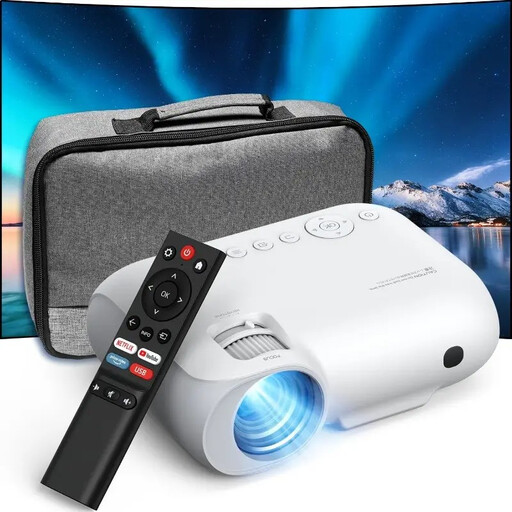 No image available
Native 1080p may be a deciding factor if the resolution of lecture images is important. Also check readability at your desired image size.
The product title lists 9000 lumens. The description mentions Wi-Fi, Bluetooth, HDMI, USB and AV; check which connection is compatible with your lecture source.
Measure the distance from where you plan to place the lens to the wall, as well as the usable wall width. Then check the throw ratio or projection calculator for the exact model. The term ‘short throw’ alone doesn’t determine the image size.
That depends on your laptop’s video output and the projector’s inputs. According to the Dutch specifications, the BenQ TH671ST has HDMI inputs and a 3.5mm audio output. Check both devices before choosing a model.
That depends on the light source and model. BenQ lists a lamp as the light source for the TH671ST; check the manual and any replacement parts for the exact model. If you’re using a portable battery-powered projector, the stated runtime in your preferred mode is also important.
According to the Dutch Government, you’re entitled to a product that works properly, and the seller must provide a solution if there’s a fault. For online consumer purchases, ACM ConsuWijzer states that you generally have a 14-day cooling-off period after delivery. Check the terms and any applicable exceptions.
According to the European Union’s Your Europe website, CE marking is required for products covered by harmonised EU rules that make it mandatory. Check the rules and safety information for the exact model; CE marking is not an independent performance test.