
A group in a bright room
You want viewers at the back to be able to follow the cooking show with the lights on. Screen size and visibility matter more to you than portability.


Start with a screen size that viewers at the back can follow, then check that it works from the space available. In a bright room, brightness is an important consideration; if you can darken the room, placement and built-in audio may matter more. Also check the connections and whether the sound will reach the whole group. If you’re watching outside the home, make sure you have the necessary screening rights.
You want viewers at the back to be able to follow the cooking show with the lights on. Screen size and visibility matter more to you than portability.
You have a large group, but there’s not much distance between the projector and screen. The space available will determine which models are suitable.
You want to set up the picture and programme audio with ease. Check the speaker and audio output are suitable for the size of your group.
First decide on your preferred screen size and where to place the projector. Then choose brightness and audio to suit the room and your audience.
| What to consider | What to look for when buying | Who is this important for? |
|---|---|---|
| Picture visibility in ambient light | Note the room’s lighting and your preferred screen size; compare brightness figures measured on the same basis. | If I want to keep the lights on, I need the picture to remain visible at the chosen size. Around 36% of consumers give picture visibility in lit rooms their highest priority. |
| Detail from the back row | Match the screen size and native resolution to the viewers’ distance; don’t confuse 4K support with native 4K projection. | If viewers at the back need to follow the action and see the details, I want to choose a screen size that works for them. Around 29% of consumers put detail at the top of their list. |
| Suitable projection distance | Measure the distance available and your preferred screen width; check the throw ratio or use a calculator for the specific model. | If the projector has to stay in a fixed position, I want to know whether that spot will allow me to get the screen width I want. Around 21% of consumers give a suitable set-up their highest priority. |
| Audio and playback source | Check that the inputs are compatible with your source and that an audio output is available if you need separate speakers. | If I want to set up the picture and sound without a separate system, the source needs to connect and the audio needs to reach the group. Around 14% of consumers put sound and connectivity joint top of their list. |
How bright the picture looks in practice depends on the measurement method, ambient light and screen size.
Compare figures measured on the same basis, and consider the screen size and lighting together in the room where you’ll be watching.
The distance available may determine whether the projector can produce the screen width you want.
Measure the distance between the projector and screen, along with your preferred screen width, before choosing a model. If space is limited, consider comparing a short-throw model.
Receiving a TV signal doesn’t automatically mean you’re allowed to show the programme to others. Business.gov.nl states that businesses showing TV broadcasts to staff or visitors need a licence.
Before screening, find out what rights you need for the programme, playback source and venue. The rules may differ in other group settings.
A separate licence fee may be required for business screenings; this depends on the circumstances and the applicable licence.
The EB-FH08 is a Full HD lamp projector worth considering if you want to compare options for a large picture in a room with ambient light.
The TH585P is a Full HD model to compare if brightness and built-in audio are important to you.
The NeoPix 730 is a Full HD model to compare if you can darken the room and built-in audio is important to you.
The HZ146X-W is a Full HD laser option to compare if you expect to use the projector regularly and have a suitable projection distance.
These Joybuy product picks are intended for group viewing of cooking shows, with models suited to picture detail, built-in audio and different placement needs.
 No image available
An option to consider if picture detail and built-in audio matter to you; check that the sound will reach the whole group.
4K UHD; 3,800 lumens; dual laser light source; 1.3× zoom; two HDMI inputs; 15 W speaker.
 No image available
An option to compare if the projector needs to sit close to the screen; check the distance needed to achieve your preferred screen width.
Native 1080P; 1,000 ANSI lumens; 4K support; two built-in 8 W speakers. The product description says it can project a 60-inch image from 1.33 metres.
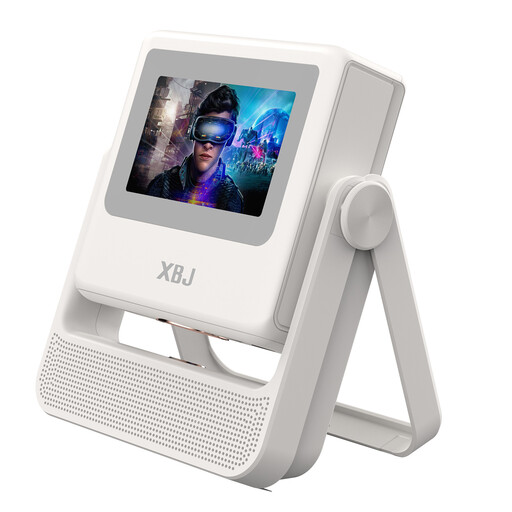 No image available
An option to compare if you’d like automatic focus and image correction to make set-up easier.
Native 1080P; 900 ANSI lumens; autofocus; automatic keystone correction; Wi-Fi 6; Android OS. The title says it’s compatible with PS5 and Switch.
 No image available
An option to compare if you’re looking for 4K UHD and a laser light source; match the brightness to your screen size and room lighting.
3,000 ANSI lumens; 4K UHD; three-colour laser light source; gimbal adjustment.
 No image available
An option to compare if you’d like built-in audio; check that the sound will reach the seats at the back.
4K projector; 2,450 ISO lumens; two 12 W speakers; the product description says it can project an image up to 200 inches.
Measure the distance available and your preferred screen width. Then check the throw ratio for the exact model or use a calculator designed for that model; the maximum screen diagonal alone won’t tell you whether it will work in your set-up.
Not necessarily, but ambient light and screen size affect how bright the picture looks. Match the stated brightness to the lighting and screen size in your room.
It depends on your set-up and how far away the viewers are. Check the sound from the seats at the back, and see whether there’s an audio output if you need separate speakers.
It depends not only on the number of viewers, but also on the circumstances. Auteursrecht.nl describes an exception for screenings in a domestic setting; Business.gov.nl says that businesses showing TV broadcasts to staff or visitors need a licence. For other group settings, check what permission you need and whether it covers the programme and playback source.
For products covered by EU rules that require CE marking, the manufacturer uses it to declare that the product complies with those rules. The Netherlands Enterprise Agency explains that the marking is not a quality mark or an independent guarantee of safety. Check that the version you choose carries the required marking.