
Housemates who watch with the lights on
If you want to watch the match together without darkening the whole living room, compare the stated brightness with your room and setup.


Start with the room. If the lights will be on during the match, compare the stated brightness using the same measurement standard. If space is limited, check that the projection distance will give you the picture size you want. Then make sure you can connect your viewing source and that everyone will be able to hear the commentary. A portable battery-powered projector is most suitable if you can darken the room and its battery life covers the time you plan to watch.
If you want to watch the match together without darkening the whole living room, compare the stated brightness with your room and setup.
If you want a large picture without putting the projector in the middle of a walkway, measure the available wall space and the distance between the projector and the wall first.
If you want to move the projector around, weigh portability against your ability to darken the viewing space, and check the power supply, battery life and exact model.
| Buying concern | What to look for | Who does this matter to? |
|---|---|---|
| Visibility in ambient light | Compare the stated brightness using the same measurement method, and take the intended picture size and lighting into account. | If the lights are staying on, I want everyone to be able to follow the match. Around 36% of consumers put visibility in ambient light first. |
| Picture size and setup space | Measure the distance to the wall and the usable wall width; check the picture size specified for the exact model at that distance. | In a short room, I want a suitable picture without putting the projector in the walkway. Around 29% of consumers prioritise the space available for setup. |
| Viewing source and commentary | Check how you’ll watch the chosen broadcast and whether the connections and sound setup suit your group. | If we’re watching with several housemates, I want to be able to connect the broadcast and hear the commentary clearly. Around 21% of consumers start with the viewing source and sound. |
| Shared purchase and running costs | Agree on which accessories you already have and who will cover the costs; if you’re choosing a lamp model, check that suitable replacement parts are available. | For a joint purchase, I want to know in advance which parts and expenses we’ll need to share. Around 14% of consumers prioritise shared costs. |
ANSI lumens and other brightness ratings may not be based on the same measurement. So the highest number alone won’t tell you how much difference you’ll see in your room.
Check the measurement method and the conditions the manufacturer specifies for the exact model.
If the picture doesn’t suit the lighting your housemates want, you may need to change your viewing setup.
The picture size you can achieve depends on how far the exact model is from the wall. A short-throw model and a standard-throw projector aren’t interchangeable.
Measure the room and available wall space, then check the distance needed for the picture size you want.
You may need a different place to set it up or extra mounting equipment.
A stated battery life is a maximum claim; it doesn’t confirm that you can watch the match you want through the available apps or viewing source.
Check how long you plan to watch, the broadcast itself and your sound setup.
For a longer viewing session, you may need mains power or an external viewing source.
A replacement lamp is available for the BenQ TH671ST. Parts like this may need to be included in your shared expenses later on.
Include possible replacement parts in your cost-sharing agreement, and check when buying that the part fits the exact model.
The EH-TW840 is worth considering if you’re looking for a projector for a shared room with the lights on and need HDMI connections.
The TH575i and TH671ST have different features to compare if brightness or projection distance is the deciding factor.
The MoGo 4 is a portable option to compare if your housemates want to move the projector between rooms.
These projectors have listed features for group viewing, including connections, projection distance or built-in speakers. Compare the specifications for the exact model with your room, viewing source and preferred sound setup.
 Image unavailable
The stated projection distance may be useful if setup space is limited; check that the picture size will suit your room.
The product description lists 1.000 ANSI lumens, native 1080p and two built-in 8 W speakers. It also specifies a 60-inch picture from 1,33 m.
 Image unavailable
The stated 1:1 throw ratio and projection distance may be useful in a compact room; measure the available space before buying.
The product description lists 900 ANSI lumens, native 1080p, HDMI and a built-in 15 W speaker. The stated projection distance is 1,35 m.
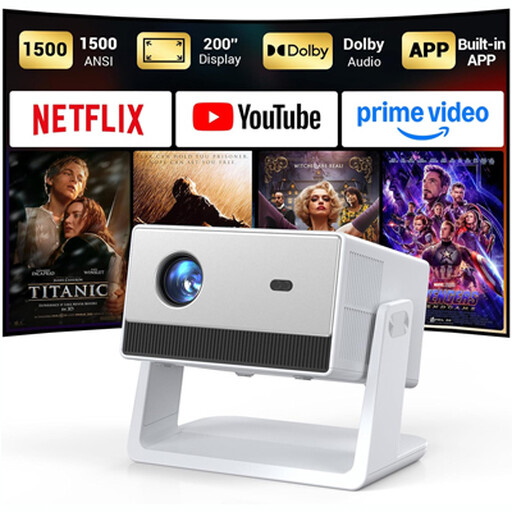 Image unavailable
The listed built-in speakers are worth considering for group viewing; check whether the sound will be loud enough for everyone.
The product description lists 1.500 ANSI lumens, native 1080p, HDMI and two built-in 5 W speakers. It also specifies an adjustable picture size of up to 200 inches; check the corresponding setup distance.
 Image unavailable
The short throw ratio may suit a setup where the projector needs to be close to the wall; measure the distance needed for your preferred picture size.
The product description lists 3.800 ANSI lumens, HDMI and a built-in 10 W speaker. Its native resolution is WXGA (1280 × 800), not Full HD.
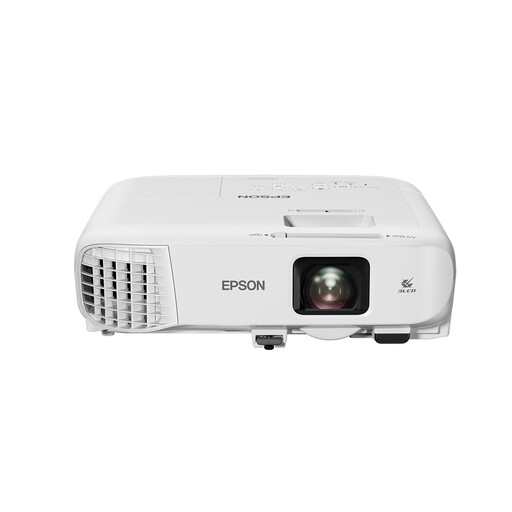 Image unavailable
The stated brightness and built-in speaker may be useful for a shared viewing space; check that the projection distance suits your room.
The product description lists 4.200 ANSI lumens, HDMI and a built-in 16 W speaker. Its native resolution is WXGA (1280 × 800), not Full HD; it also lists 1,6× optical zoom.
Measure the usable wall width and the possible distance between the lens and the wall. Then check the picture size specified for the exact model at that distance. A picture size without the corresponding setup distance isn’t enough to assess whether it will work in your room.
Not necessarily. Check whether the service showing the match you want works on the projector, or connect a suitable external viewing source. Built-in streaming apps don’t confirm that a particular match will be available.
Check the built-in sound and available audio output against the size of your group and your preferred setup. A speaker rating alone doesn’t guarantee that everyone will hear the commentary clearly.
CE marking is required when the relevant EU rules apply to the product. The Netherlands Food and Consumer Product Safety Authority lists electrical products as a category covered by CE rules; which rules apply depends on the product. A CE mark is a declaration of conformity, not independent approval of every individual device.
According to the Dutch government, the retailer is your point of contact for the legal guarantee. The Netherlands has no fixed statutory guarantee period; whether an additional guarantee offers anything depends on its terms and the rights you already have.