
Viewers watching with ambient light
You want to follow the match with indoor lights or outdoor lighting left on. Assess brightness alongside screen size and the amount of light falling on the screen, as BenQ Netherlands and ViewSonic Europe explain.


First, choose a projector to suit the lighting during the match and the distance to the screen. A brighter model is better suited to a lit space, while portable models are particularly useful for a dark, flexible setup. Then check that your live source and audio are compatible, and that the exact model will fit in the space available. A sports or gaming mode alone is no guarantee of smoother live footage.
You want to follow the match with indoor lights or outdoor lighting left on. Assess brightness alongside screen size and the amount of light falling on the screen, as BenQ Netherlands and ViewSonic Europe explain.
You need to fit the projector between your guests, table and screen. Projection distance and image positioning features will determine which models are suitable. Epson Netherlands describes these placement features for the EH-TW7000.
You move the projector between rooms or outdoors and want a simple audio setup. Check the lighting during the match, the power supply and the connections. BenQ Netherlands notes that portable models may be designed for different lighting conditions.
Start by considering the light where you’ll be watching, then measure the distance to the screen and check that your broadcast and audio will work with the setup you choose. The lumen figures quoted are not always based on the same measurement method, and they don’t show on their own how an image will look in your room.
| What to consider | What should you check? | Who should give this more weight? |
|---|---|---|
| Image visibility in evening light | Compare brightness figures, including their units and measurement methods. Also consider screen size and ambient light. Direct sunlight is not a realistic viewing condition for a projector, according to BenQ Netherlands. | If we’re watching the match with the lights on or in outdoor light on a large screen, we want to know whether the image will remain visible. Around 33% of consumers prioritise visibility in evening light. |
| Projection distance and placement | Measure the distance from the lens to the screen and the image width you want. Check the projection range and whether the model has optical zoom or lens shift. Digital keystone correction is not the same as having optical placement flexibility. | If the projector needs to go between guests and furniture, we want to know in advance whether the image will fit in the chosen spot. Around 27% of consumers consider a suitable distance and image position their most important priority. |
| Live source and audio | Test the actual broadcast and check which HDMI and audio connections you need. Don’t assume that a smart platform supports a particular match or app. | If we’re watching with a group, we want to be able to play the match and hear the commentary clearly. Around 20% of consumers give top priority to a working live source and audio. |
| Portability, power and outdoor use | Check the weight, power supply and model-specific protection for each projector. Fully unwind any cable reel you use, and don’t mistake protection against light splashes for protection against rain. | If we want to move the projector between locations, we want to know whether power and setup will be practical there. Around 20% of consumers put portability and power at the top of their list. |
Even a projector with a high quoted light output can’t overcome direct sunlight. Image size and the light falling on the screen also make a difference.
Check the viewing spot at match time and see whether you can dim the light. Only compare brightness figures when you know they’re based on the same measurement method.
You may need to move the screen, choose a darker viewing spot or use a suitable screen to make the setup work.
A built-in platform or HDMI connection doesn’t confirm that the specific broadcast will be available through your source.
Test the actual broadcast source and connections before your gathering. If the event is outside a strictly domestic setting, check separately which screening rights apply.
Your setup may also need a compatible receiver, streaming source or separate audio equipment.
Image positioning features vary by model. For example, ProjectorCentral notes that the BenQ TK700 does not have vertical lens shift.
Measure the distance from the lens to the screen and the height you want to place the projector at. Then check the optical zoom and lens shift on the exact version you’re considering.
The EH-TW7000 and EH-TW6250 are models worth considering for a fixed or portable home setup.
The TK700, GS50 and GP100 represent different options for sports, gaming and portable setups.
The PX701HDH is a model to compare if quoted brightness is a factor for viewing with indoor lights on.
This Joybuy selection includes options for portable setups and a short-throw model. Compare the product specifications with the lighting, available screen space and live source you need. Lumen figures using different measurement standards are not directly comparable.
 No image available
The stated battery and wireless connections may be useful for a portable setup. Check in advance that the power supply and source will work where you plan to watch.
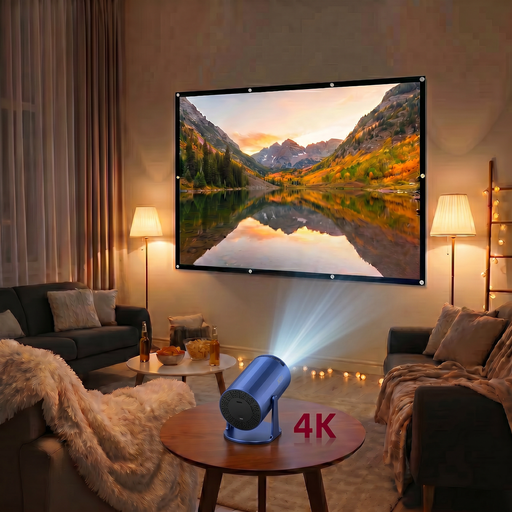
Native resolution: 720P. The 4K claim refers to support and does not change the native resolution. The title mentions Wi-Fi and Bluetooth 5.0.
 No image available
The included screen may be handy if you want to set up an image for a group. Check that the projection distance suits the space available.
The bundle includes a 100-inch screen. The projector description specifies native 720P, 200 ANSI lumens, and HDMI and USB connections.
 No image available
The HDMI connection lets you connect an external live source. Also check that your setup will play the audio you want.
Native 1080P and 700 ANSI lumens. The description mentions HDMI, Bluetooth audio, Wi-Fi, autofocus and automatic keystone correction.
 No image available
The quoted short-throw ratio may be useful if there’s limited space between the projector and screen. Measure the room before deciding where to place it.
The description specifies a 0,52:1 ratio, 3800 ANSI lumens, native WXGA resolution of 1280 × 800, a sports mode, HDMI and a built-in 10 W speaker.
 No image available
You can use the HDMI connection for an external source. Check whether the broadcast you need is available through that source.
The description specifies native 1080P, 520 ISO lumens, Google TV, HDMI and two 5 W speakers. It also mentions a portable design and a rotating gimbal.
It depends mainly on the light falling on the screen. A dark setup is better suited to limited light output than dusk or garden lighting. BenQ quotes 500 lumens for the GS50 and explains that ambient light can reduce visibility. Assess the spot at match time.
Measure the distance from the lens to the screen, test your preferred image size, and connect the actual broadcast source and audio in advance. Epson specifies optical zoom, lens shift and two HDMI inputs for the EH-TW7000. Still check that these features suit the space available.
Fully unwind any cable reel you use and leave clear space around electrical equipment for ventilation, as advised by the Fire Service. Follow the manual for the exact model when cleaning and maintaining it.
No. According to ACM ConsuWijzer, statutory guarantees are separate from manufacturer or seller warranties and depend on what you could reasonably expect from the product under normal use. The seller is responsible for the statutory guarantee, so don’t rely only on the stated manufacturer’s warranty period.
It depends on the event and the broadcast. Auteursrecht.nl describes an exception for screenings within a strictly domestic circle of family and close friends. For a Dutch business showing television to employees or visitors, Business.gov.nl states that a licence is required; according to the site, this licence does not permit commercial pay TV. Check which rights you need for your specific screening.