
Housemates watching together in the living room
You want an image that’s clear and sharp enough for several viewers, even if the shared space doesn’t get completely dark.


If you can’t darken the shared living room properly, start by looking for a Full HD projector with a stated brightness suited to the room, and measure the projection distance in advance. If you often move between rooms and can darken them, a portable model may be more practical; also check how to connect your film and manage the sound.
You want an image that’s clear and sharp enough for several viewers, even if the shared space doesn’t get completely dark.
You want to be able to move the projector and check in each room whether the available projection distance and level of darkness are suitable.
You want to play your own holiday film and make sure the sound is clear enough, without assuming that a built-in streaming feature will support every file.
First, measure the available projection distance and consider how much you can darken the room. Then choose the combination of picture quality, positioning and connections that suits your film night.
| What to consider | What should you check? | Who should prioritise this? |
|---|---|---|
| Visibility in the available light | Check the brightness rating for the exact model and whether you can darken the room. | If the living room isn’t completely dark, I want everyone to be able to follow the film. Around 33% of consumers give visibility in the available light top priority. |
| Suitable positioning | Measure the available wall width and the distance from possible positions, then compare these with the model’s projection specifications. | When we move between rooms, I want to know whether the projector can produce the picture we want from an available position. Around 27% of consumers prioritise positioning and portability. |
| Playing the film and managing the sound | Check how to connect your film source, whether the file is supported and how to connect any external speakers. | If my holiday film is on a laptop, I want to know in advance how to connect it and manage the sound for the group. Around 20% of consumers give playback and sound top priority. |
| The complete set-up | Check what equipment you already have and read the seller’s and manufacturer’s information about guarantees and service. | I want to know in advance what I’ll need for a working film set-up and what I can do if the device develops a fault. Around 20% of consumers prioritise the total cost. |
Brightness ratings can measure different things. A figure without the corresponding measurement method doesn’t automatically tell you how two projectors compare.
Check which brightness rating is given for each model and take the room’s lighting into account.
The achievable image size depends on the distance between the projector and the projection surface. A general maximum size doesn’t prove that it will work in your room.
Measure the wall and possible set-up distances, then compare them with the projection specifications for the exact model.
A built-in app or wireless feature doesn’t guarantee that your file or chosen streaming service will play. Nebula specifically warns that certain copyright-protected streaming content cannot be mirrored or cast on the Capsule Max.
Check how you plan to play your film on the exact model and which connection you’ll need.
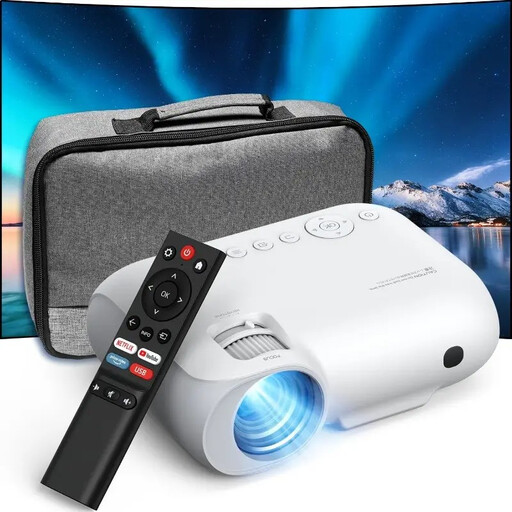
The CO-FH02 is a Full HD home projector for those who value its stated light output.
The GV50 is a portable option for changing set-up locations.
The NeoPix 160 is a compact Full HD option to consider for a room you can darken.
The Capsule range is a portable option to consider when a small size is a priority.
These Joybuy picks are projectors to compare for a film night at home. For each model, check that the brightness, positioning and connections suit your room and film source.
 No image available
The rotating stand could come in handy if you want to set up the projector in different places.
Native 1080P; 520 ISO lumens; built-in Google TV; two 5W speakers; autofocus and automatic keystone correction; HDMI and USB.
 No image available
The rotating design and autofocus could be useful if you want to position the image flexibly.
Native 1080P; 1000 ANSI lumens; 360° rotatable design; autofocus; HDMI and Bluetooth.
 No image available
The listed connections give you options for connecting your own film source. Check which one works with your device.
Native 1080p Full HD; HDMI, USB and AV connections; Wi-Fi and Bluetooth.
 No image available
The listed wired and wireless connections give you options for connecting a film source and sound.
Native 1080P; HDMI, USB and AV; Bluetooth audio.
 No image available
The listed automatic keystone correction can help with positioning. Check in advance how you’ll connect external speakers.
1080P Full HD; 800 ANSI lumens; HDMI and USB; automatic keystone correction; Bluetooth for speakers.
Measure the available wall width and the distance from possible projector positions. Compare these measurements with your desired image size and the projection specifications for the exact model. A general maximum image size doesn’t prove that it will work in your room.
That depends on the outputs on your laptop and the inputs on the projector. BenQ, for example, lists an HDMI input for the GV50. Also check that your laptop can play the file and how you want to manage the sound.
Check whether the model has an audio output that works with your external speakers. BenQ lists a 3.5mm output for the GV50, and Philips lists one for the NeoPix 160. Having this connection doesn’t tell you how much volume you’ll need in your room.
In the Netherlands, online purchases generally come with a 14-day cooling-off period from delivery, although exceptions may apply. According to ACM ConsuWijzer, the seller is responsible for providing a solution if the product doesn’t perform as you could reasonably expect under normal use. A manufacturer’s guarantee doesn’t replace this legal right.
Not necessarily, if the film contains copyright-protected work by others. The Dutch government states that a copy made for personal use must not be distributed or made available to the public. This information doesn’t determine whether you need permission for a specific screening with housemates; that also depends on the content and circumstances.