Start with the room: decide on your preferred image size, how much ambient light you can reduce and where the projector can go. A bright Full HD projector, an ultra-short-throw model and a 4K model suit different settings. Also check that spoken commentary can be heard clearly from the back row.
Who is this buying guide for?
Organisers in a bright room
You’re showing a documentary to a group in a room that can’t be made completely dark. In that case, a large, visible image matters more than extra resolution. Epson Netherlands lists the EB-FH52 at 4,000 lumens; its suitability also depends on the room and image size.
Organisers with limited setup space
You want a large image, but the walkway or limited distance to the screen affects where the projector can go. Check the positioning details for the exact model, including the Epson EB-815E’s ultra-short throw.
Viewing groups watching visually rich films
You want to show details in images of nature or space, for example, and can tailor the source quality, room lighting and sound to the venue. BenQ specifies the TK700 as 4K UHD; also check that your documentary source offers that resolution.
What should you look for when choosing?
Bright Full HD with a standard throw distance
Choose this option: if you can position the projector at a standard distance from the screen and can’t make the room completely dark.
The trade-off: the Epson EB-FH52 is Full HD, not 4K. Check that its stated throw ratio and brightness suit your room and image size.
Ultra-short throw
Choose this option: if there’s space right by the screen, but a clear projection path through the room would be impractical.
The trade-off: this setup requires a different position. Check that the screen is suitable and confirm the distance for the exact model in advance.
4K for fine image detail
Choose this option: if detail is a priority, your source provides suitable 4K content and the projector can be positioned appropriately in the room.
The trade-off: 4K won’t solve issues with ambient light, throw distance or audibility; check these separately.
| Factor to consider |
What to check before buying |
Who is this important for? |
| Visibility on a large screen |
Compare brightness using the same measurement standard, and assess it alongside screen size and room darkening. |
If I’m hosting a large group in a room with ambient light, I want the image to remain visible from the back. Around 33% of consumers prioritise visibility in a bright room. |
| Positioning the projector and screen |
Measure the screen width and available distance, then check the positioning details for your chosen model. |
If the walkway or room layout limits where the projector can go, I want to know whether the setup will work with the screen. Around 27% of consumers prioritise positioning and keeping walkways clear. |
| Detail in text and images |
Check the model’s stated resolution and the resolution of the documentary source. |
If I want to show small labels, subtitles or details in scientific images, I’m looking for a suitable combination of source and projector. Around 20% of consumers prioritise fine image detail. |
| Clear spoken commentary |
Check the audio connections and test the sound from the back row using your intended source. |
If everyone in the group needs to follow the spoken commentary, I want to know in advance how the sound carries in the room. Around 20% of consumers start by considering the sound setup. |
Buying pitfalls
-
Choosing 4K without considering the room
4K and Full HD are different resolutions, but the specification alone won’t tell you how visible the image will be in your lighting conditions.
First decide on your preferred image size, the ambient light and the resolution of your source material. Then compare the exact models and their positioning details.
-
Measuring the throw distance only after buying
The Epson EB-FH52, BenQ TK700 and ultra-short-throw Epson EB-815E have different positioning requirements. Your preferred image size will only work if the space and projector position are suitable.
Measure the room and check that your intended screen size is within the positioning capabilities of your chosen model.
-
Assuming a streaming subscription includes screening rights
For a screening outside a strictly domestic setting, permission from the rights holders may be required. The Dutch Government explains this permission requirement for films protected by copyright. Business.gov.nl outlines a FilmService licence for Dutch businesses showing films to employees or visitors.
Before announcing the event, check which rights apply to the specific documentary, source, organisation and screening.
Brands to consider
Epson
Epson offers models for standard room setups as well as projection from close to the screen.
- Epson Netherlands lists the Full HD EB-FH52 and EB-L260F at 4,000 and 4,600 lumens respectively.
- The EB-815E is designed for ultra-short-throw projection; Epson lists an image size range of 80–160 inches.
- The EB-FH52 uses a lamp. Epson lists 5,500 hours in normal mode and 12,000 hours in eco mode; these are manufacturer figures, not a prediction of replacement costs.
BenQ
The TK700 is a 4K UHD model worth considering if the source and throw distance suit your room.
- BenQ specifies 4K UHD, 3,200 ANSI lumens, a throw ratio of 1.127–1.46:1 and one built-in 5 W speaker for the TK700.
- The manufacturer’s positioning of the projector as a gaming model and its stated speaker specifications don’t tell you how clearly a documentary will be heard in a full room.
Optoma
The UHD38x combines a stated 4K UHD resolution with a specified brightness level.
- Optoma Europe lists the UHD38x at 4K UHD and 4,000 ANSI lumens.
- These are manufacturer specifications for the UHD38x; they don’t indicate how another model or the projector will perform in your room.
Joybuy products
This selection focuses on portable projectors, models supplied with a screen and a 4K projector for visually rich documentaries.
 No image available
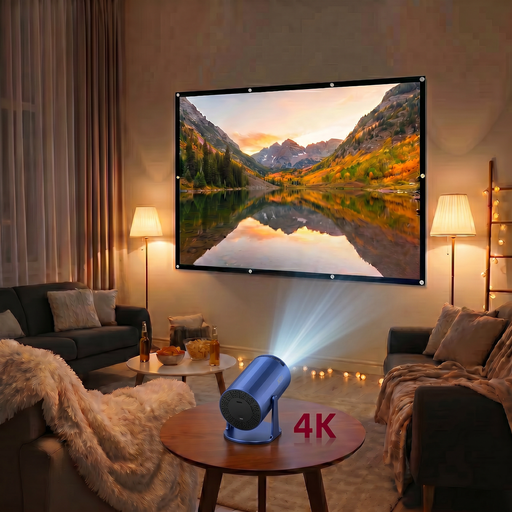
XBJ Portable Blue Projector with 100-inch projection screen
The product name specifies a portable projector and a 100-inch projection screen, making this a good option if you’re looking for a screen in the same bundle.
View at Joybuy
 No image available
XGIMI Vibe One Match Night EU Edition, Full HD 1080p
The product name specifies Full HD 1080p and a projection screen with stand, making this a good option if you’re looking for that combination.
The product name lists 250 ISO lumens, Google TV, JBL audio and a built-in battery. Assess the image and sound setup for your venue.
View at Joybuy
 No image available
Optoma UZ38X 4K UHD Dual-Laser Projector
If you’re looking for a 4K UHD projector, the product name identifies the UZ38X as a dual-laser projector.
The product name lists 3,800 lumens, DLP, 1.3× zoom and a 15 W speaker. Check the positioning details and whether the sound setup suits your room.
View at Joybuy
 No image available
XGODY N7 Cine Smart Projector, native 1080p
The product name specifies native 1080p and 1,000 ANSI lumens; compare these with your source material and the lighting conditions in your room.
View at Joybuy
 No image available
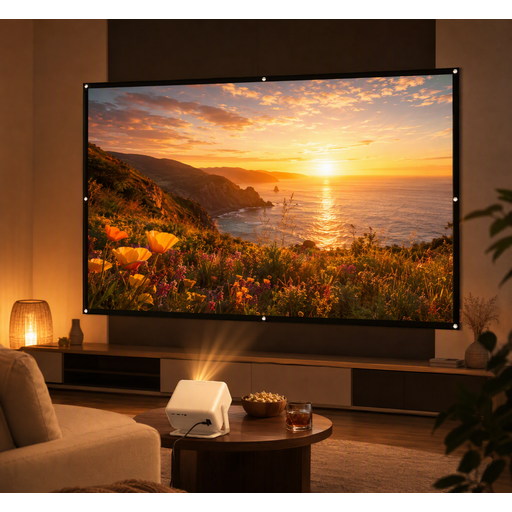
XGODY Gimbal A6 Pro Portable Projector with 100-inch projection screen
The product name specifies a portable projector with a 100-inch projection screen, making this a good option if you’re looking for a screen in the bundle.
View at Joybuy
Frequently asked questions
How can you check whether a projector will suit your room before buying?
Measure your preferred screen width and the available distance between the lens and the screen, then compare these with the positioning details for the exact model. An ultra-short-throw projector, such as the Epson EB-815E, may be an option if there’s no clear projection path; check the precise position and screen compatibility.
Should you factor in maintenance costs?
Compare the light source and stated lifespan of your chosen model. Epson lists 5,500 hours in normal mode and 12,000 hours in eco mode for the EB-FH52; for the EB-L260F, Epson specifies a laser light source with a lifespan of up to 20,000 hours. These are manufacturer figures, not a prediction of replacement costs for your usage.
Is a streaming subscription enough for a documentary night with a club or public audience?
Not necessarily: permission may be required to screen films protected by copyright. The Dutch Government explains the permission requirement; Business.gov.nl mentions a FilmService licence for Dutch businesses showing films to employees or visitors. Check which rights apply to the specific title, source and screening. A screening in a strictly domestic setting is different.
Will you need external speakers for a large group?
You can’t determine that from the number of viewers alone. Test your intended source from the back row and check the connections on your chosen model. BenQ specifies one built-in 5 W speaker and a 3.5 mm audio output for the TK700.


