
Viewer with a room you can darken
You want a large, clear picture for documentary night, so you’re considering the ambient light and the distance to the projection wall.


If you can darken the room effectively, a compact projector with built-in playback and sound can keep your set-up simple. First compare the stated brightness and the available projection distance. If there’s still a lot of ambient light, brightness matters more than a battery or the smallest size. Also check in advance how you’ll play the documentary and whether the sound will suit your room.
You want a large, clear picture for documentary night, so you’re considering the ambient light and the distance to the projection wall.
You want to get the projector ready quickly and put it away afterwards, ideally without needing separate playback and audio devices.
A compact battery-powered projector may be just what you need. Compare its stated battery life with the full length of your documentary.
Start by assessing the room’s lighting and your preferred picture size. Then check the placement and playback options, and see whether a battery or built-in sound would suit your set-up.
| What to consider | What should you check? | Who is this important for? |
|---|---|---|
| A clear picture in your room’s lighting | Compare the stated light output for the exact model and consider how much you can darken the room. | If I want to follow dark scenes clearly, I focus on the lighting and picture size in my room. Around 33% of consumers in this choice context prioritise a clear picture. |
| Placement and playback | Measure the distance to the wall and check the throw ratio. Also see whether your preferred app or external playback source will work. | With little room for extra devices, I want to know whether the projector will fit at the available distance and support my playback set-up. Around 27% of consumers prioritise compact placement and easy playback. |
| Clear dialogue | Check which audio connections are available and whether you can connect your own speakers if needed. | For a documentary, I want to follow conversations without setting up lots of extra equipment. Around 20% of consumers focus on audio that makes dialogue easy to hear. |
| Watching the whole film without a power socket | Compare the film’s running time with the battery life in the stated mode, and check which power connection is available. | If there’s no power socket near the projector, I want to know whether the battery will last for the whole screening. Around 20% of consumers prioritise being able to watch without a power socket. |
Tweakers explains that sunlight or lamp light falling on the screen can make the dark areas of a projected image look brighter. Epson Nederland highlights in its buying guide that the right brightness depends on your viewing environment. A higher stated lumen value alone is no guarantee of good contrast in every room.
Picture clarity also depends on ambient light and how much light is spread across the projected surface.
First consider how much you can darken the room and what picture size you actually want. Then compare the stated brightness for the exact model.
BenQ states that the GV50 supports input up to 4K, while its stated picture resolution is 1920 × 1080.
For subtitles and fine detail, compare the exact model’s native resolution, not just the input it supports.
Nebula gives the Capsule 3 Laser a maximum battery life of 2.5 hours in eco mode. This figure doesn’t automatically apply to other settings.
Compare your documentary’s running time with the battery life in the stated mode, and check whether you can use mains power if needed.
The GV50 is a portable option for anyone looking for flexible placement and built-in playback.
The Lifestudio Pop EF-61W is a compact home projector worth comparing if built-in streaming and sound matter to you.
The Capsule 3 Laser is a compact battery-powered option for anyone who wants to move their projector around or use it away from a power socket.
These product picks focus on compact home projectors, with built-in playback, sound and flexible placement in mind.
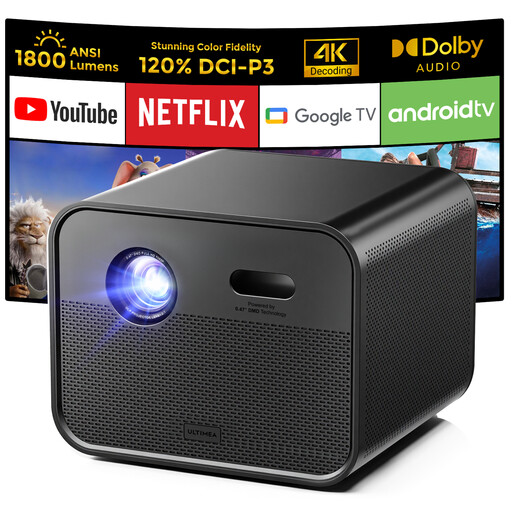 Image unavailable
Worth comparing if you want built-in streaming and sound in a compact home set-up.
Native 1920 × 1080 resolution; 1800 ANSI lumens; Google TV. The product name also mentions support for 4K input.
 Image unavailable
A portable option to compare if built-in streaming and speakers could help you cut down on separate devices.
Native 1080p; 520 ISO lumens; built-in Google TV and dual 5W speakers.
 Image unavailable
An option to compare if you want a tilting set-up with built-in playback and sound.
Native 1080p; Android 14; dual 8W speakers; integrated gimbal. The product name also mentions support for 4K and 8K video decoding.
 Image unavailable
A portable option to compare if you want flexible placement and built-in speakers.
Native 1080p; built-in stereo speakers; 360° rotating mount. The product name also mentions 4K decoding.
 Image unavailable
A compact option to compare if built-in streaming and sound matter to you.
1080p; built-in streaming; Dolby Audio; auto focus and automatic keystone correction.
Measure the distance to the projection wall and your preferred picture width, then check the exact model’s throw ratio. BenQ and Nebula both list a 1.2:1 throw ratio for the GV50 and Capsule 3 Laser discussed here. Also consider where the power supply and playback source will be.
Don’t assume you can just because wireless projection is supported. Check in advance that your preferred service and playback source work, and that you’re allowed to play the film that way. BenQ describes a scenario with the GV50 where, when certain streaming services are played over a wired connection, sound comes through but no picture appears.
If a product is faulty, consumers in the Netherlands may have statutory rights against the seller in addition to any manufacturer’s warranty, if the product doesn’t do what could reasonably be expected of it. ACM ConsuWijzer explains this. Online purchases generally come with a 14-day cooling-off period from delivery, subject to legal exceptions. Check the terms that apply to your purchase.
The rules depend in part on whether the screening stays within a private household setting. FilmService describes a licence for public screenings outside that setting, while the Dutch Government points out that copyright-protected material must not be made available to the public without permission. If you’re screening a film outside a private household setting, check the rights for that specific film and event in advance. Buying or streaming a copy doesn’t in itself give you screening rights.