
Host who wants to leave the lights on
You want your guests to be able to follow the picture while some mood lighting stays on. So check both the stated brightness and how much light there will actually be in the room.


If you can darken the room, first compare your preferred image size with the projection distance and resolution. If you’ll be leaving the lights on, take the room’s ambient light into account alongside the stated brightness. Then decide whether you’d prefer a fixed set-up or a portable model, and check the playback options, subtitles, sound and exact model variant before the documentary starts.
You want your guests to be able to follow the picture while some mood lighting stays on. So check both the stated brightness and how much light there will actually be in the room.
You want to watch together on a big screen, but the available distance and projector position will determine whether a fixed set-up is practical.
You may be moving between rooms or want to play the documentary without a complicated connection. So consider streaming, power and sound together.
First decide how much light will be on during the screening and how much projection distance you have. Then compare image detail and the complete playback and audio set-up.
| What to consider | What should you check? | Who is this important for? |
|---|---|---|
| Picture visibility with the lights on | Check the stated brightness, including its unit of measurement, and consider how much ambient light will remain during the film. Don’t treat ANSI and ISO lumens as directly comparable test results. | If I want to leave the lights on, I want guests to be able to follow charts and images without having to darken the room completely. Around 33% of consumers give visibility in ambient light their highest priority. |
| A suitable projection distance | Measure the available distance and preferred image width, then check the throw ratio and positioning options for the exact model. | If space is limited, I want to know in advance where the projector can go and what image size will work there. Around 27% of consumers prioritise positioning and distance. |
| Legible details and subtitles | Check the resolution of the exact model variant and consider whether your preferred subtitle size will be readable from the planned viewing distance. | If a documentary includes small labels or diagrams, I want them to remain legible from the seats. Around 20% of consumers give image detail their highest priority. |
| Playback and clear sound | Check that the specific app or HDMI source works, whether an adapter supports HDCP, and which audio output or speaker is available. For a battery-powered model, compare the stated battery life with the running time. | If I want to get started without interruptions and make sure everyone can hear the narration, I want to check the entire playback and audio set-up in advance. Around 20% of consumers give ease of use and clear sound their highest priority. |
Lighting conditions and your preferred image size still make a difference. What’s more, brightness figures using different units of measurement aren’t automatically directly comparable.
Make a note of how much light will be on during the documentary, and compare the stated brightness while keeping its unit of measurement in mind.
The standard XGIMI MoGo 4 and its bundles differ. For example, XGIMI says that the PowerBase stand is sold separately with the standard version.
Check the full model name, bundle contents, required connections and stated battery life before choosing.
If the selected variant doesn’t include a necessary playback source, stand, power supply or speaker, you’ll need to arrange one separately.
Keystone correction can help align the picture, but BenQ warns that digital correction can reduce image detail slightly.
First see whether you can position the projector more squarely to the screen, and use correction only for any remaining misalignment.
BenQ has announced a recall of the GV31 because its battery may overheat. This warning applies to this model and shouldn’t be applied to all BenQ projectors.
Check the full model number. If you have a GV31, stop using it and follow BenQ’s recall instructions.
For the CO-FH01, Epson Netherlands lists a fixed Full HD 3LCD projector with HDMI and a stated brightness of 3,000 lumens.
For the TH575i, BenQ Netherlands lists Full HD, 3,800 ANSI lumens, a lamp, a 10 W speaker and an included Google TV dongle.
XGIMI describes the European MoGo 4 as a portable Full HD projector with Google TV, licensed Netflix, built-in speakers and a battery.
Nebula describes the Capsule 3 Laser as a compact projector with 1080p resolution and 300 ANSI lumens.
These projectors are worth considering when choosing a model for a documentary evening. For your chosen model, check the lighting, projection distance, playback options, sound and exact variant.
 No image available
The portable design may suit you if you want to move your set-up around. Check that the stated battery life is long enough for the documentary.
The product name lists 1080p, 800 ANSI lumens, Google TV and a battery life of 2 hours.
Also listed: HDMI 2.1, USB-C, autofocus and automatic keystone correction.
 No image available
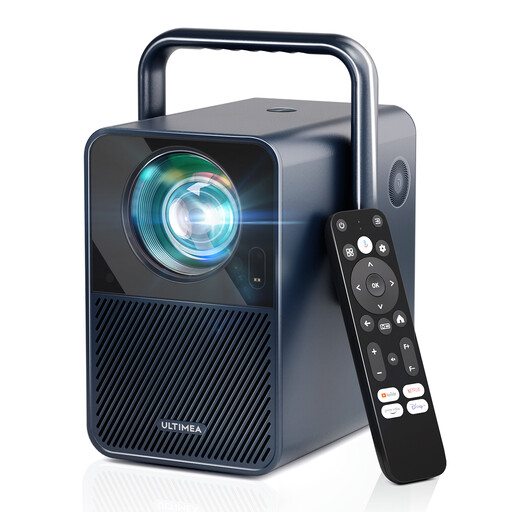
This model may be worth considering if you want a projector with built-in streaming. Check in advance that the documentary app you want works on it.
The product name lists native 1080p, 1,000 ANSI lumens and Android TV 11.0 with Netflix.
The title also mentions 4K support, which isn’t the same as native 4K resolution.
 No image available
An option to compare if you’re looking for a projector with a stated Full HD resolution and built-in audio. Check that the sound is powerful enough for your room.
The product name lists 1080p, 700 ANSI lumens, HDR10, Wi-Fi and Bluetooth.
The title also mentions autofocus and Dolby Audio.
 No image available
Built-in streaming may suit a set-up without a separate streaming dongle. Check that the app you want is available and that you have somewhere suitable to position the projector.
The product name lists native 1080p, 520 ISO lumens, built-in Google TV and two 5 W speakers.
The title also mentions a flexible stand that’s compatible with ceiling mounting.
 No image available
Built-in streaming and speakers may be useful if you want to keep separate equipment to a minimum. Check that the app and sound suit your needs.
The product name lists native 1080p, 1,000 ANSI lumens, Netflix and Whale TV OS.
The title also mentions 4K support; the native resolution is listed as 1080p. It also mentions autofocus and 90° rotation.
First measure your preferred image width and the distance from the lens to the screen. Then check the throw ratio for the exact model; for example, BenQ lists 1,49–1,64 for the TH575i. Try to position the projector as squarely as possible, as BenQ warns that keystone correction can reduce image detail slightly.
No, you can’t assume that. BenQ warns that an adapter without HDCP may transmit sound from protected streams while the picture remains black. Check the specific app and the entire playback chain in advance; built-in app support varies by model.
For a projector with a battery, compare the stated battery life with the documentary’s running time, or plan to use a mains socket. For a lamp model, check the maintenance information for the exact variant: BenQ lists different lamp life figures for the TH575i depending on the usage mode.
No. According to the Dutch government, there is no fixed statutory warranty period in the Netherlands; a product must be of satisfactory quality for the period you could reasonably expect. For many online consumer purchases, you’re also entitled to a 14-day cooling-off period. Check which terms apply to your purchase.
According to Auteursrecht.nl, you don’t need permission from the rights holders for a screening within a strictly domestic circle, such as family and close friends. A private association or business gathering doesn’t automatically fall within this category and may require permission. Also check the terms of the streaming service you’re using.
Check the required CE marking and product information for the specific electrical projector. The Dutch government states that electrical appliances offered for sale in the EU must carry the applicable CE marking; a brand name or product title doesn’t prove that a particular variant complies.