
Presenter with an audience at the back of the room
Wants viewers at the back to be able to follow the typography and design details too. Epson Netherlands highlights viewing distance and screen height as factors to consider when viewing detail.


Start with the distance between your audience and the screen, and the usable screen height. Epson Netherlands recommends a maximum viewing distance of four times the screen height for viewing detail. Then use the throw ratio to check whether the lens-to-screen distance and desired image width will fit your available space. The viewing distance is not the same as the distance between the projector and the screen. Finally, assess brightness, native resolution and colour using one of your own slides under the room lighting. A large or bright image alone does not guarantee that fine details will be readable.
Wants viewers at the back to be able to follow the typography and design details too. Epson Netherlands highlights viewing distance and screen height as factors to consider when viewing detail.
Cannot fully darken the room and wants to assess brightness alongside screen size and resolution. ViewSonic and Epson publish brightness specifications for individual projector models.
Shows illustrations or photography where colour matters and wants to assess how they look under the room lighting. Epson lists equal white and colour light output as a manufacturer specification for the CO-FH02.
When to choose it: if the room lights need to stay on during your presentation, compare the stated brightness of models for education or business use against your planned image size.
The trade-off: manufacturer figures are model specifications, not measurements taken in your room. Also check that small details remain readable at your intended image size.
When to choose it: if you can control the light and want a straightforward set-up, you could compare models such as the Epson CO-FH02. Epson lists this model as Full HD with 3,000 lumens.
The trade-off: test an actual portfolio slide from the back of the room before assuming this option will provide enough detail.
When to choose it: if there is limited space between the projector and the screen, a short-throw model could be a suitable set-up. Epson describes the EB-L210SW as a model that can be placed close to the screen.
The trade-off: a short throw distance does not automatically reduce the distance between your audience and the screen. Assess readability and image height separately.
For viewing detail, Epson Netherlands recommends a viewing distance of no more than four times the screen height. Check this ratio using a representative slide and the actual seating positions.
| Consideration | What should you check? | Who is this important to? |
|---|---|---|
| Readability from a distance | Measure the viewing distance and usable screen height. Test a slide with small text and fine lines from the back of the room. | If I’m sitting at the back, I want to follow the typography and details without them becoming hard to read on a larger image. Around 36% of consumers rank readability from a distance as their top priority. |
| Visibility in room lighting | Compare the stated brightness figures using the measurement basis given, and test with the lighting that will remain on during your presentation. | If the room lights need to stay on, I want to know whether my slides will be visible at the planned image size. Around 29% of consumers say visibility in room lighting is their main consideration. |
| Colour reproduction | View your own illustrations or photos on the intended screen and under the actual lighting conditions. | If I’m showing colour-critical design work, I want to compare the projection with the original. Around 21% of consumers put colour reproduction first. |
| Set-up and connectivity | Measure the lens-to-screen distance and desired image width. Check the throw ratio and the connection for your presentation source. | If my set-up location or presentation source has limitations, I want to know in advance whether the image size and connection will work. Around 14% of consumers give set-up or connectivity top priority. |
Viewing distance helps you assess readability; the distance from the lens to the screen helps you work out whether you can achieve the desired image width.
Measure the two distances separately and check the throw ratio of the exact model.
You may need a different set-up position or screen size if you cannot achieve the desired image width from the available space.
A stated maximum image size does not, by itself, tell you whether small typography and fine lines will be easy to make out at the back of your room.
View an actual portfolio slide from the back of the room, using your planned screen size and lighting.
You may need a different screen size or to adjust the layout of your slides.
ACM ConsuWijzer distinguishes between statutory rights and any commercial guarantee. If a product develops a fault too soon under normal use, the retailer is your point of contact.
Check who the retailer is and keep your purchase and guarantee details.
Epson Netherlands describes the CO-FH02 for uses including classrooms and offices, and the EB-L260F for business projection. These are different model options, not a general ranking of the brand.
ViewSonic positions the LS740HD as a laser installation projector for settings including educational spaces and lecture theatres.
BenQ presents the MH733 as a Full HD projector for meeting rooms and presentations in medium-sized spaces.
This selection includes projectors for portfolio presentations, with options for portable use, flexible positioning and short-throw projection. Always check that the chosen image size and details are readable from the back of the room.
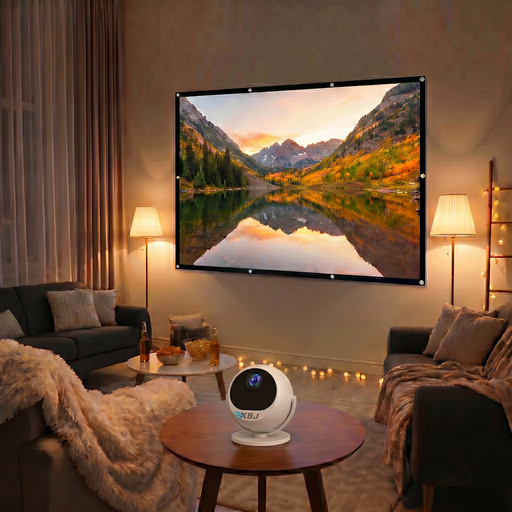 Image unavailable
This portable projector and screen bundle could be a good fit if you’re looking for a set-up you can move around. Check that your portfolio is readable at this screen size.
The product name specifies a 360° rotating projector and a 100-inch screen.
 Image unavailable
This option could suit you if you want to assess Full HD images and colour in your portfolio. Compare the projection with the original work under the actual room lighting.
The product name specifies native 1080P FHD, 800 ANSI Lumens and 110% BT.2020 Color Gamut.
 Image unavailable
This projector could be worth considering if you want to assess a 4K UHD model for fine details. Test the image from the back of the room at your planned image size.
The product name specifies 4K UHD, 3,800 lumens, DLP, 1.3× zoom and a 15 W speaker.
 Image unavailable
The stated short-throw ratio could be useful if space between the projector and screen is limited. Check whether you can achieve your desired image width from your set-up position.
The product name specifies 520 ISO Lumens, native 1080P FHD, built-in Google TV, two 5 W speakers and compatibility with a 360° ceiling mount.
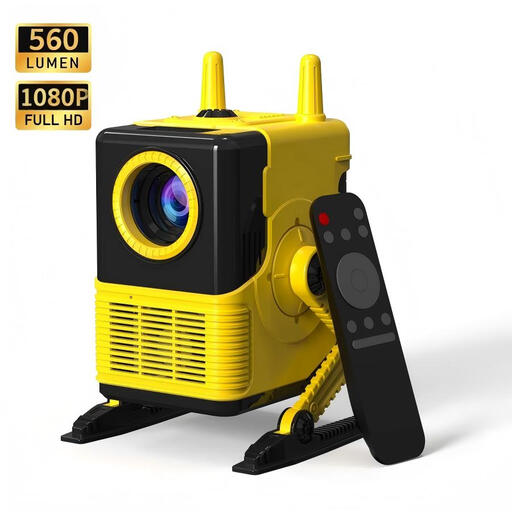 Image unavailable
This option could suit you if your presentation source connects via HDMI or USB. Also check that the projection shows enough detail at your intended screen size.
The product name specifies 1080P support, 560 lumens, HDMI and USB.
No. Viewing distance is measured from the audience to the screen; throw distance is measured from the lens to the screen. Use the first to assess readability, and check the second against the model specifications alongside the image width.
Measure the available lens-to-screen distance and the desired image width, then check them against the throw ratio of the exact model. BenQ defines the throw ratio as the distance from the projector to the screen divided by the image width. Then test your own presentation source and a slide with small details from the back of the room.
Follow the mounting and maintenance instructions for your chosen model. Epson specifically warns that the EB-FH52 could fall if its ceiling or wall mount is not secured properly. This warning applies to that model and is not a general statement about all projectors or mounts.
Epson lists the EB-L260F as having a laser light source that does not require lamp replacement. This does not rule out other maintenance or installation costs, so check the terms and any accessories for the exact version.