What should you look for when choosing?
Start with the room conditions and the finest details in your portfolio. Then compare portability, power and connections.
| What to consider |
What should you look for? |
Who is this important for? |
| Colour reproduction |
Check the colour settings and test one of your own files on the intended screen or wall. BenQ Netherlands distinguishes between colour gamut and colour accuracy, and highlights the effect of ambient light and wall colour. |
If I’m presenting colour-sensitive work, I want to assess my design on the projection surface and in the light conditions at the event. Around 30% of consumers put colour reproduction first. |
| Readability |
Measure the viewing distance and available projection distance, and decide which lights will stay on. For close-up viewing of detail, Epson Netherlands recommends a maximum viewing distance of four times the screen’s vertical height; this isn’t a guarantee for every presentation. |
If the lights stay on, I want guests to be able to see small details from their seats. Around 30% of consumers prioritise readability in ambient light. |
| Transport and setup |
Check the weight, supplied power source and whether the exact model has a battery. Only compare lumen ratings when they use the same measurement unit: ‘LED Lumens’ and ANSI lumens aren’t directly interchangeable. |
If I’m presenting at different venues, I want to know in advance how I’ll transport and power the projector. Around 20% of consumers make transport and setup their top priority. |
| Connecting and playback |
Check that the connections on your laptop or phone match those on the projector, and whether you’ll need an adapter. Test your file and the full setup before the event. |
I want to show my portfolio from my own device at the venue without any hassle. Around 20% of consumers prioritise a working connection and file playback. |
Projectors on Joybuy
These Joybuy projectors are relevant when choosing a projector for a design portfolio and evening event.
 Image unavailable
ETOE Dolphin 2
Suitable if you’re looking for a portable model with a built-in battery; the stated battery life is up to 2 hours.
Native Full HD; 800 ANSI lumens; RGB laser; HDMI 2.1.
View on Joybuy
 Image unavailable
Optoma Photon Beam PK52
A model to compare for your presentation setup. Before choosing, check the native resolution, brightness rating and connections of the product on offer.
View on Joybuy
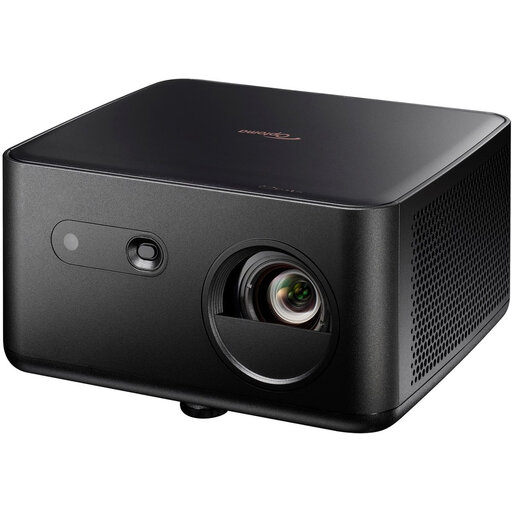 Image unavailable
Optoma Photon Life PK32
An option to compare if you want to check the focus and compatibility with your own equipment in advance.
4K UHD; 1,100 ISO Lumens; HDMI 2.0; USB-C; autofocus and automatic keystone correction.
View on Joybuy
 Image unavailable
Magcubic HY350Max
Could suit you if you’re looking for a portable model with flexible positioning; check how it works with your own device and file.
Native Full HD; 900 ANSI; 180° rotation; automatic keystone correction; HDMI and USB compatibility.
View on Joybuy
 Image unavailable
Optoma H117ST
Its short-throw specification makes this model worth comparing if space between the projector and screen is limited. Consider the resolution if you’re showing fine line work.
Native WXGA (1280 × 800), not Full HD; 3,800 ANSI lumens.
View on Joybuy
Frequently asked questions
How can I tell whether small labels in my portfolio will be readable?
Measure the viewing distance and test a page with the smallest text in your portfolio. For close-up viewing of detail, Epson Netherlands recommends a maximum viewing distance of four times the screen’s vertical height; this isn’t a guarantee for every drawing or room.
Can I use a portable projector without a mains socket?
Only if the exact model has a battery and it’s suitable for your presentation. BenQ lists a battery for the GV50, while ViewSonic lists a power adapter for the M2e. Check the power supply and test your setup before you leave.
How can I avoid problems with setup and connections?
Measure the distance to the wall or screen in advance, and test your own device, any adapter and your portfolio. Check the connections and projection distance for the exact model before deciding where to set it up.
What if a projector I bought online isn’t right for my room?
For an online consumer purchase in the Netherlands, ACM ConsuWijzer says you generally have a statutory cooling-off period of up to 14 days after delivery; check which exceptions apply. In addition, under the statutory guarantee, the seller must put things right if a product used normally doesn’t meet what you could reasonably expect.
Does a projector sold in the Netherlands need to have a CE mark?
According to the Dutch government, electronic equipment placed on the market in the EU must carry the applicable CE marking. Check the marking on the specific product before you buy it.


