
Daylight viewer
You watch during the day and can’t keep covering your tall windows. In that case, visibility at the screen is your first priority. BenQ Netherlands explains how ambient light can affect the visibility of projected images.


Start by looking at the light where the screen will be. A higher stated brightness can help with visibility, but it won’t automatically make dark star fields look black when daylight falls on the screen, as ProjectorCentral and BenQ Netherlands explain. If you can’t block out the light from the windows, assess the projector alongside a light-rejecting screen suited to the direction of projection. If you can control the light, you’ll have more room to weigh up screen size and placement too. Manufacturer specifications aren’t a measure of how the projector will perform in your living room.
You watch during the day and can’t keep covering your tall windows. In that case, visibility at the screen is your first priority. BenQ Netherlands explains how ambient light can affect the visibility of projected images.
You want to make out star fields and shadow detail, and you can adjust the light or the screen position. ProjectorCentral explains how light falling on a screen can reduce contrast.
You want a large picture from a unit close to the wall. You’ll need to plan the projector, available space and a suitable screen as a combination. BenQ Netherlands also recommends allowing for the depth of the furniture.
Projector brightness alone won’t tell you how dark scenes will look when light falls on the screen. ProjectorCentral explains how ambient light affects contrast, while BenQ Netherlands highlights the difference daylight can make to visibility.
| Key consideration | What to check before buying | Who is this important to? |
|---|---|---|
| Daytime visibility | Compare the stated brightness using the same measurement basis, and take screen size and the daylight falling on the screen into account. | If the windows stay uncovered, I want the picture to remain visible without relying on a lumen rating alone. Around 36% of consumers are most concerned about visibility in daylight. |
| Dark scenes | See whether you can control the light where the screen will be. If you’re using a light-rejecting screen, check the viewing and projection directions. | I want to make out star fields and dark backgrounds, even if that means controlling the light. Around 29% of consumers prioritise dark details. |
| Placement and screen | Measure the wall space, projection distance and furniture depth. Check the throw distance for the exact model and make sure the screen is suitable. | The space I have determines where the projector can go and which screen will fit. Around 21% of consumers start with placement and screen choice. |
| Connections and ease of use | Check the inputs and streaming options on the exact model before connecting your programme source. | I want to be able to start watching using the equipment I already have. Around 14% of consumers prioritise connections and ease of use. |
A bright picture and a star field that looks dark are two different goals when daylight reaches the screen.
First, see how much light falls where the screen will be. Then compare brightness, picture size and screen type separately.
You may still need to block out light from the windows or add a suitable screen.
Ultrashort-throw projection needs a screen designed for the steep angle at which the projector’s light hits it.
Before buying, check that the screen suits the projector type and the direction of the light from the windows.
An unsuitable combination may mean adjusting the setup or replacing the screen.
Your preferred picture size needs to work with the throw distance and the available wall space.
Measure the wall and placement distance, then check the throw distance for the exact model.
If the space isn’t suitable, you may need to adjust the setup, furniture or screen size.
Epson offers models for standard-throw and ultrashort-throw setups, with different light sources and placement options.
The TK705i and TH575i offer different combinations of resolution and features.
The PX3-PRO is a 4K laser projector designed for ultrashort-throw projection and placement close to the wall.
The UHD38x is an example of a 4K lamp projector designed for standard-throw placement.
This selection includes projectors with different placement and connection features. Compare them based on the distance to your screen, your programme source and the light in the room.
 Image unavailable
Consider this model if you’re comparing standard-throw projectors with 4K UHD. Check that your preferred picture size and placement will work in your room.
The product name lists 3,800 lumens, DLP, 1.3× zoom and a 15 W speaker. The projection screen and source device aren’t included.
 Image unavailable
Consider this model if you’re looking for a short-throw projector and have limited space. Measure the distance needed for your preferred picture size before buying.
The product name lists WXGA, 3,800 ANSI lumens and 3D. This version is listed as white.
 Image unavailable
This could be a good fit if you want to use apps without a separate player. Check that the apps and video sources you want to use work with this version.
The product name lists automatic picture correction, 180° rotation and HDMI compatibility. The stated picture size is 50–200 inches.
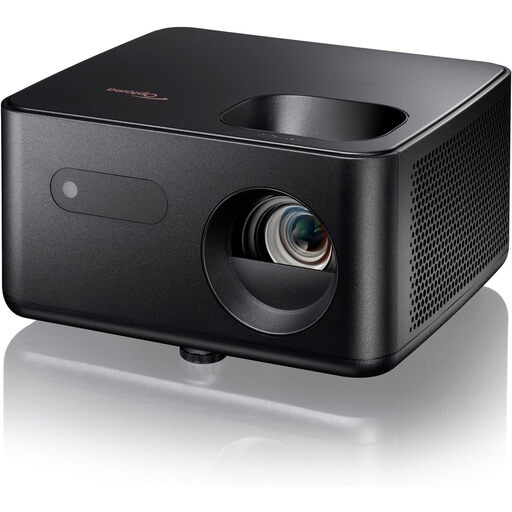 Image unavailable
Add this model to your comparison for video playback, and check beforehand that this version’s resolution and connections suit your programme source.
 Image unavailable
Consider this model if you’re looking for a standard-throw projector. Check the throw distance and preferred picture size for this exact version.
No. Higher brightness can help with visibility, but light falling on the screen can reduce contrast in dark scenes. So consider the screen position, picture size and whether you can control the light from the windows too.
No. Ultra-short-throw projectors direct light at the screen from a specific angle. Check that the screen is designed for ultra-short-throw projection, and measure the wall space and furniture placement before buying.
Measure the usable wall space and the distance between the projector and the screen. Then check the throw distance for the exact model and your preferred picture size. If you’re placing it on furniture, measure the available depth too.
For online purchases from a business, you generally have a 14-day cooling-off period, subject to legal exceptions, according to the Dutch government. A faulty product is a separate matter: contact the seller to discuss an appropriate solution. Being disappointed with picture quality isn’t the same as a fault if no specific feature was promised.