Start by considering the light falling on the screen: BenQ Netherlands points out that ambient light can reduce contrast. So assess the stated light output alongside the image size and a suitable screen. A high lumen rating alone does not guarantee a good picture in daylight. Then choose based on the projection distance available and check the motion handling, streaming source and audio connections.
Who is this choice relevant for?
Watching in a bright room
You want to watch the dance competition during the day and can’t fully block out the light coming through tall windows. Pay attention to the light on the screen, possible shading options and whether the screen suits the projector. BenQ Netherlands explains how ambient light can affect brightness and contrast.
Watching with limited space to set up
You want a large picture, but the distance between your furniture and the projection wall limits where you can position the projector. First, check the throw ratio or the instructions for an ultra-short-throw setup. BenQ Netherlands and Hisense Netherlands describe these different positioning options for their models.
Watching fast dance moves
You want to follow fast movements and camera pans, and assess the picture mode using competition footage. Also check how to connect your streaming source and audio. Epson Netherlands and Hisense Netherlands list motion processing for specific models, but its presence alone doesn’t tell you how your stream will look.
What should you look for when buying?
For a dance competition watched in daylight through tall windows, consider visibility, practical positioning, motion handling, and working source and audio connections.
| Key consideration |
What to look for when buying |
Who is this relevant for? |
| Visibility in daylight |
Consider how much daylight falls on the projection surface, whether you can use shading, and what light output and screen size suit your setup. |
If I’m watching during the day and can’t fully block out the light from the windows, my main concern is keeping the picture visible on the screen. Around 36% of consumers make daylight visibility their top priority. |
| Positioning the projector and screen |
Measure the available distance and the flat projection surface; check the throw ratio or installation instructions for the exact model. |
When there’s limited space between the furniture and the wall, I want to know whether I can achieve the picture size I want. Around 29% of consumers prioritise the space available for setup. |
| Following fast dance moves |
Check which motion features the model offers and assess the picture mode with the video source you plan to use. |
If I want to follow quick dance steps and camera movements, I’m mainly interested in how the competition footage is displayed. Around 21% of consumers make motion handling their top priority. |
| Competition stream and audio |
Check whether the streaming service you need is available as an app or can be played through an external player, and how to connect the audio. |
If I want to watch the competition without complicated extra equipment, I want to know in advance whether my stream and audio setup will work. Around 14% of consumers prioritise straightforward playback and audio. |
Buying pitfalls
-
Choosing a projector based only on the highest lumen rating
Ambient light can reduce contrast, and light-output figures using different units of measurement aren’t directly comparable. So a higher stated figure doesn’t guarantee a good picture in your room.
First assess the light in the projection area, then compare the complete setup, including the picture size and screen, rather than looking at the brightness rating alone.
-
Choosing an ALR screen without checking the projection type
A screen designed for a particular ultra-short-throw setup isn’t automatically suitable for a projector used at a standard distance or for every other ultra-short-throw model.
Check the compatibility information or installation guide for both the exact screen and projector before combining them.
-
Taking a gaming figure as proof of smooth dance video
Input lag and motion processing are different features. A stated lag figure for specific video signals doesn’t show how a competition stream with fast dance moves will look.
Check the available video modes and, if possible, assess footage similar to the competition you want to watch.
Brands to compare
Epson
The EH-TW7100 is worth considering if you’re looking for a projector that can be positioned at a standard distance, with options to adjust the setup.
- Epson Netherlands lists 3,000 lumens for both white and colour output, lens shift, zoom and frame interpolation for the EH-TW7100.
- These are the manufacturer’s figures for the model, not an independent assessment of its performance in daylight. Check the exact version and setup; the specifications don’t guarantee picture contrast next to windows.
BenQ
The TK710 is an option to consider if you can match the required distance and picture width to its throw ratio.
- BenQ Netherlands lists a laser light source, 3,200 ANSI lumens, a throw ratio of 1.15–1.5 and HDMI inputs for the TK710.
- The stated low input lag applies to specific video signals and doesn’t prove how dance video will look. Nor does the light output alone tell you whether there will be enough contrast with light coming through tall windows.
Hisense
The PX3-PRO is worth considering if you want a large picture with the projector positioned close to the wall.
- Hisense Netherlands describes the PX3-PRO as an ultra-short-throw model for 80–150-inch pictures and lists switchable MEMC.
- Check the exact position of the furniture, the wall surface and whether the screen is suitable for your chosen ultra-short-throw setup.
Dangbei
The DBOX02 is worth considering if built-in apps and speakers are important to you and you can partly darken the room.
- Dangbei lists 2,450 ISO lumens, Google TV with licensed Netflix and two 12 W speakers for the DBOX02.
- Check whether the competition stream you need is available through one of the built-in apps. These specifications don’t tell you how the picture performs when direct light falls on the screen.
Projectors at Joybuy
These projectors are suited to watching in a bright room and offer different positioning options. Compare light output carefully, taking the unit of measurement into account, and check the distance and screen suitability for your own setup. A lumen rating doesn’t guarantee a good picture in daylight.
 Image unavailable
Optoma UZ38X 4K UHD Dual-Laser
Worth considering if you’re looking for a laser projector with zoom; match the distance to your desired picture size.
The product title lists 3,800 lumens, 1.3× zoom and a 15 W speaker.
Joybuy
 Image unavailable
Optoma H117ST Short Throw DLP
The short-throw version may suit you if projection distance is limited; check that the distance and desired picture size work for your setup.
The product title lists WXGA, 3,800 ANSI lumens and 3D.
Joybuy
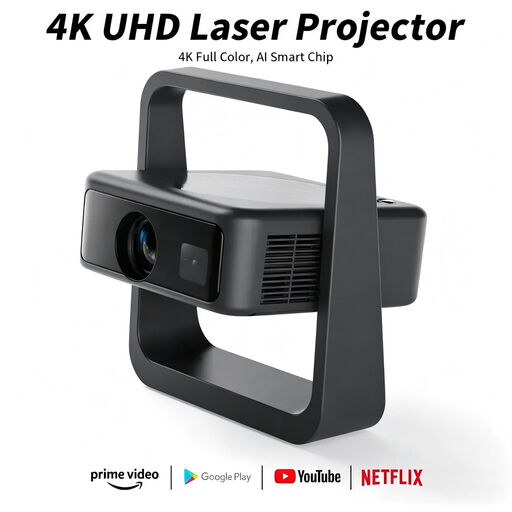 Image unavailable
XBJ D5 Portable Projector
If portability matters for your viewing setup, check in advance how you’ll play the competition stream and whether the required connection is available.
The product title lists Native 1080P, 4K decoding, WiFi6, Bluetooth 5.0, 1,500 ANSI lumens, autofocus and automatic keystone correction.
Joybuy
 Image unavailable
JMGO N1S Ultra 4K Triple Laser
This selection pairs the model with projection at a standard distance; check the distance and picture size for the position where you plan to place the projector.
The product title lists 4K UHD and a triple-laser light source.
Joybuy
 Image unavailable
Epson EB-760Wi WXGA 3LCD
This option is suited to an ultra-short-throw setup where there’s little space between the furniture and wall; check the exact positioning and screen suitability.
The product title lists WXGA (1280x800) and 3LCD.
Joybuy
Frequently asked questions
Is a higher lumen rating enough for watching next to tall windows?
No, not as your only buying criterion. Also assess how much light falls on the projection surface, the picture size and whether the screen suits your projector. Where possible, keep direct light off the picture area; a lumen rating doesn’t measure how the image will look in your room.
Can I use any ALR screen with an ultra-short-throw projector?
No. Check that the exact screen is compatible with your projector. Epson Europe describes the ELPSC35 screen as designed for specific Epson ultra-short-throw projectors; this doesn’t confirm that it will also suit the Hisense PX3-PRO or a projector used at a standard distance.
How can I check the setup and competition stream before buying?
Measure the distance from the planned lens position to the screen and compare it with the throw ratio or installation details for the exact model. Also check whether your competition streaming service is available as an app or can be used through an external player and a suitable connection, and consider how you want to connect the audio.
What should I bear in mind when using the projector and ensuring ventilation?
Follow the manual for your chosen model and keep the ventilation openings clear. Joybuy’s product information for the Dangbei DBOX02 also warns against looking into the lens; check the model-specific instructions separately for other projectors.
What are my rights when buying online in the Netherlands?
According to ACM ConsuWijzer, online consumer purchases generally come with a statutory cooling-off period of up to 14 days after delivery, subject to legal exceptions. The seller must also resolve issues under the statutory guarantee if, under normal use, a product doesn’t do what you were entitled to expect. This is separate from any manufacturer’s warranty.


