
Day-stage event organiser
You’re expecting a group while it’s still light outside. First, work out whether you can shade the screen area; BenQ Netherlands warns that a projector cannot outshine direct sunlight.


Start by checking the available projection distance and how much light falls on the screen. These factors help determine whether the image will be large enough and easy to see. For a well-lit indoor space, you can compare models with higher stated brightness. Outdoors in direct sunlight, however, a consumer projector is not a reliable choice unless you can provide shade or use a different set-up. Check the live source and sound, too: higher resolution or built-in streaming won’t make an unwatchable image any clearer.
You’re expecting a group while it’s still light outside. First, work out whether you can shade the screen area; BenQ Netherlands warns that a projector cannot outshine direct sunlight.
You want people at the back to be able to follow the race, too. Projection distance, image size and placement in the room determine which models are practical; manufacturers such as BenQ, Epson and Acer publish specifications that you can compare against your measurements.
You’ll need a working live source and clear commentary for the group. Check the connections and sound options; BenQ and Epson list this information for their projector ranges.
First, measure the room and assess how much light falls on the screen. Then check whether the projector suits your preferred image size, live source and sound set-up.
| What to consider | What to look for | Who is this important for? |
|---|---|---|
| Visibility in daylight | Compare the stated brightness, your intended screen size and the actual light levels. Don’t assume a high lumen rating will compensate for direct sunlight. | If you’re watching with a group during the day, you’ll want to avoid the image looking washed out. Around 36% of consumers give daylight visibility their highest priority. |
| Image size and placement | Measure your preferred screen width and the distance from the lens to the screen. Compare these measurements with the exact model’s throw ratio, and make sure viewers at the back have a clear view. | If you want a packed venue to watch along, the image needs to fit the space available. Around 29% of consumers prioritise group viewing and placement. |
| Live source and sound | Check which app or receiver you need, the HDMI connections and whether you can connect external audio. Test the complete set-up before the broadcast. | If you want to watch live without interruptions and keep the commentary clear, check the entire connection. Around 21% of consumers give the live source and sound their highest priority. |
| Running costs and maintenance | For the exact model, compare the light source type, stated lifespan and the operating mode on which that lifespan is based. Check the seller’s warranty terms, too. | If you use the projector regularly, you’ll want to know what maintenance its light source requires. Around 14% of consumers prioritise running costs and maintenance. |
Direct sunlight can overpower the projected image, even if the stated brightness looks impressive.
First, assess the light levels where the screen will be. Only choose an outdoor set-up if you can shade the screen and assess the conditions at the planned viewing time.
You may need a different screen size or projection position if the measurements don’t work.
A supplied streaming solution doesn’t guarantee that the broadcast you want is available. The built-in speaker may also struggle in a packed space.
Check the broadcast, source and connections separately. If you’re showing it at a business or organisation, also check which viewing rights apply.
You may need a separate receiver, subscription or audio equipment.
The TH575i is a Full HD home projector that BenQ also positions for sports. It’s worth considering for an indoor set-up with a compatible live source.
The EB-FH54 and EB-L260F are examples of Full HD models for larger or more frequently used indoor set-ups: a lamp projector and a laser projector respectively.
The H6815BD, variant MR.JTA11.002, is a 4K UHD lamp projector worth comparing if resolution matters alongside brightness.
These Joybuy product picks are aimed at well-lit indoor spaces with a group of viewers. Compare the stated brightness and connections with your room and live source; a product specification doesn’t guarantee a clear image in every lighting condition.
 No image available
Could be suitable if you’re looking for a 4K UHD model with two HDMI inputs for a live source.
Stated specifications: 3.800 lumens, a throw ratio of 1,21:1–1,59:1 and 1,3× manual zoom. The stated projection distance is 1–8 m and the image size is 28–300 inches; check that these measurements suit your space.
The product details list a 15 W speaker.
 No image available
Could be suitable if you’re looking for a 4K projector with an adjustable projection angle.
The product details list 3.000 ANSI lumens and a Dynaudio sound system.
According to the product details, the adjustable gimbal lets you project onto walls, ceilings or floors. Consider the chosen angle and position in relation to your viewing space.
 No image available
Could be suitable if you want to compare two HDMI 2.0 inputs and two built-in speakers for a group set-up.
Stated specifications: 3.500 lumens, a throw ratio of 1,21:1–1,59:1 and a projection distance of 1–8 m. The stated image size ranges from 28 to 300 inches; check the distance and screen size for your space.
The product details list two 15 W speakers.
 No image available
Could be suitable if you’re looking for a projector with two HDMI ports and WXGA resolution works for your source and viewing distance.
Stated specifications: 4.000 ANSI lumens and WXGA resolution of 1200×800. The product details list 3LCD technology and a weight of 2,5 kg.
The stated lamp life is up to 12.000 hours in Eco mode; check which operating mode the stated lifespan applies to.
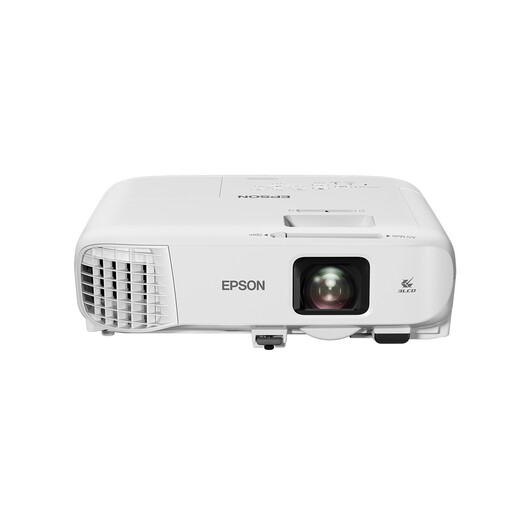 No image available
Could be suitable if Full HD, optical zoom and connections for a live source are important for your set-up.
Stated specifications: 4.000 ANSI lumens, Full HD 1080p (1920×1080), 3LCD technology and 1,6× optical zoom.
The product details list two HDMI inputs and a 16 W speaker. Check that the sound will be clear in your space.
Don’t count on a large image being easy to see in direct sunlight. BenQ explains that a projector can’t outshine the sun; shade the projection area and assess the image at your planned viewing time and screen size. The stated lumen rating alone won’t determine this.
First, measure your preferred screen width and the available distance between the lens and the screen. Compare these measurements with the exact model’s throw ratio. For example, BenQ lists 1,49–1,64 for the TH575i; Acer lists 1,5–1,65 for the H6815BD MR.JTA11.002.
It depends on the venue and background noise. BenQ lists a 10 W speaker and an audio output for the TH575i; Acer lists a 3 W speaker for the H6815BD. Test whether the sound is clear at the back and check that you can connect external audio.
For television broadcasts shown by a business or organisation to employees or guests, Ondernemersplein says a viewing licence and fee are required. The Videma licence described does not automatically cover channels that require a separate paid subscription. This answer does not establish whether a licence is required for a private gathering at home.
It depends on the gathering and the venue. According to Ondernemersplein, an event in a public place may require a permit, although notification is often enough. Check the local council rules that apply to your specific venue.